
Test Case Management
QAReusable test cases, suites and bundles — wired into every issue and CI pipeline, with full requirement-to-defect traceability.
Multiple servers: $399
- Redmine
- 5.0 and later, 6.x, 7.x
- Reports
- 12, with CSV and Excel
- Permissions
- 18, per project role
- CI/CD
- REST API, API-key auth
- Languages
- 50 locale files
- Issue trackers
- Yours, unchanged
Reusable test cases
Author steps, preconditions and expected results once, with a Draft → Review → Approved → Deprecated workflow. Never duplicated.
Suites & bundles
Group cases into suites and reusable bundles you attach to any number of issues — each generating its own executions.
Immutable executions
Every run is a separate, append-only record — pass, fail, blocked or skipped — with build, commit, environment and screenshots.
Automation mapping
Map each case to a framework, class, method and automation identifier so a CI runner executes it directly.
CI/CD REST API
Pipelines fetch the tests for an issue and upload results — Jenkins, GitHub Actions, GitLab CI, Azure DevOps or Bitbucket.
Dashboards & reports
Pass rate, automation and requirement coverage, plus release-readiness reports — exportable to CSV.
One chain from the requirement to the defect it produced
Nothing in the chain is a copy. An issue points at the test cases that prove it, each run adds an execution, and a failed execution points at the bug it raised. Follow the links in either direction and you land on real Redmine records.
1. Issue
A feature, story or requirement in whatever tracker you already use. The plugin adds no tracker of its own.
2. Test case
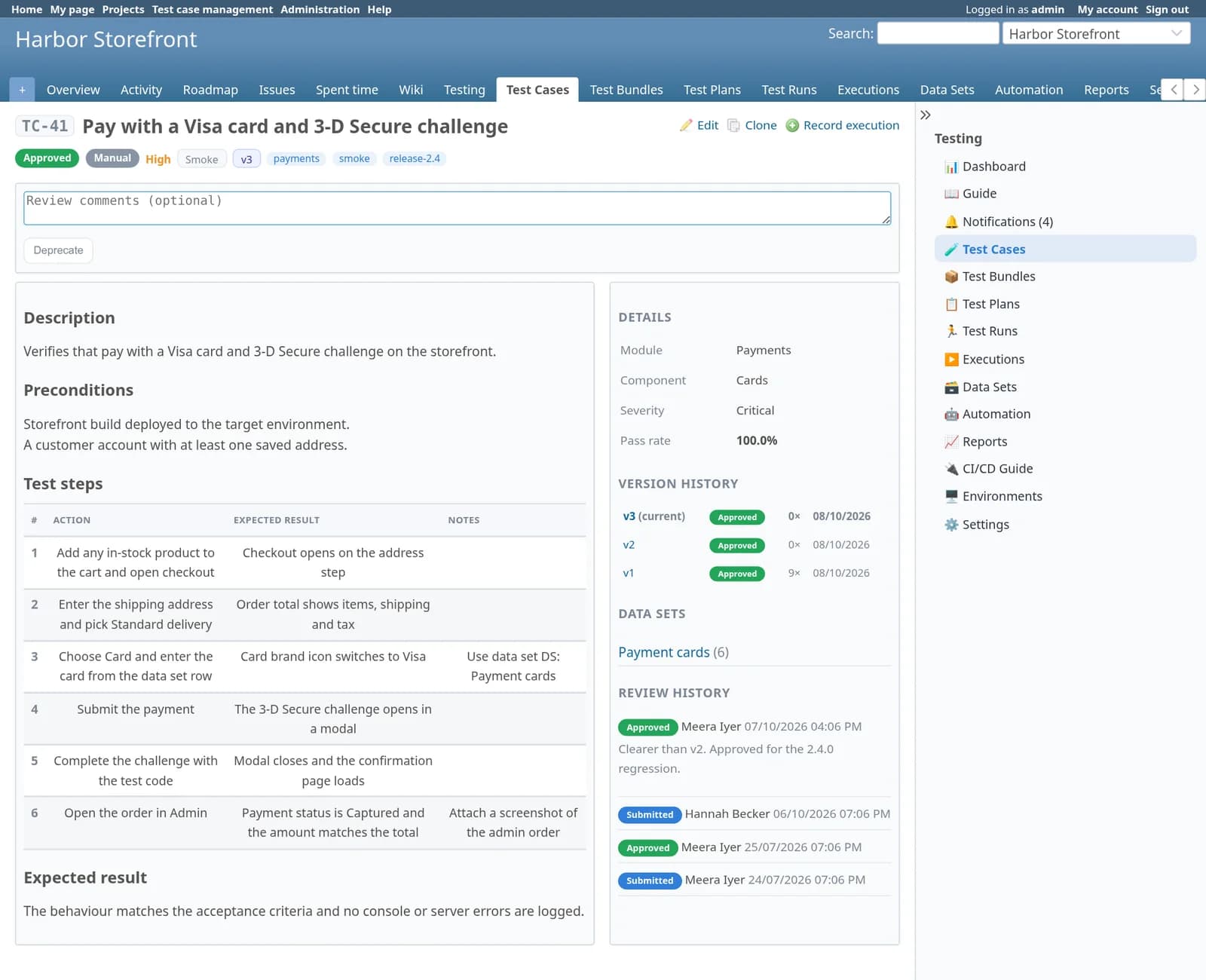
Assigned one by one or through a bundle. The same case, such as TC-41, can serve any number of issues.
3. Plan and run
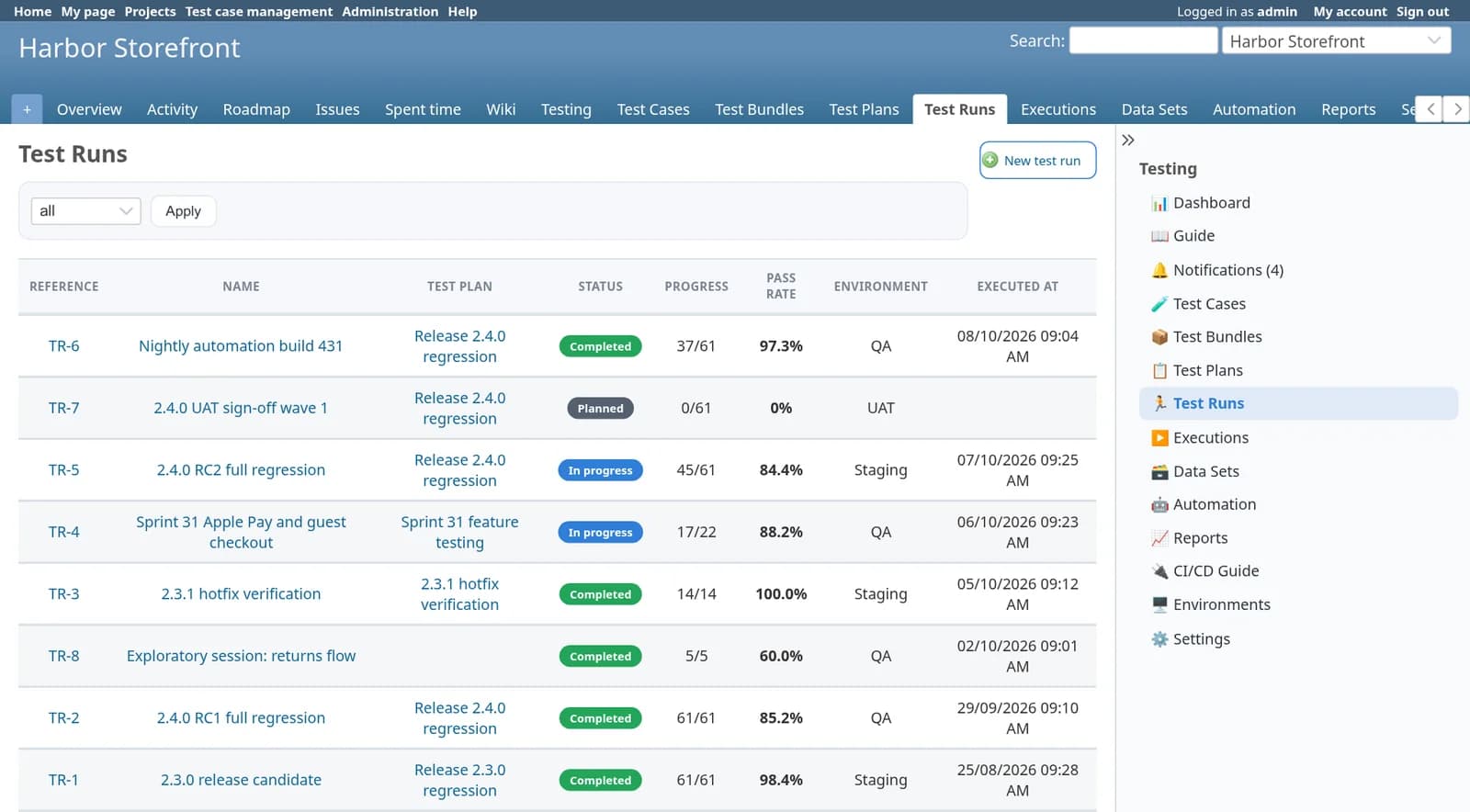
A plan (TP-2) sets the scope for a release; a run (TR-5) is one session against one build.
4. Execution
Pass, fail, blocked or skipped, with build, commit, environment, step results and screenshots. Never edited afterwards.
5. Defect
A normal Redmine issue linked from the failure, created by hand or automatically when a test fails.
Rules that hold the chain together
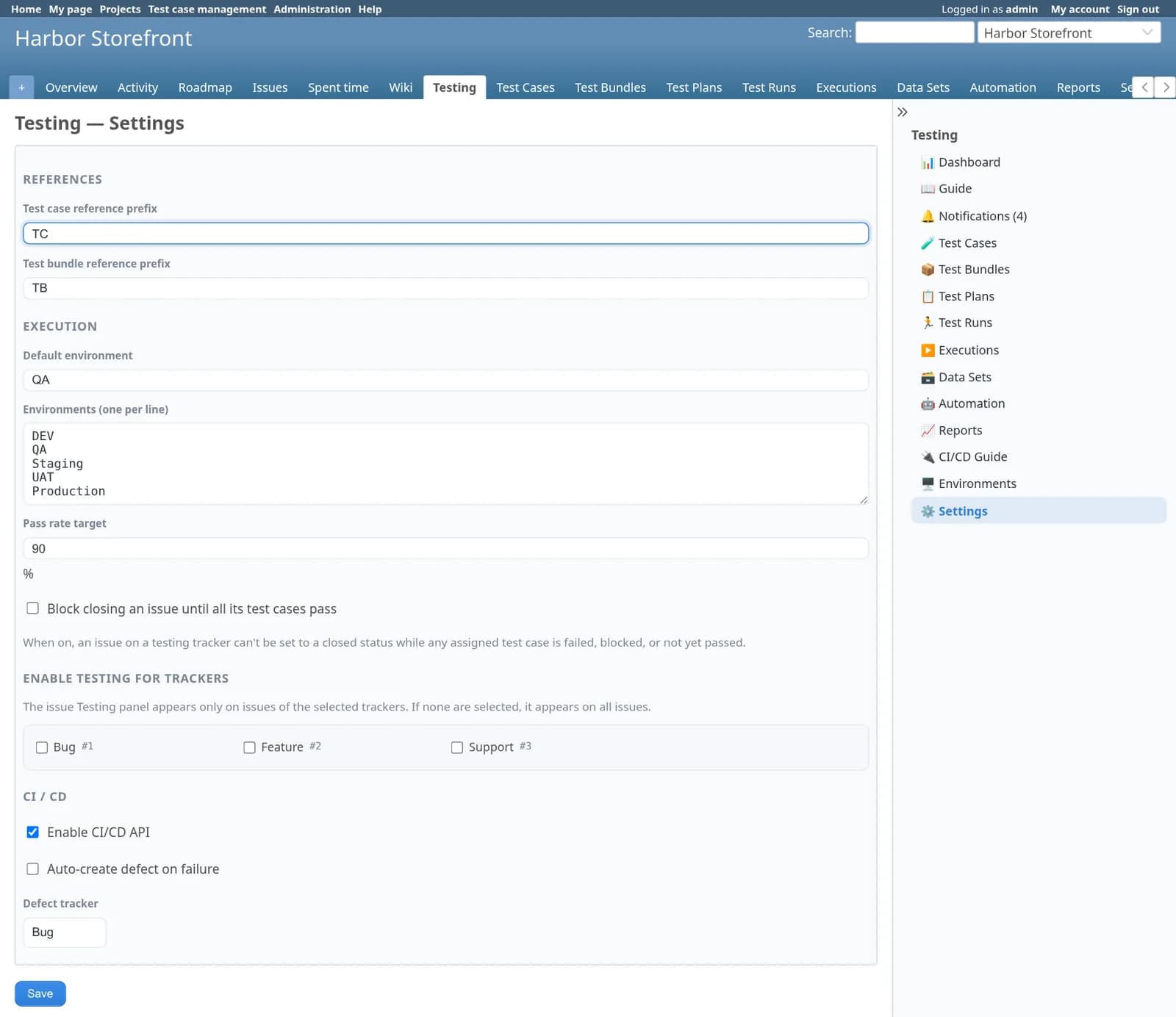
TC-, TB-, TP-, TR- and DS- references with prefixes you choose, executions pinned to the case version that ran, and an optional rule that an issue cannot close until its tests pass.
The whole workflow, captured from a running Redmine 6.1
These are real screens from the plugin on the default Redmine theme. The project, people and results are demo data for a fictional web shop called Harbor Storefront.
Write: a library of reusable test cases
Search and filter by module, status, automation and tags. Each case has structured steps, a review trail and its own version history.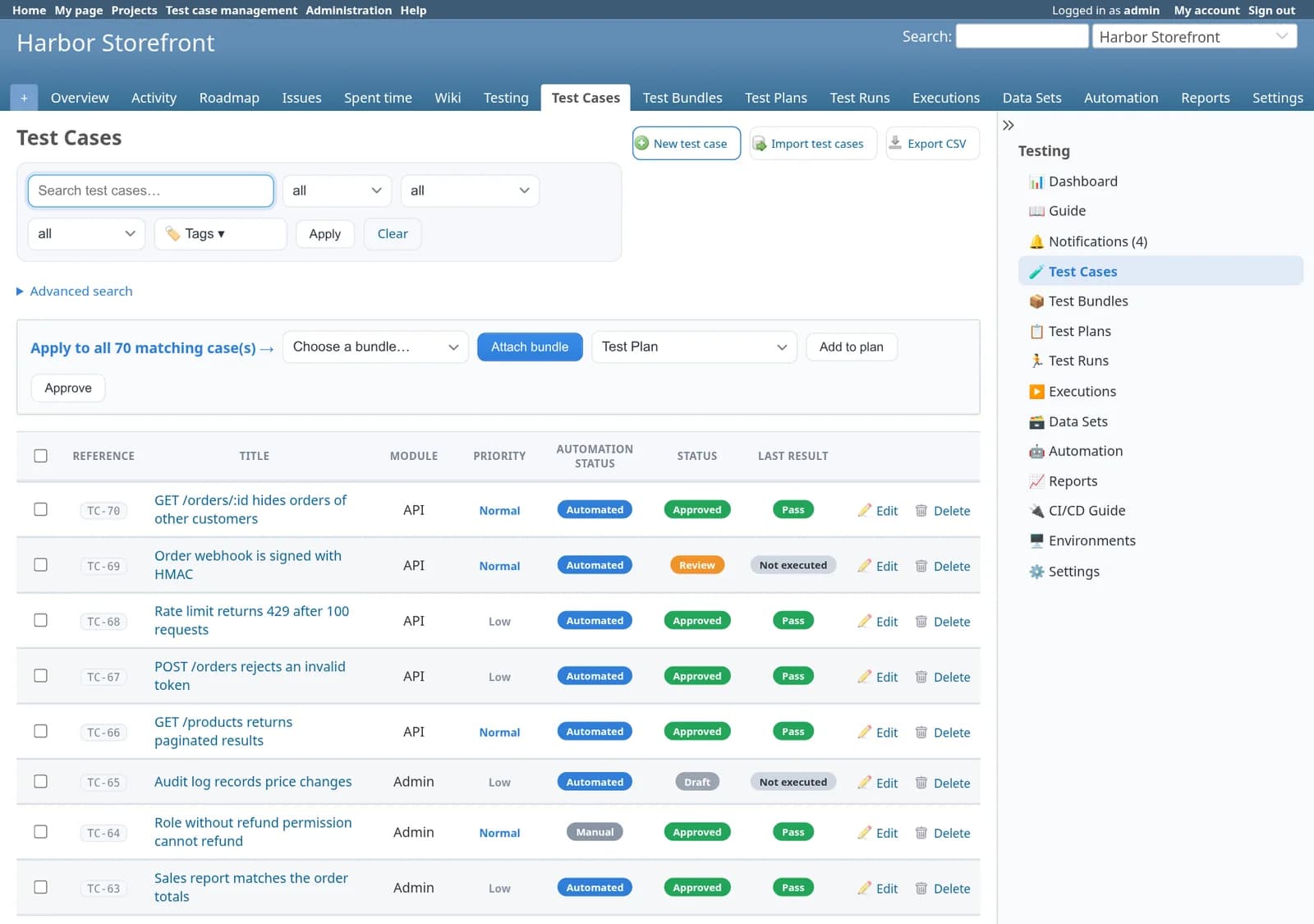
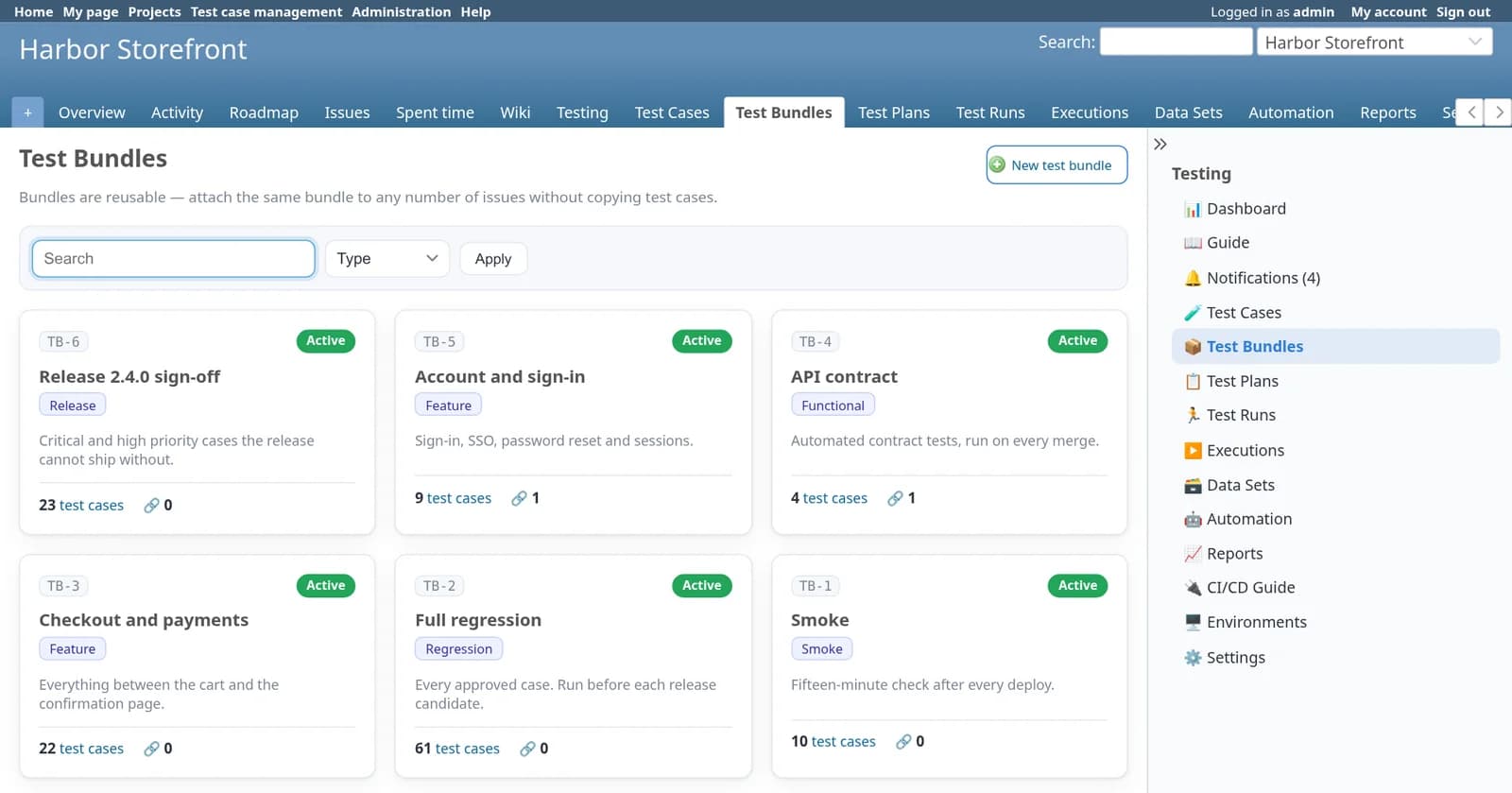
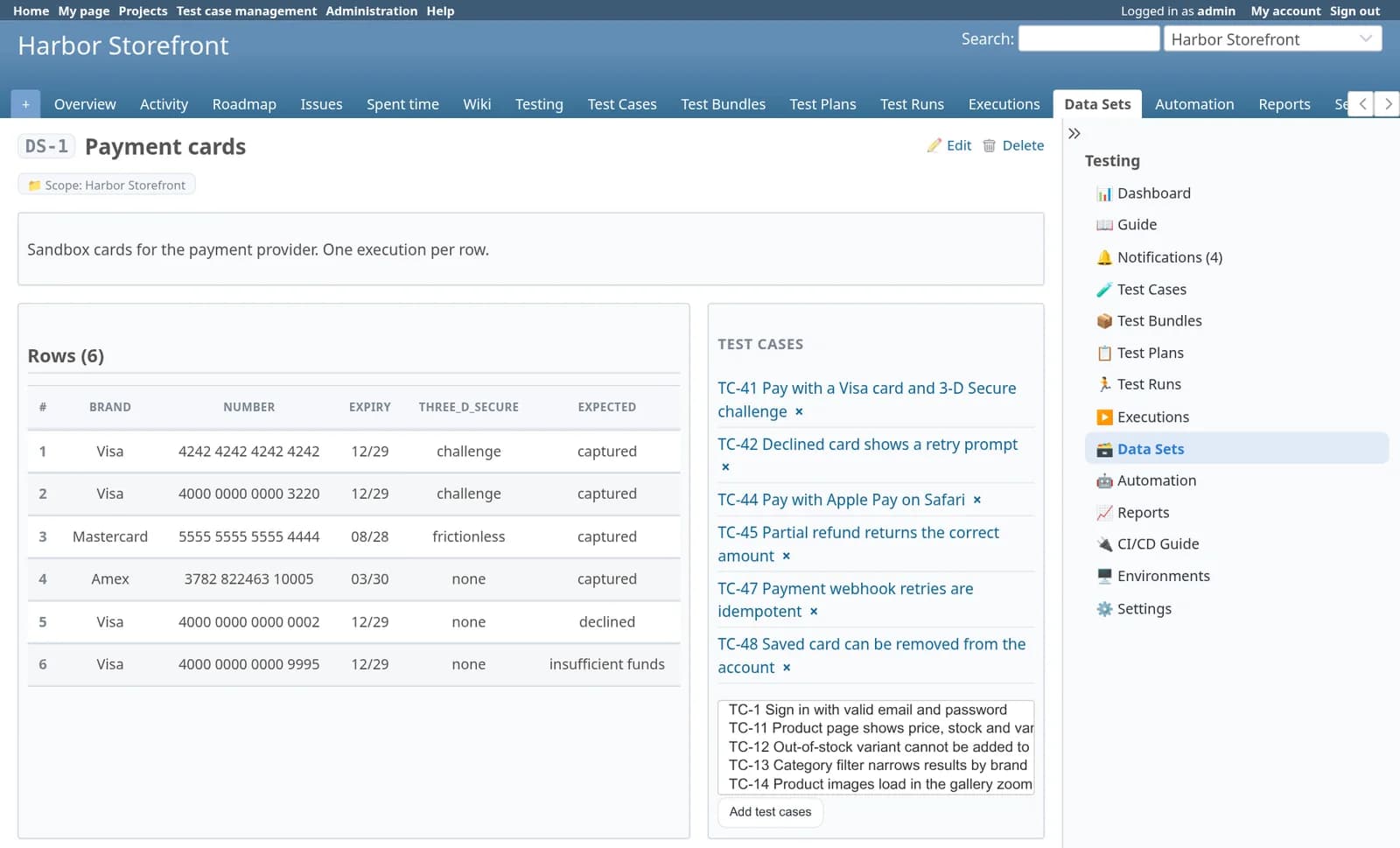
Plan: bundles, release plans and test data
Bundles collect cases for reuse. A plan ties bundles, issues, testers and a Redmine version together. Data sets feed one case many rows.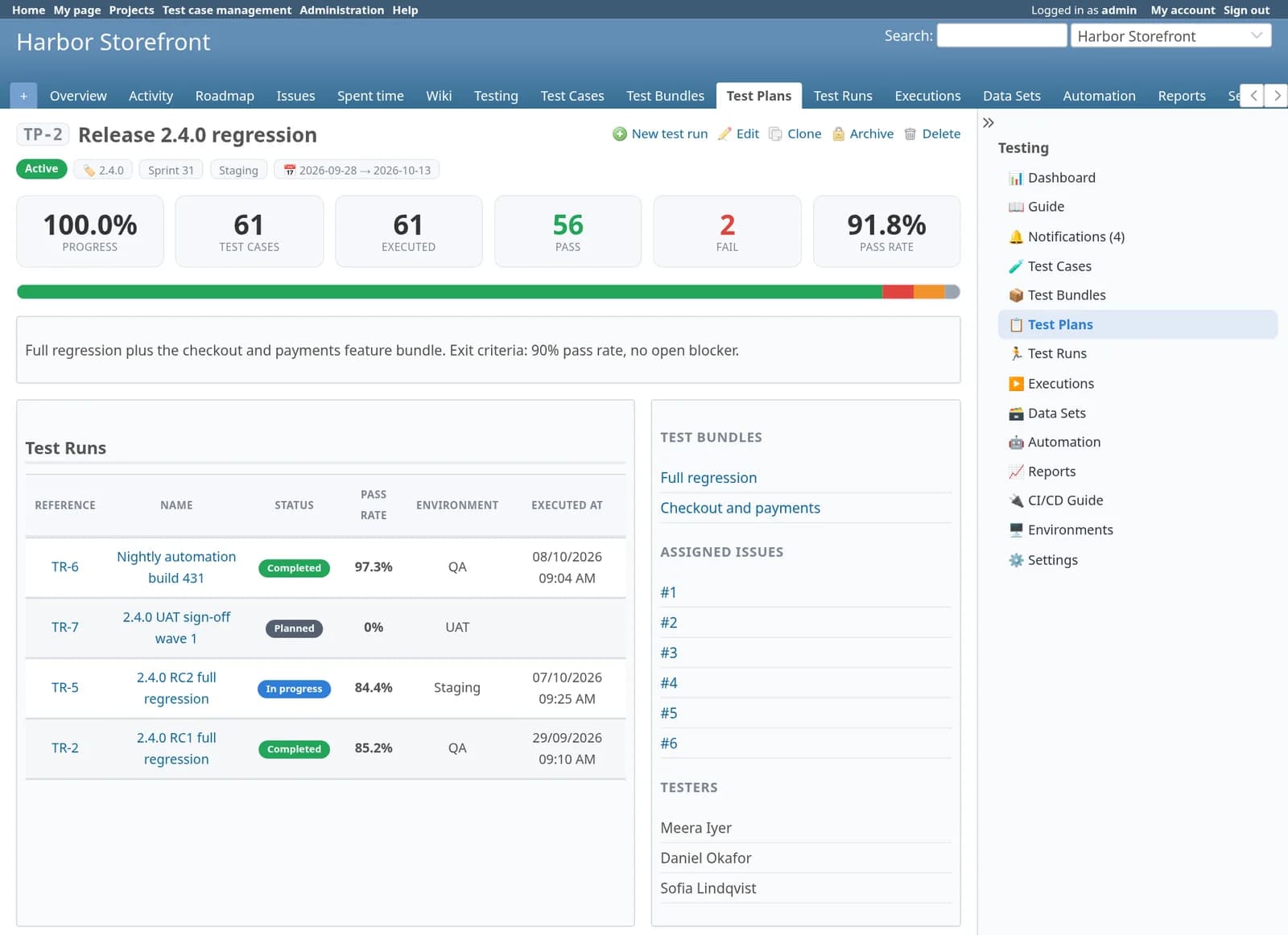
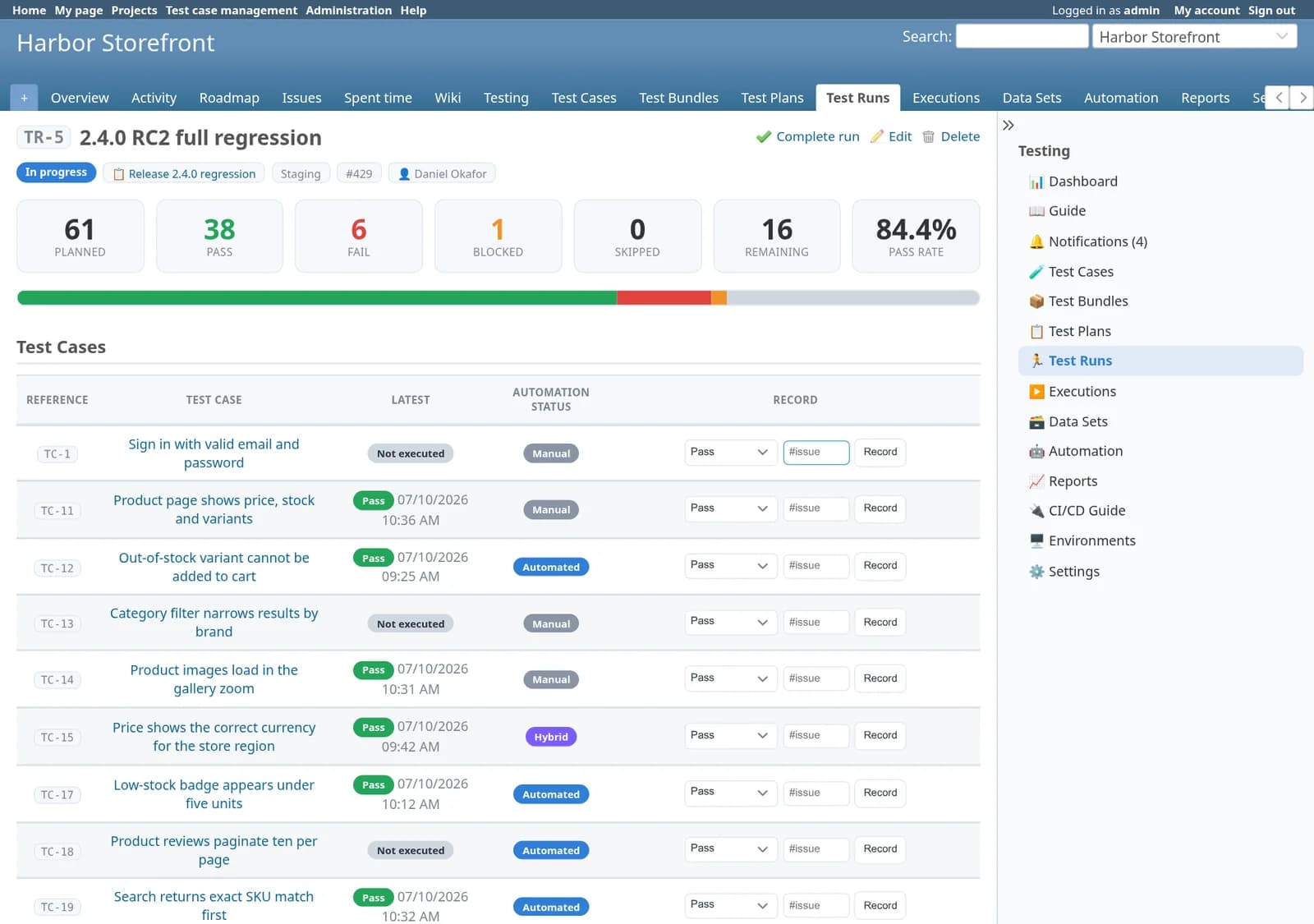
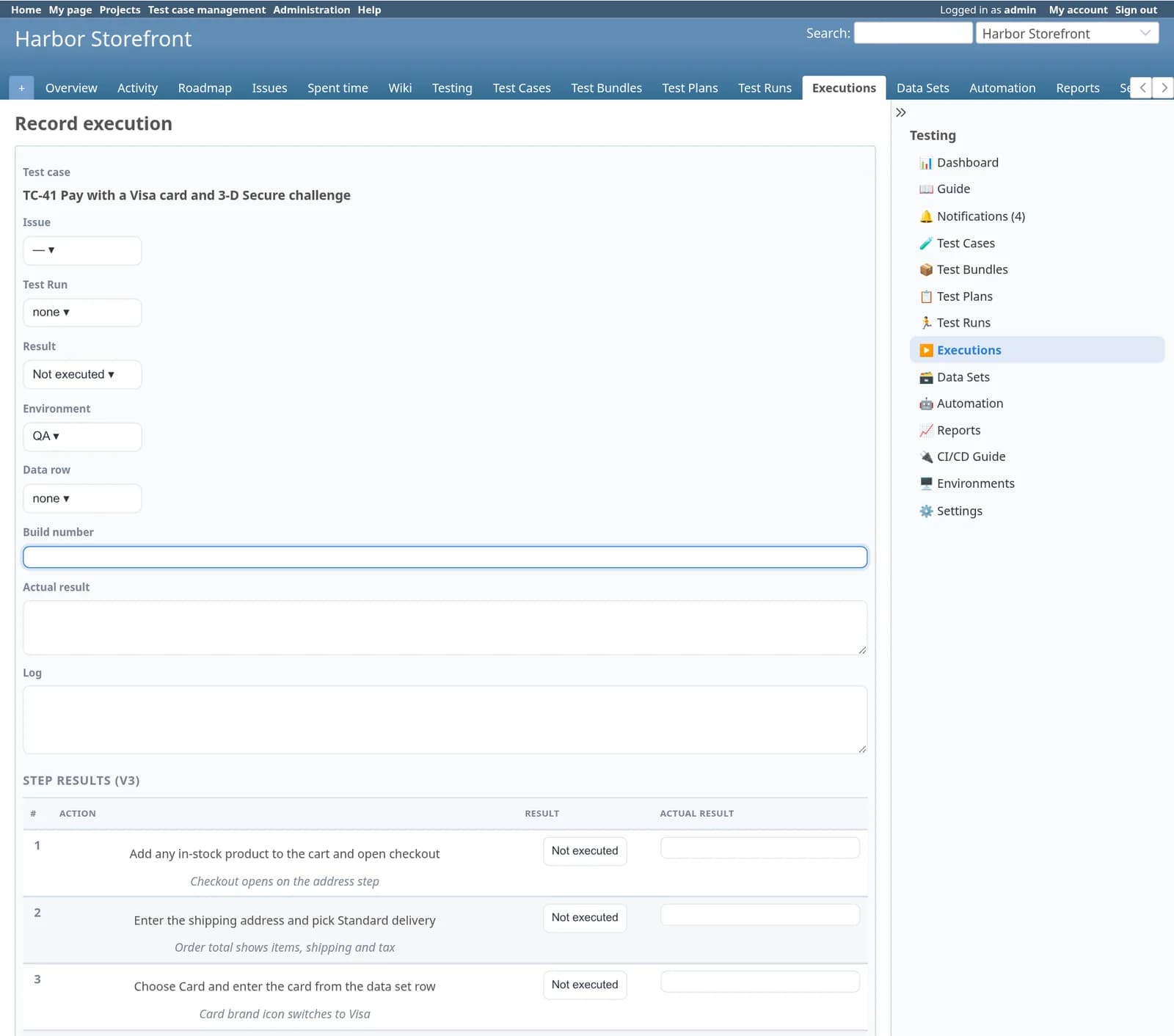
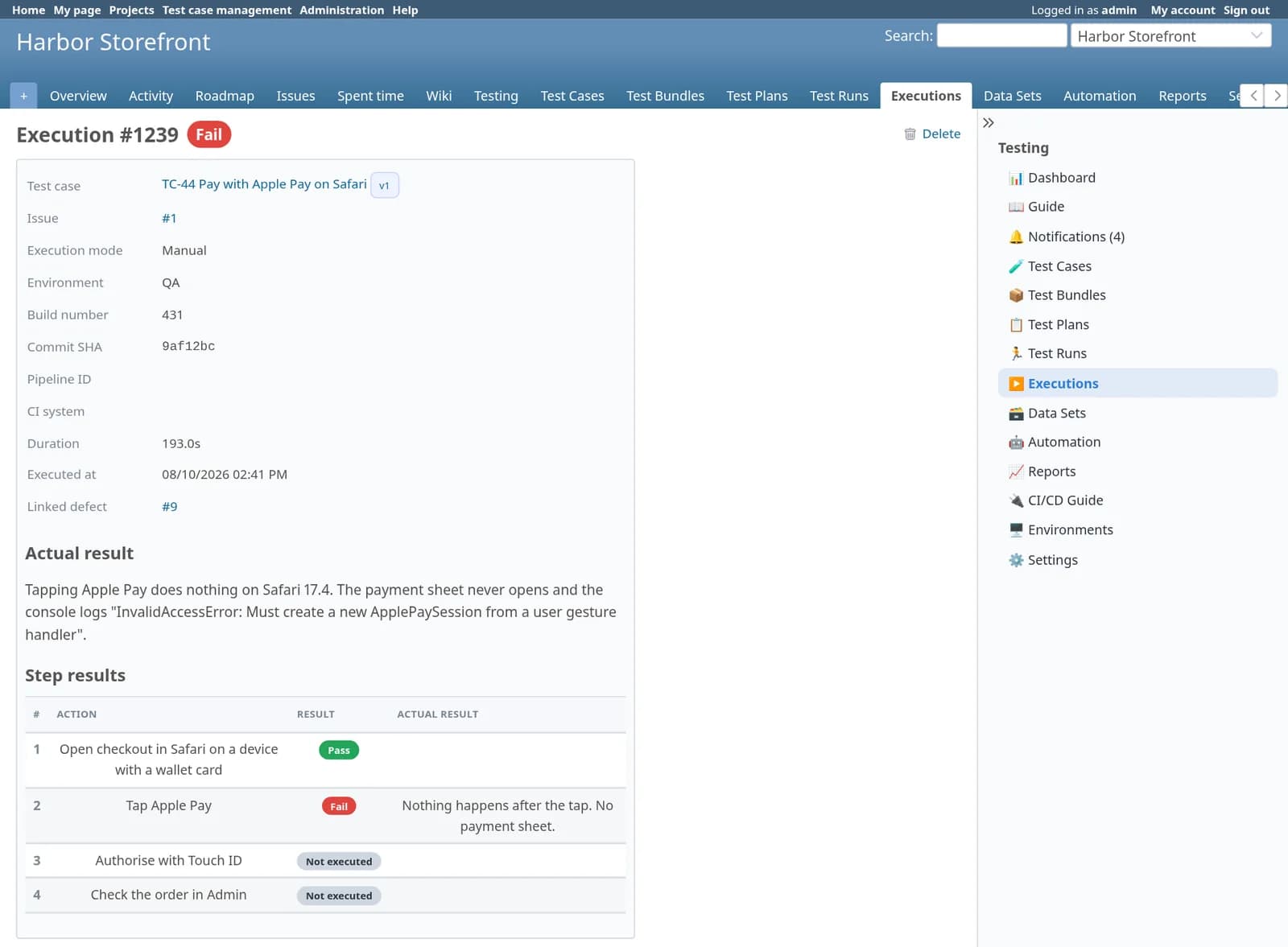
Run: testing happens on the issue, and in the run
Developers and testers work where they already are. Each result is a new execution, so the history is the audit trail.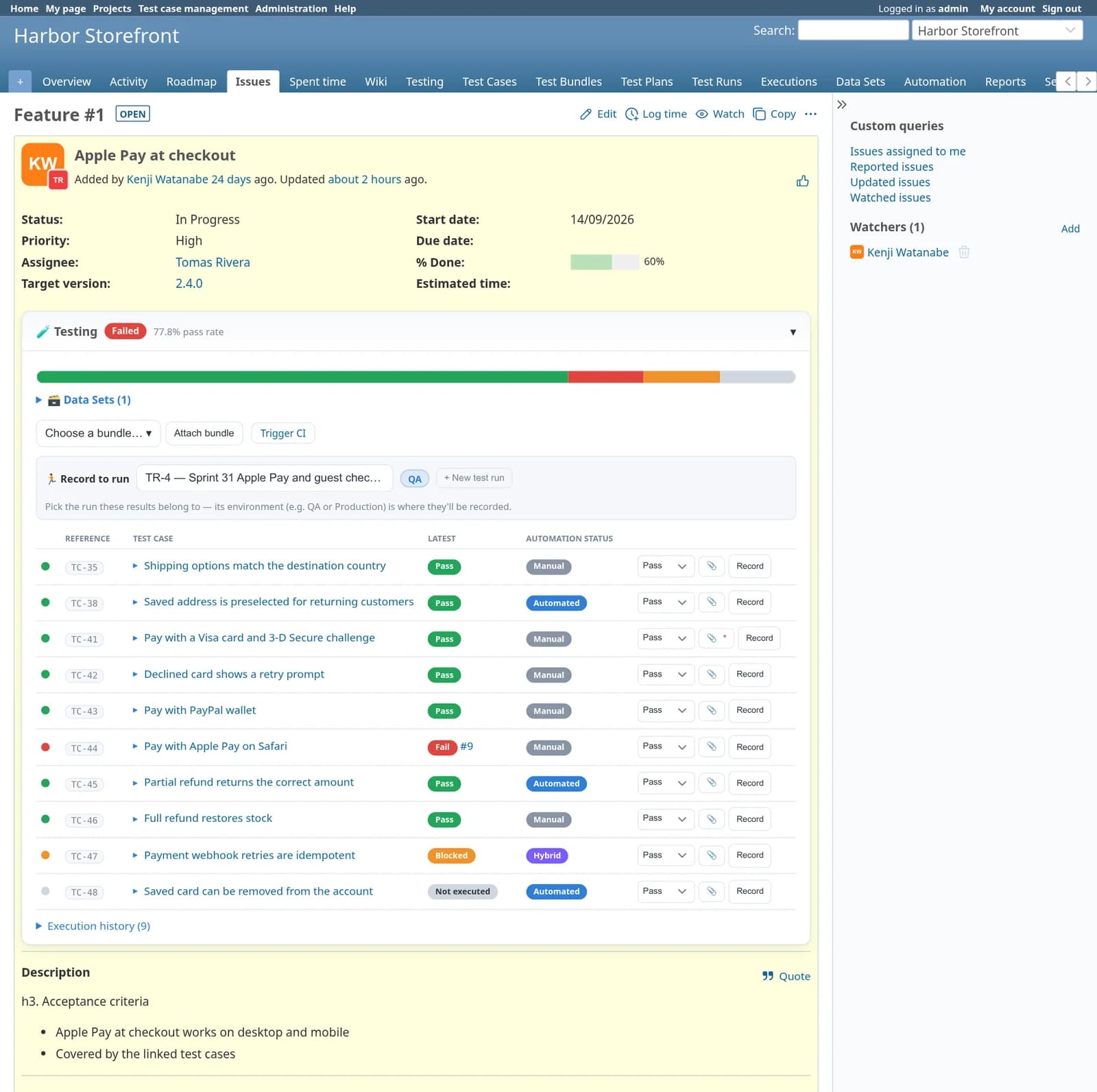
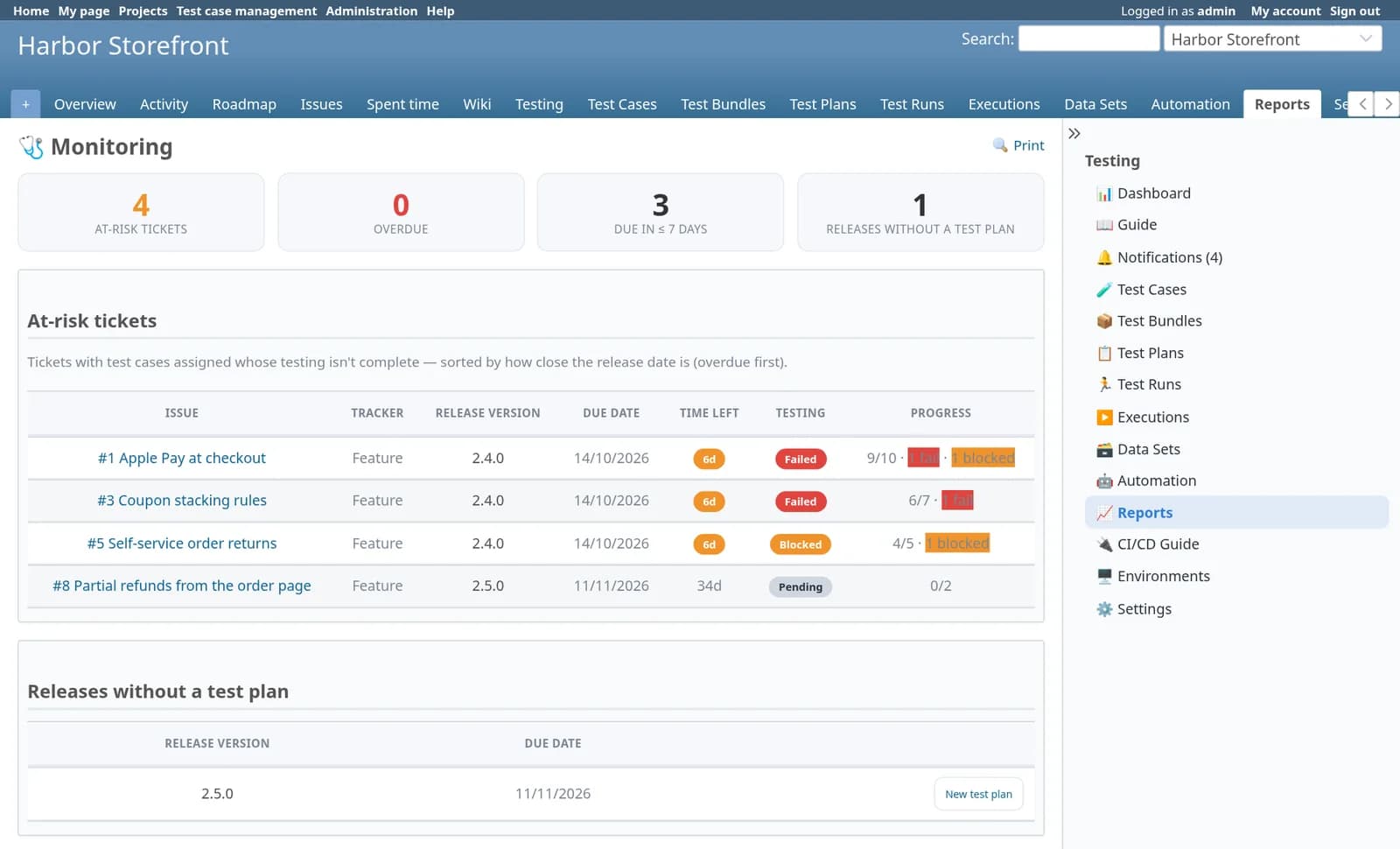
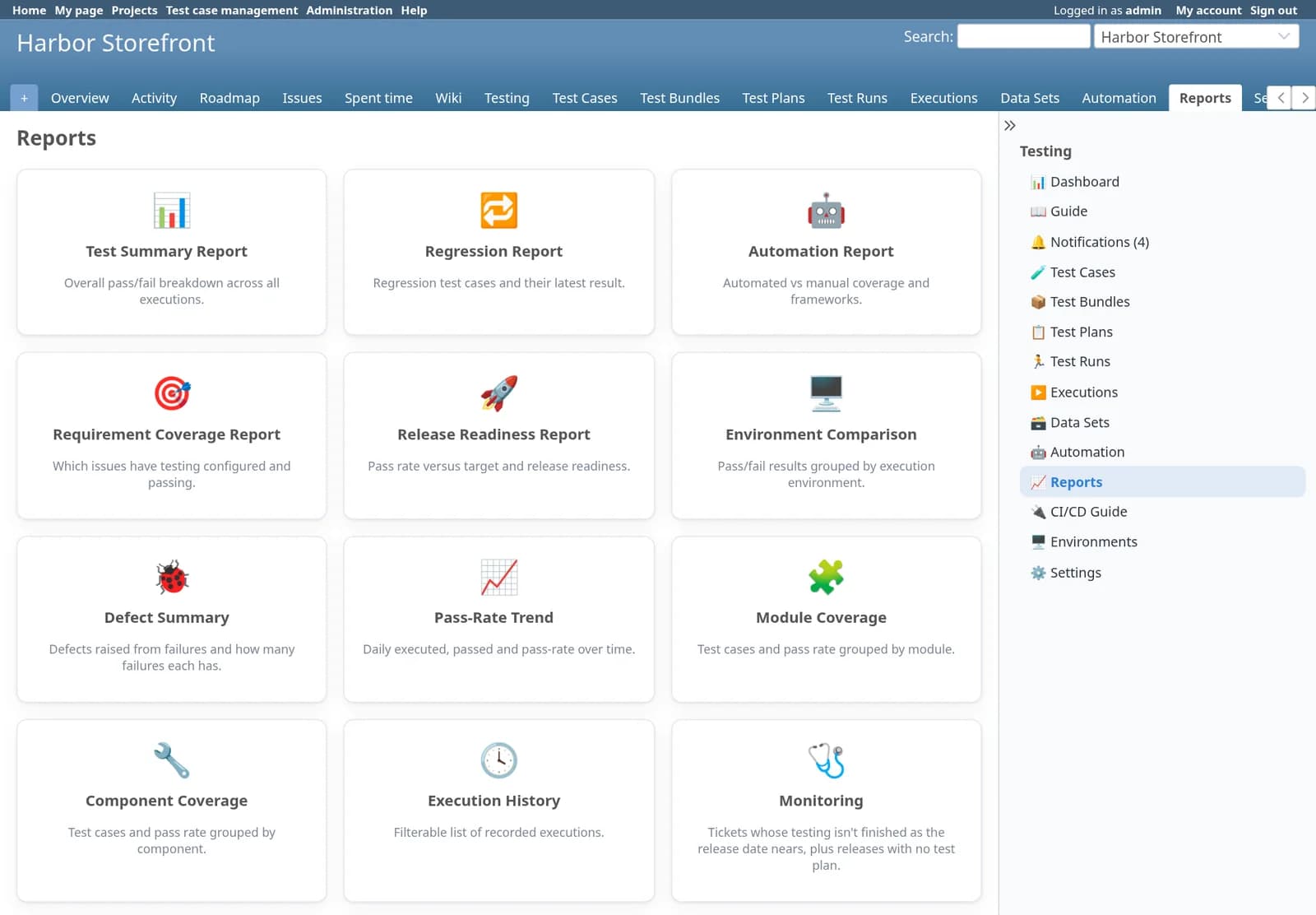
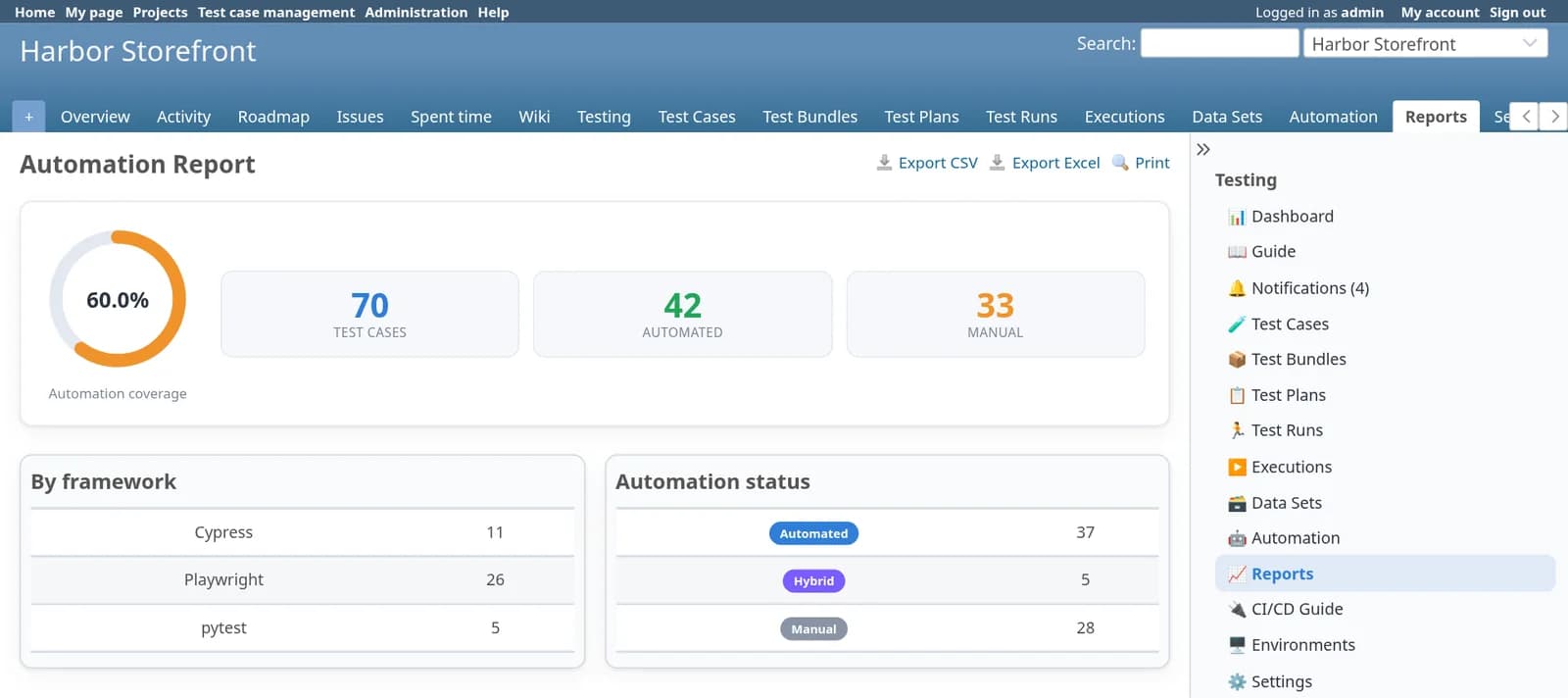
Decide: reports that answer “can we ship?”
Twelve reports, each with CSV, Excel and print. Two of them are built for the release conversation.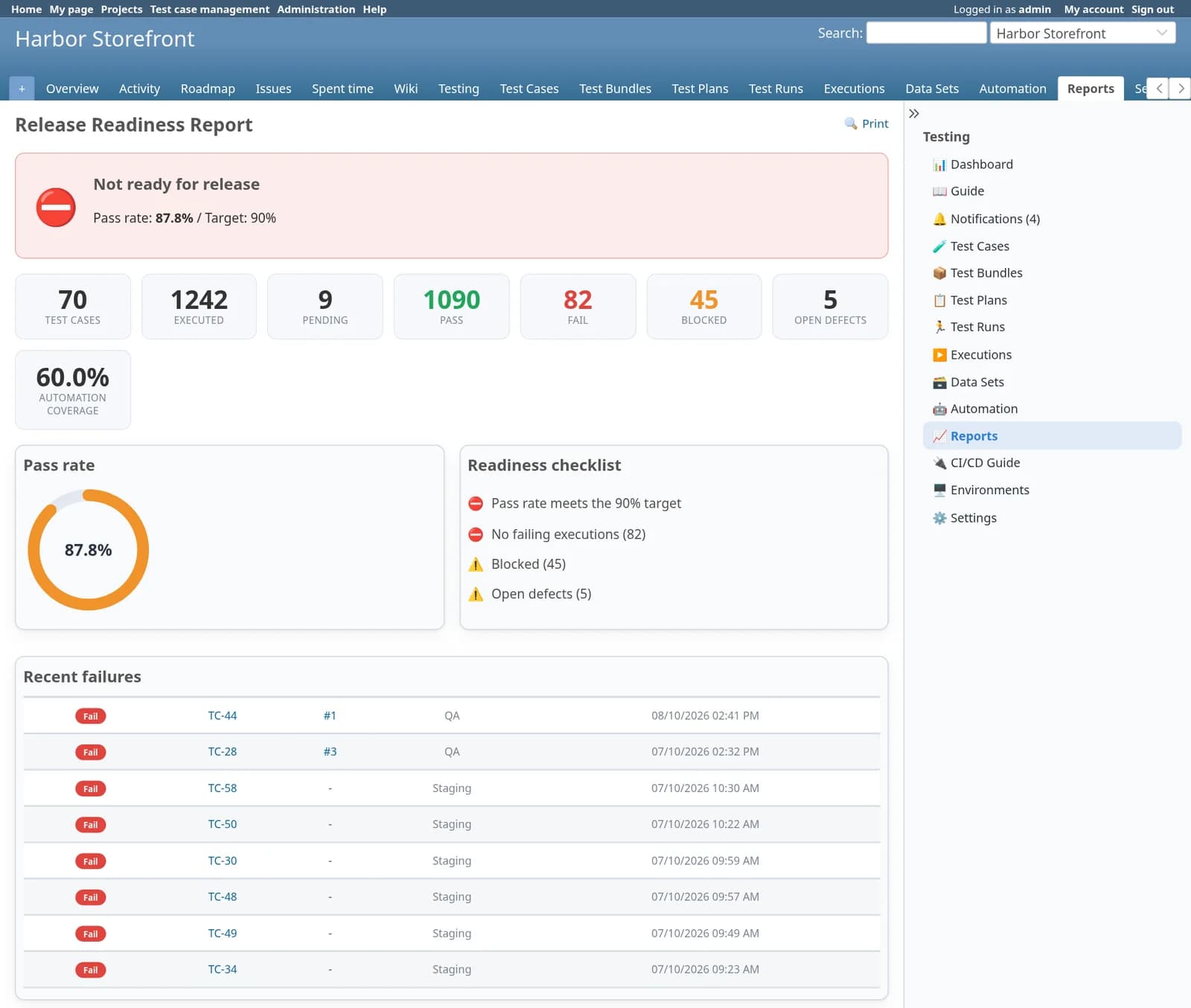
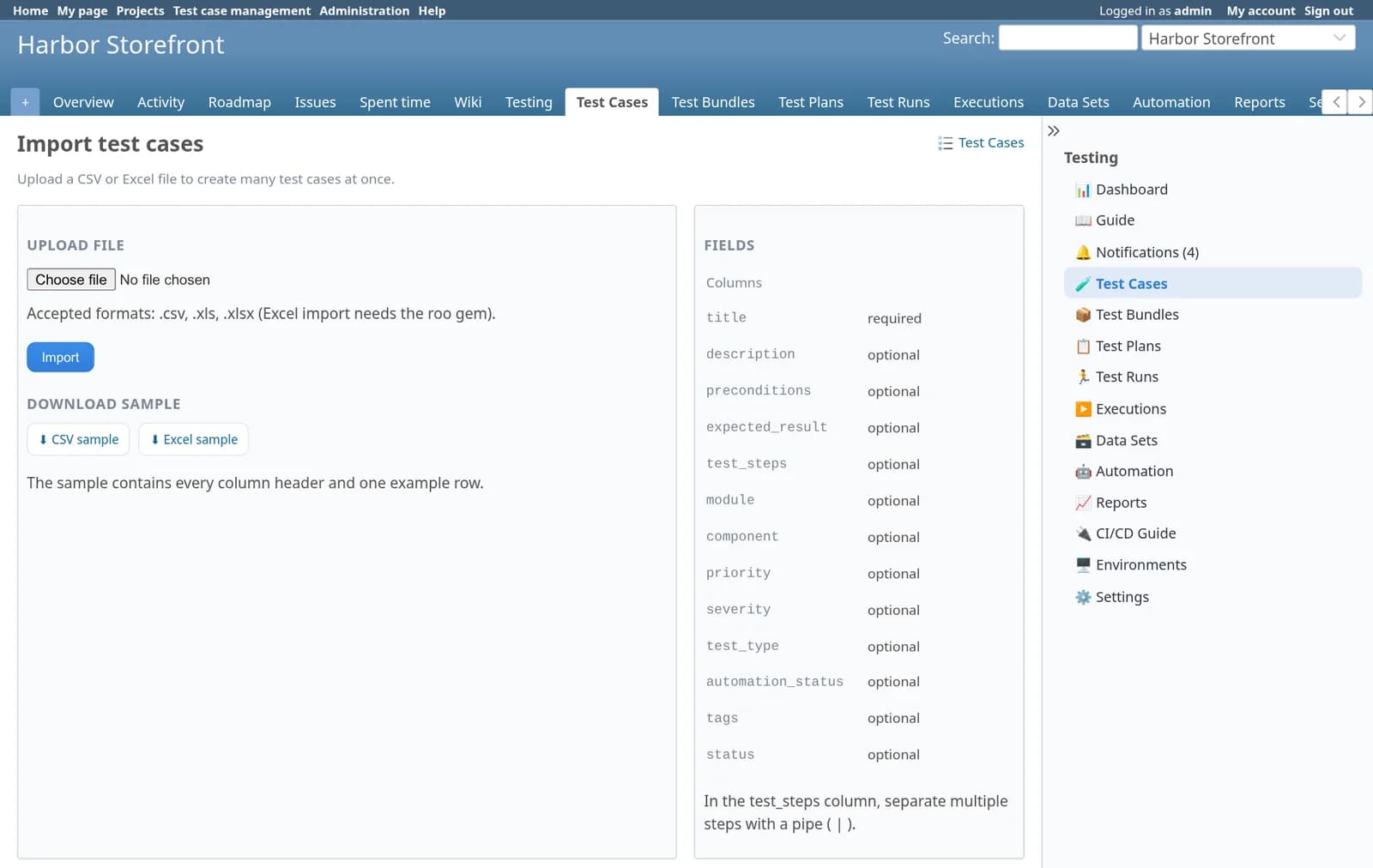
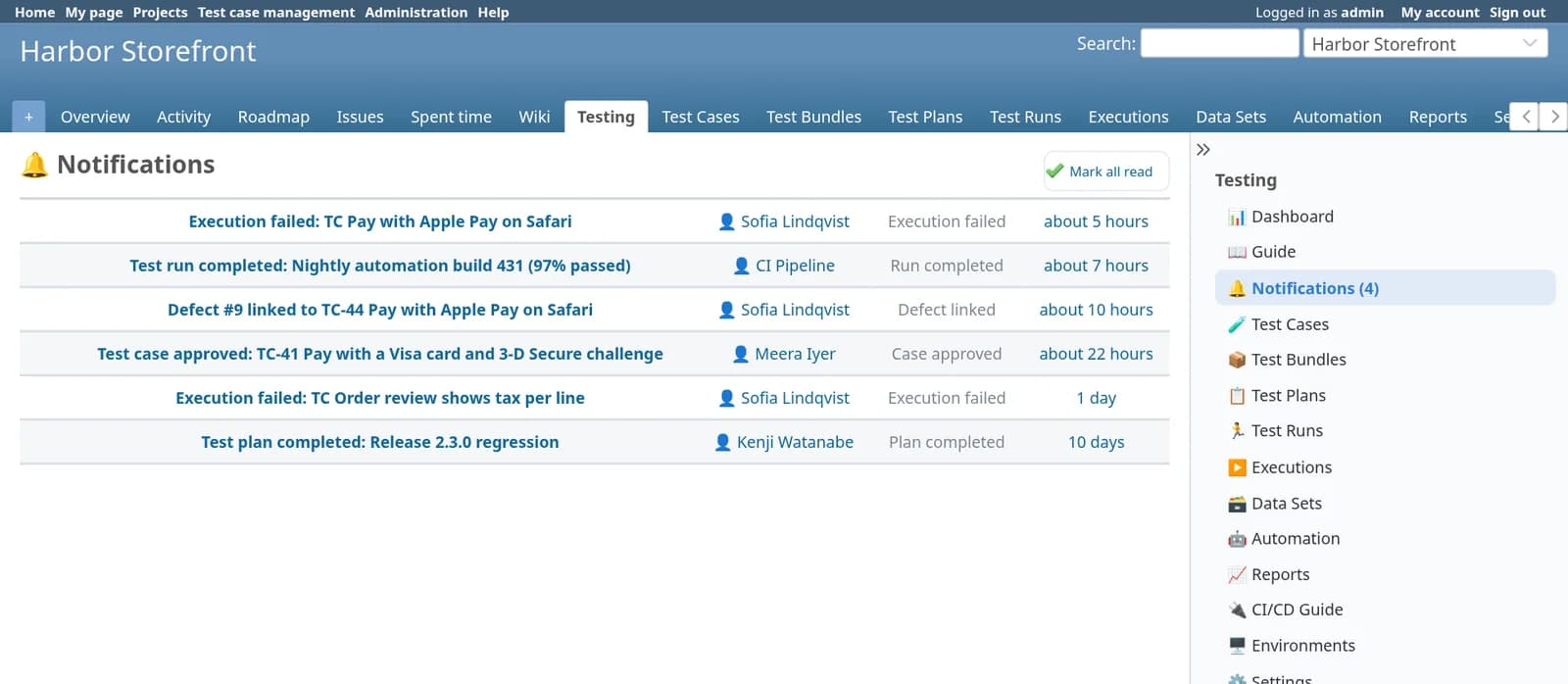
Run it your way: import, notifications and settings
What thirty days of testing looks like in the reports
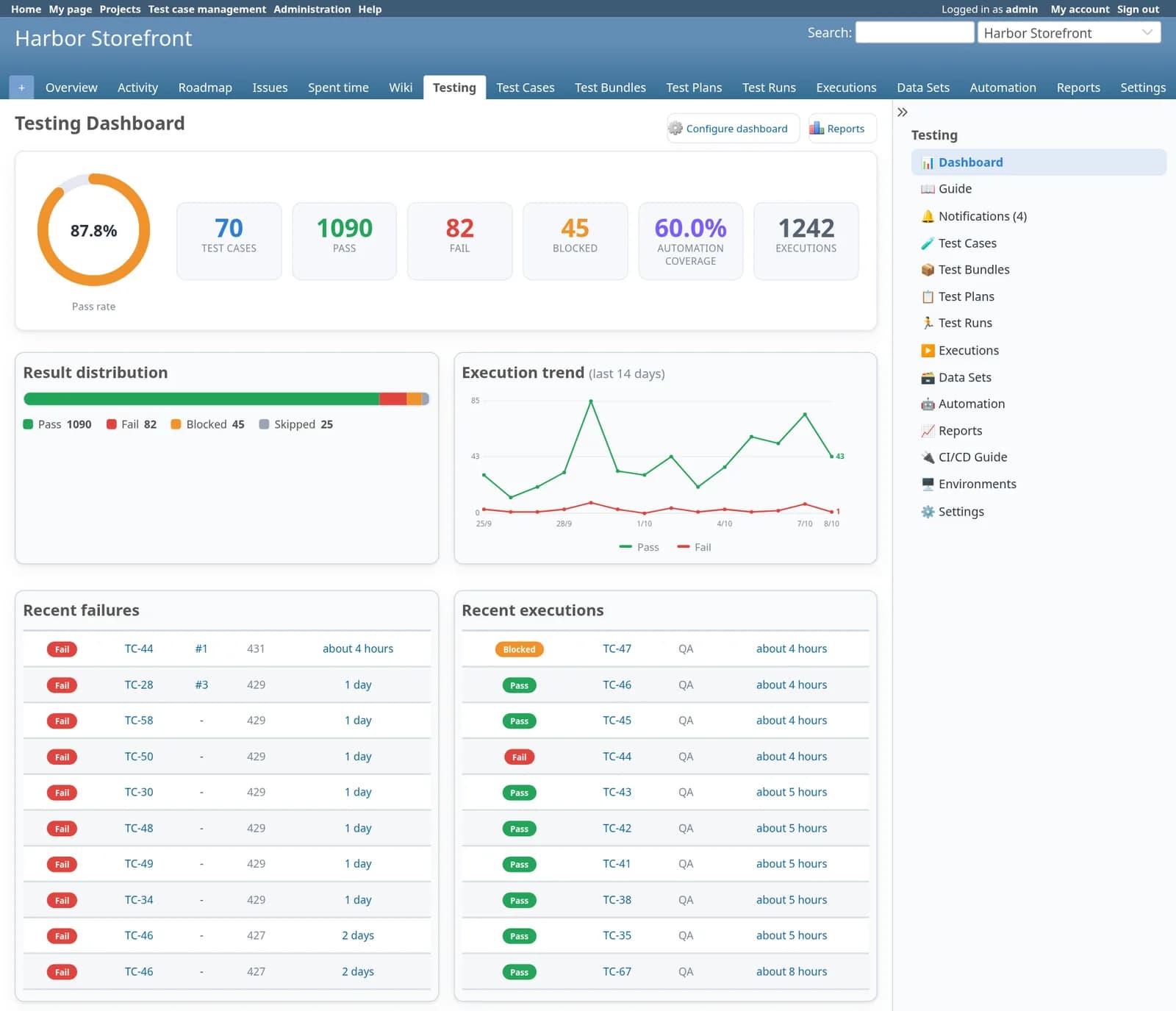
The figures below come straight from the demo project in the screenshots, read out of the plugin’s own reports: 70 test cases and 1,242 executions between 9 September and 8 October 2026. They show what the plugin measures. They are not benchmarks or customer results.
| Measure | Value | Detail |
|---|---|---|
| Test cases | 70 | 61 approved, 5 in review |
| Executions | 1,242 | 856 automated, 386 manual |
| Pass rate | 87.8% | Target 90% |
| Automation coverage | 60% | 42 of 70 cases |
| Defects from failures | 5 | Linked to the failing execution |
| Environment | Executions | Pass | Fail | Blocked | Skipped | Pass rate |
|---|---|---|---|---|---|---|
| QA | 700 | 610 | 47 | 29 | 14 | 87.1% |
| Staging | 344 | 307 | 20 | 10 | 7 | 89.2% |
| DEV | 162 | 142 | 12 | 5 | 3 | 87.7% |
| UAT | 36 | 31 | 3 | 1 | 1 | 86.1% |
| Module | Cases | Executions | Passed | Pass rate |
|---|---|---|---|---|
| API | 5 | 129 | 123 | 95.3% |
| Catalog | 8 | 118 | 112 | 94.9% |
| Notifications | 5 | 99 | 93 | 93.9% |
| Admin | 6 | 62 | 56 | 90.3% |
| Search | 6 | 143 | 128 | 89.5% |
| Authentication | 10 | 193 | 172 | 89.1% |
| Checkout | 8 | 131 | 114 | 87.0% |
| Orders | 6 | 89 | 73 | 82.0% |
| Cart | 8 | 143 | 116 | 81.1% |
| Payments | 8 | 135 | 103 | 76.3% |
Inside Redmine the same numbers appear on the dashboard (pass-rate ring, result distribution, 14-day trend, module and component coverage) and in the tabular reports, each with CSV and Excel export.
Built around one rule: a test case is never duplicated
Reusable test cases
Title, preconditions, structured steps with expected results, module, component, priority, severity, type and tags. Clone, bulk-edit, import and export.
Versions that protect history
Editing a case that has already been executed creates a new version. Old executions keep pointing at the steps that were actually run.
Review and approval
Draft, in review, approved, deprecated. Every decision is recorded with reviewer, date and comment, and the author is notified.
Bundles, plans and runs
Bundles group cases for reuse. Plans scope a release or sprint against a Redmine version. Runs record one session on one build.
A testing panel on every issue
Assigned cases, latest results, pass rate, linked defects and one-click recording, on the trackers you choose.
Executions you can audit
Each run adds a record with result, mode, environment, build, commit, duration, step results, log and screenshots. Nothing is overwritten.
Data-driven testing
Reusable data sets with named columns. Attach them to cases or whole bundles and record which row each execution used.
Automation mapping and CI/CD
Map a case to a framework and an identifier your runner understands, then let the pipeline fetch what to run and upload the results.
Dashboard and twelve reports
A dashboard each user arranges from eight widgets, plus reports for readiness, coverage, trend, environments, defects and monitoring.
Four small lifecycles, all visible on the page
| Record | Main path | Other states |
|---|---|---|
| Test case | Draft → In review → Approved | Changes requested, Deprecated |
| Test plan | Draft → Active → Completed | Archived |
| Test run | Planned → In progress → Completed | Aborted |
| Execution result | Pass, Fail, Blocked or Skipped | Not executed. Each result is recorded as manual or automated. |
Your pipeline asks what to run, then reports back
The REST API lives under /testcases/api/v1 and authenticates with a normal Redmine API key. Anything that can send an HTTP request can use it. A guide inside the plugin walks through the setup with your own URLs filled in.
| Method | Endpoint | Purpose |
|---|---|---|
| GET | /issues/:id/testing | What to run for an issue |
| POST | /executions/upload | One build’s results for one issue |
| POST | /executions/bulk_upload | Results for many issues or builds |
| POST | /test_runs | Create a run for this build |
| POST | /test_runs/:id/results | Push results into a run |
| GET | /test_cases | List, create and update cases |
| GET | /test_plans | List, create and update plans |
| GET | /issues/:id/coverage | Testing coverage of an issue |
| GET | /reports/:name | Any report as JSON |
| GET | /dashboard | Aggregate metrics |
Uploading a build’s results
POST the issue id, build number, commit SHA, environment and a list of results to /executions/upload. Results are matched to cases by automation identifier, case id or reference, and each one becomes a new execution. Result names are normalised, so passed, failure and ignored from your runner all land correctly, and a failed result sent with create_defect raises a linked bug.
Eighteen permissions on one project module
Testing is a standard Redmine project module. Enable it where you test, and give each role only what it needs. Menu tabs follow the permissions.
| Role | Typical permissions | What they do |
|---|---|---|
| QA lead | manage_test_cases, approve_test_cases, manage_test_bundles, manage_test_plans, assign_test_bundles | Owns the library, approves cases, builds bundles and release plans |
| Tester | view_test_cases, execute_tests, manage_test_runs, manage_test_data | Runs tests, records results, maintains test data |
| Automation engineer | manage_test_automation, view_test_executions | Maps cases to frameworks and identifiers |
| Developer | view_test_cases, view_test_executions, view_test_runs | Sees what is tested on an issue and why it failed |
| Project manager | view_test_reports, view_test_plans | Reads readiness, coverage and monitoring reports |
| CI service account | upload_test_results | Uploads results with its API key, nothing else |
| Administrator | admin_testing_settings, manage_test_environments | Prefixes, environments, targets and the closing rule |
Runs where your Redmine already runs
| Environment | Status | Notes |
|---|---|---|
| Redmine 7.x | Supported | |
| Redmine 6.1 | Supported | Development target, on Rails 7.2 and Ruby 3.4. The screenshots on this page are from 6.1.2. |
| Redmine 6.0 | Supported | |
| Redmine 5.x | Supported | 5.0 is the minimum version the plugin declares |
| MySQL 8 | Supported | Used for development and for the demo on this page |
| Issue trackers | Yours | Works with any tracker setup. Limit the testing panel to chosen trackers, or leave it on all. |
| Extra gems | One, optional | roo, only for importing .xlsx and .xls files |
Install in three steps
Requires shell access and the ability to run rake tasks. Always back up before installing a plugin.
cd /opt/redmine
# unpack so the folder is plugins/redmine_testcases
bundle install
RAILS_ENV=production bin/rails redmine:plugins:migrate NAME=redmine_testcases
# Project → Settings → Modules → Test Case Management
# Administration → Roles and permissions → grant the testing permissions
# Testing → Settings → environments, pass-rate target, trackers
RAILS_ENV=production bin/rails redmine:plugins:migrate NAME=redmine_testcases VERSION=0
Does it add its own requirement, story or bug trackers?
What happens to old results when someone edits a test case?
Can a failing test stop an issue from being closed?
Which CI systems does it work with?
Can failures create bugs automatically?
Can we bring test cases over from a spreadsheet?
Are the figures on this page real?
Pricing
Single server
One Redmine instance · unlimited users · 12 months of updates.
Multiple servers
Unlimited Redmine servers · unlimited users · 12 months of updates.