
Redmine HR Suite
HRHR management that lives inside Redmine. Employees, leave and holidays, attendance, expenses, payroll and payslips, recruitment, performance and training, with a dashboard for every role. Same login, same permissions model, same database.
Multiple servers: $799
- Redmine
- 4.0 – 7.0
- Databases
- PostgreSQL, MySQL, MariaDB, SQL Server
- Languages
- 50
- Modules
- 14
- Dashboards
- 8
- Core files changed
- None
Employee records
Leave that adds up
Holidays per country and office
Expenses to payroll to payslip
Talent in the same system
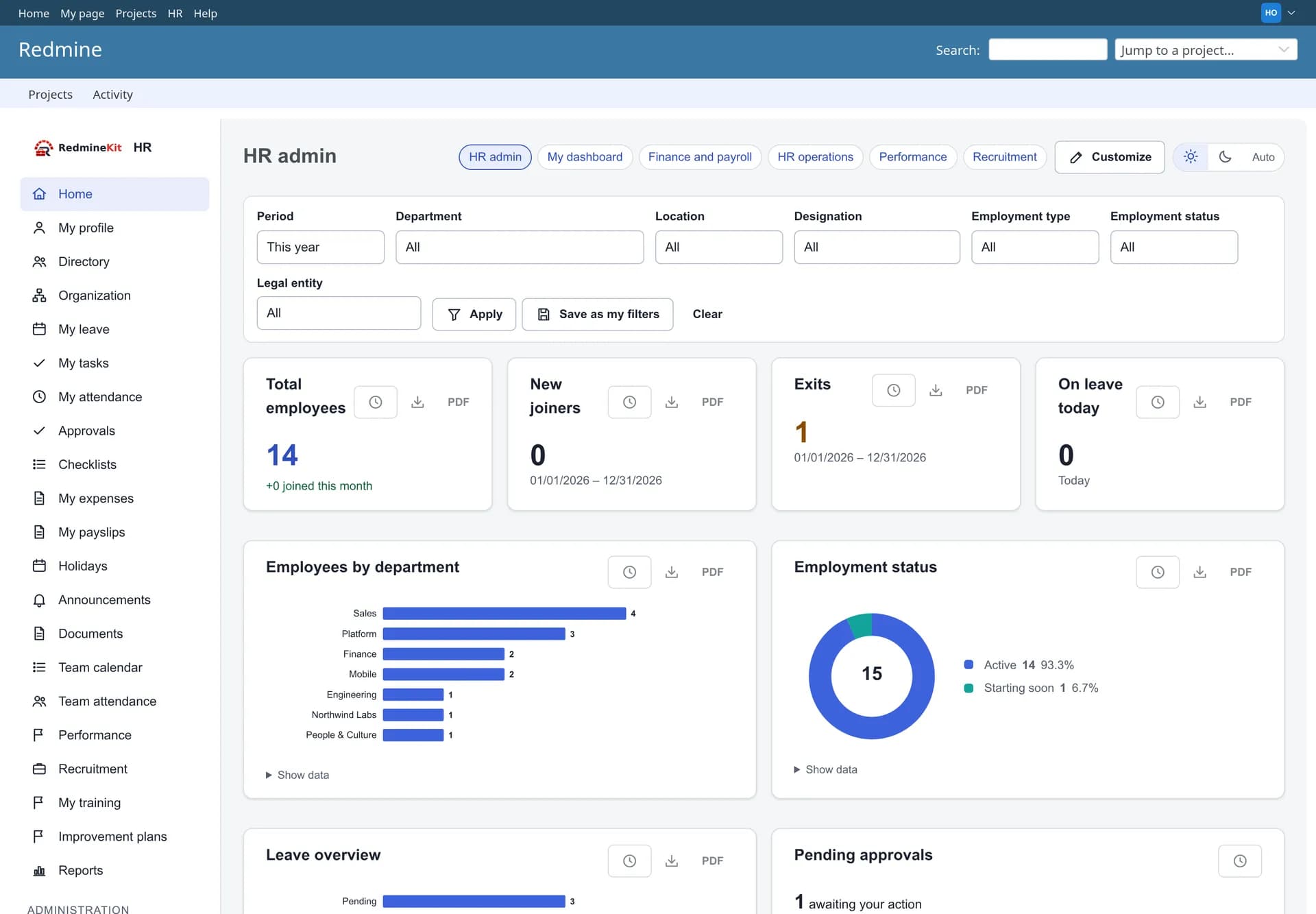
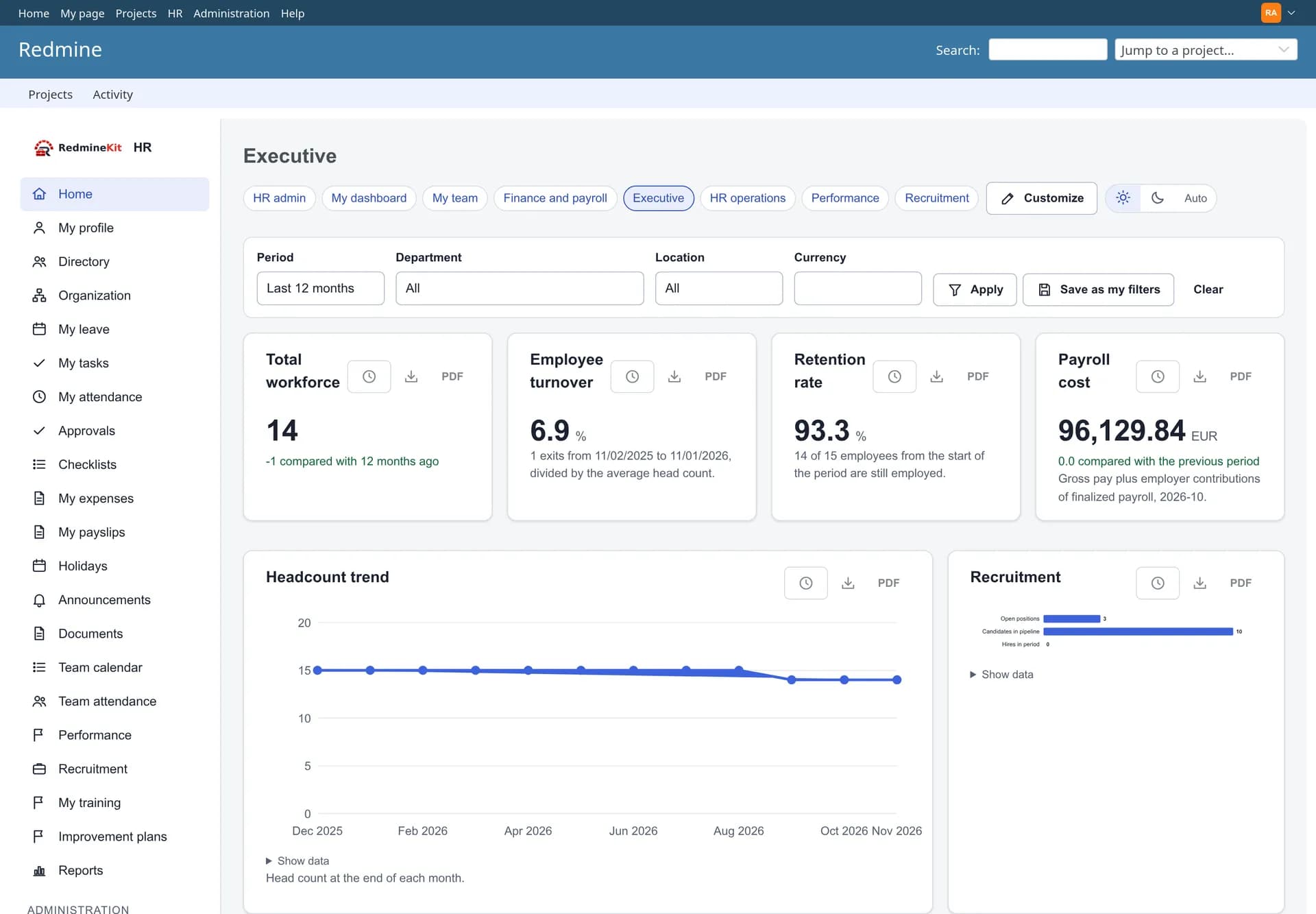
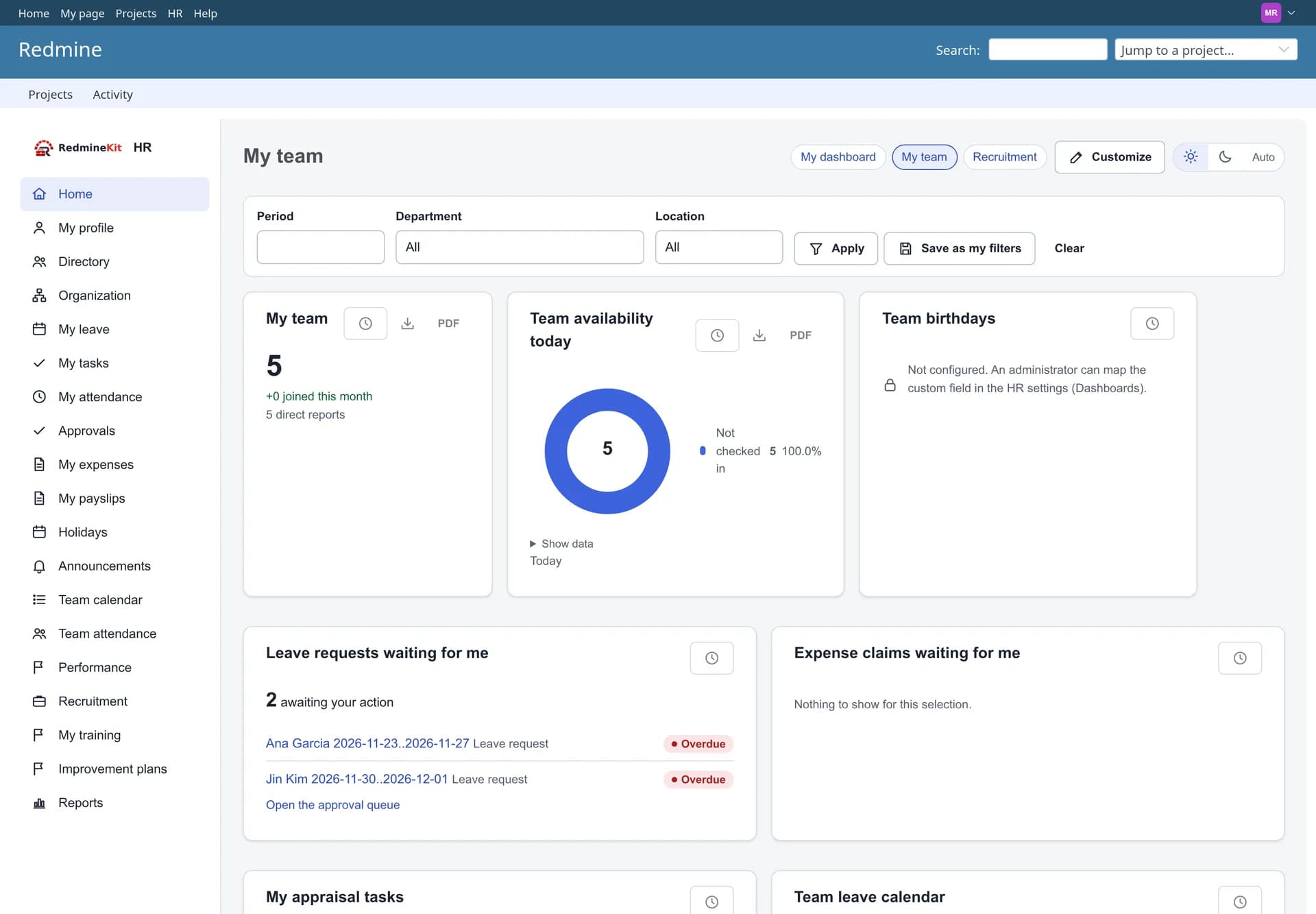
Eight role dashboards
One place for people data, next to the work
Your team already logs time, raises issues and plans projects in Redmine. Redmine HR Suite adds the people side in the same system, so leave, attendance and expenses line up with the projects people work on.
Same login, same database
A standard Redmine plugin. Its data lives in its own tables, and no Redmine core file is changed.
HR roles of their own
HR access is separate from Redmine project roles and can be scoped to the whole organization, a department or a location.
Switch on what you need
The core is always on. Every other module can be switched on or off in the HR settings, and its data is kept when it is off.
The screens
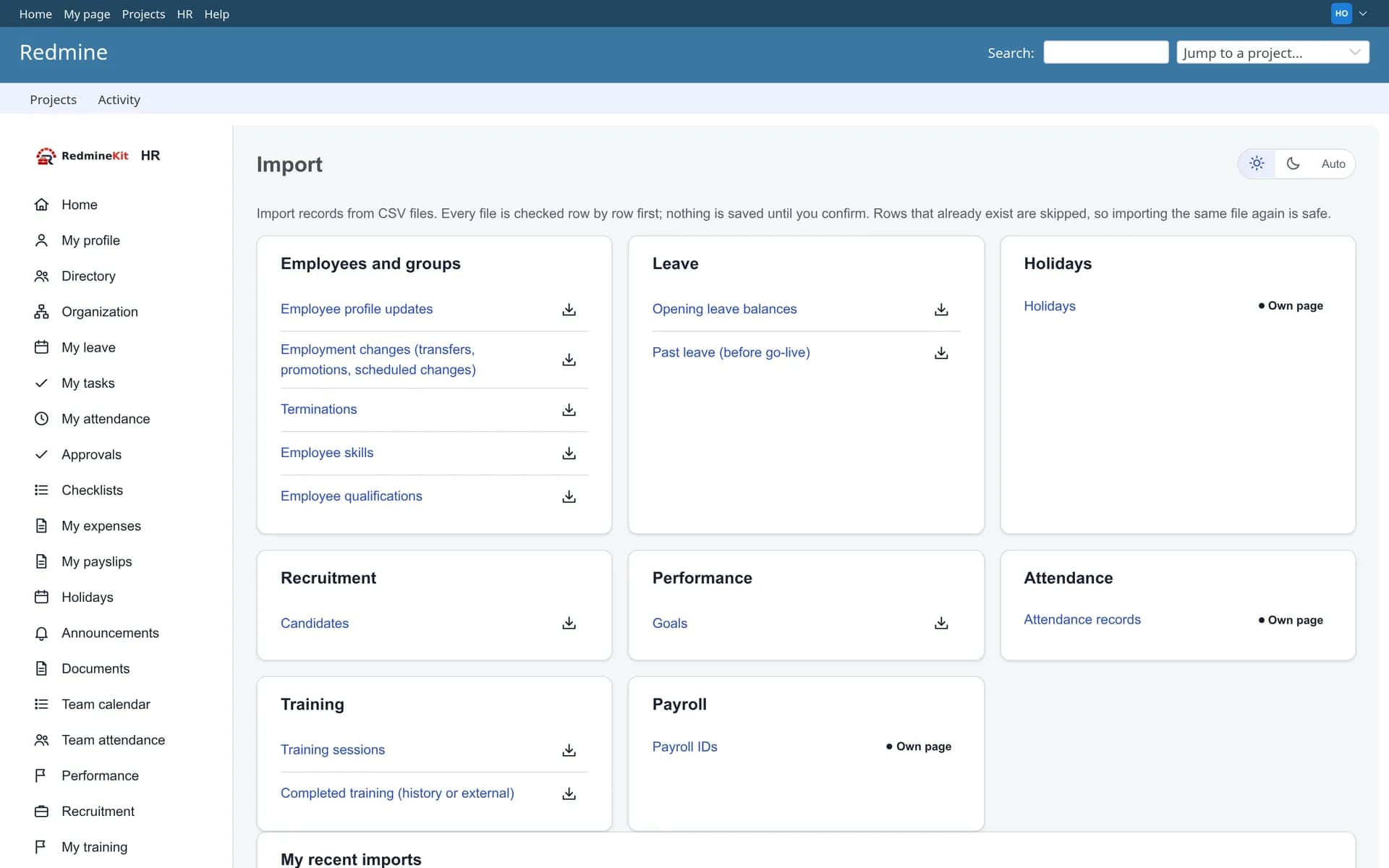
Real screenshots of the plugin running on Redmine 7.0 with sample data.
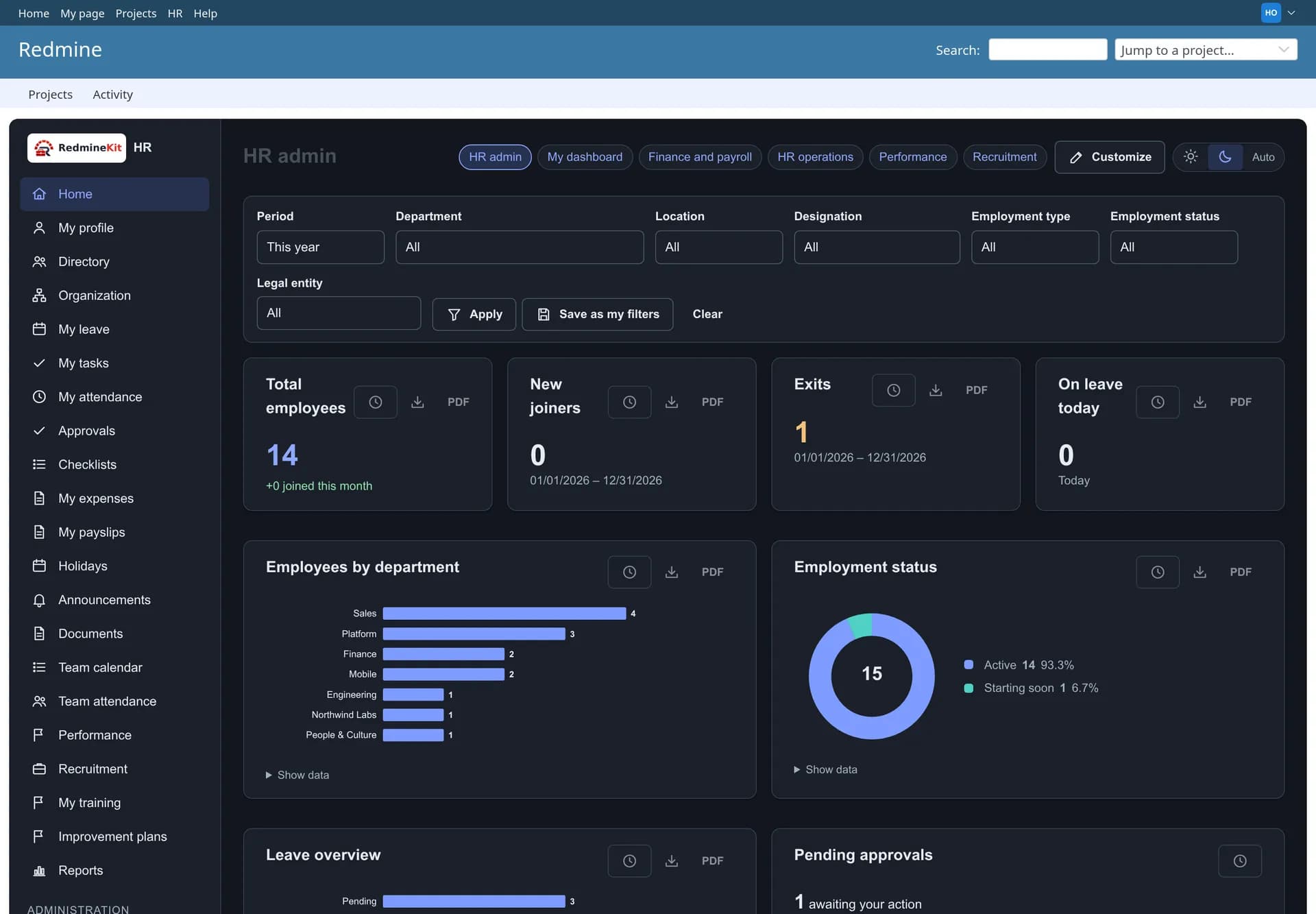
Dashboards
Eight role dashboards from one widget engine. Layouts can be customized per person and per role, with keyboard alternatives to drag and drop.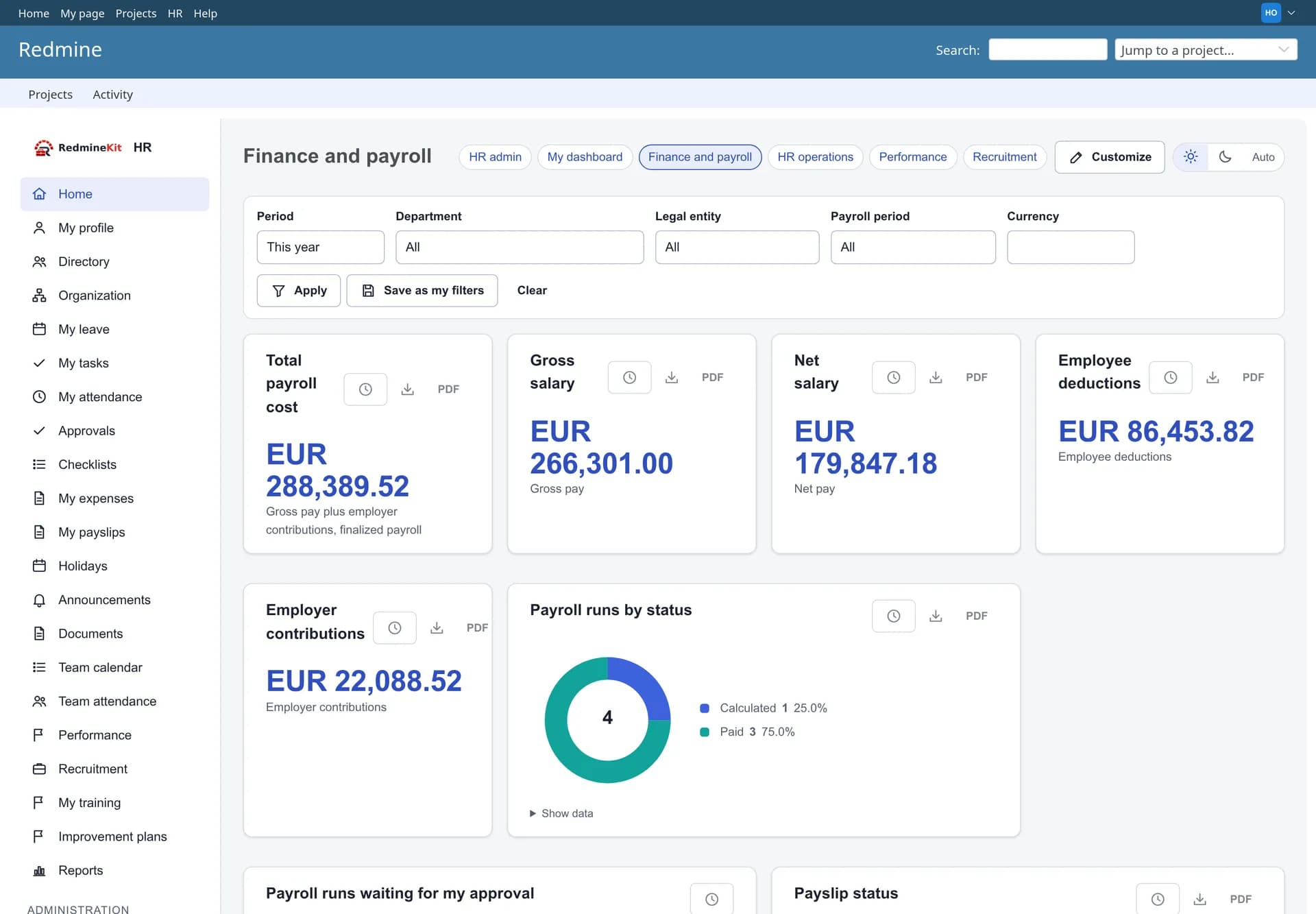
People
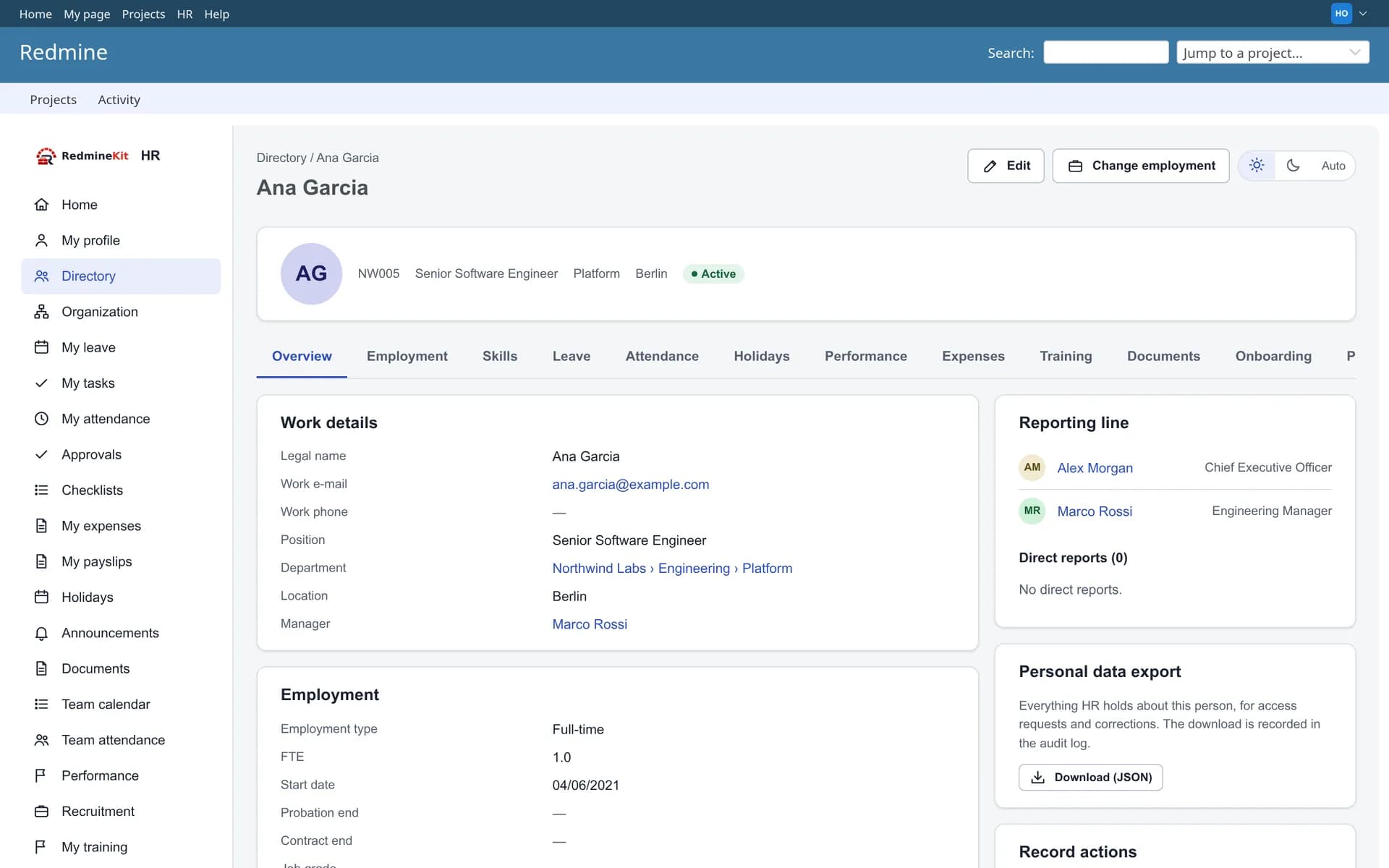
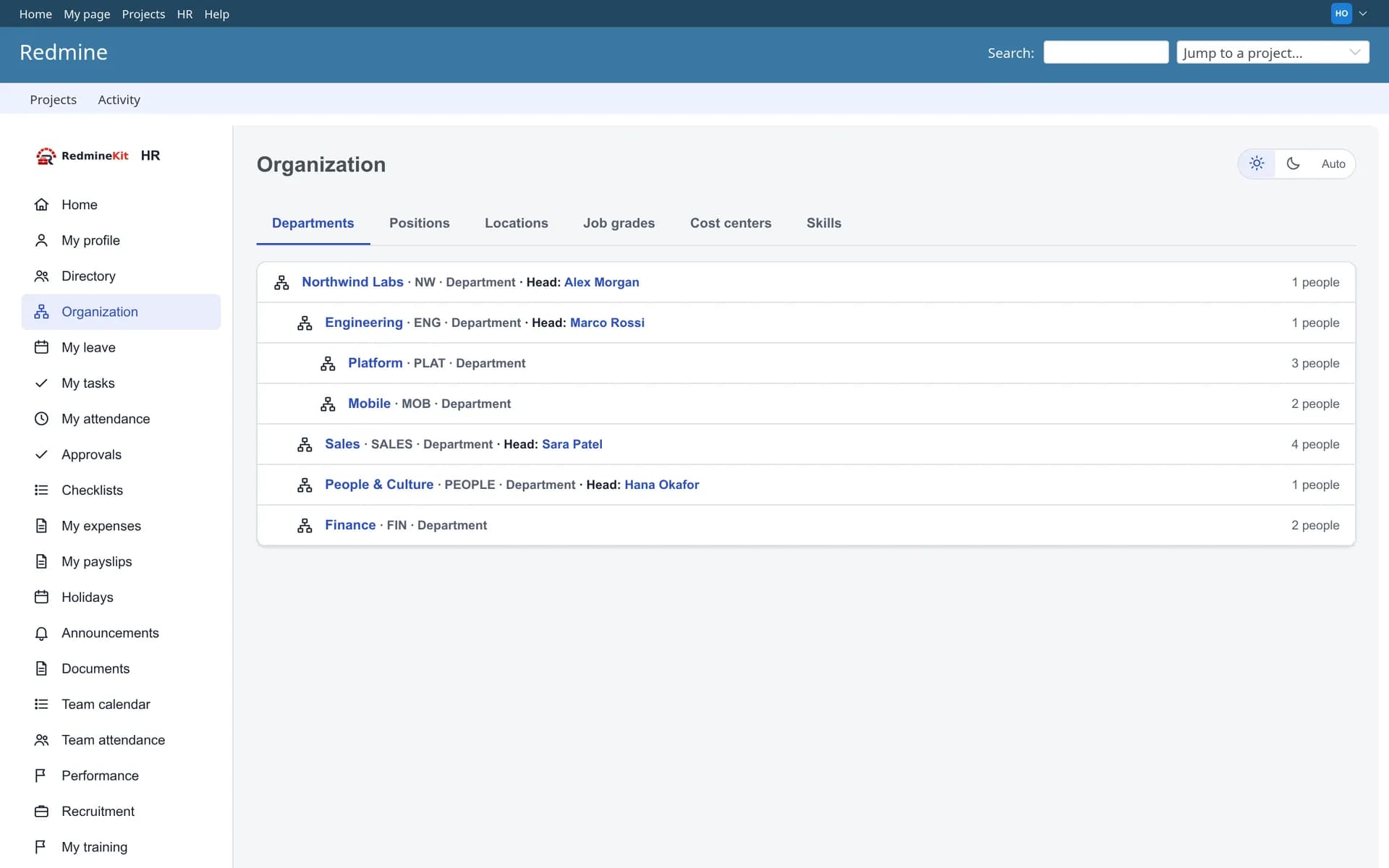
One record per employee, with an effective-dated employment history. What each person sees depends on their HR access scope.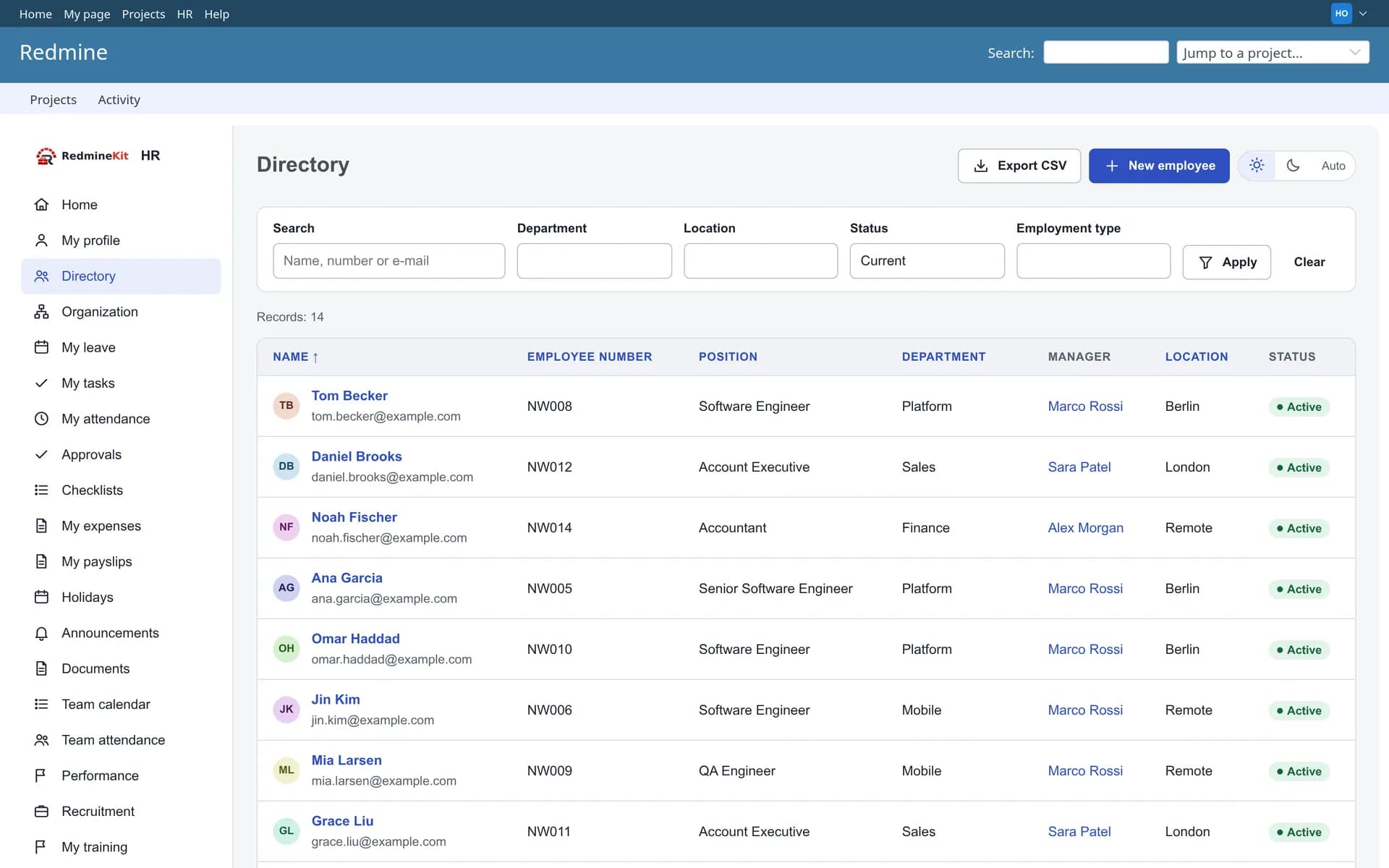
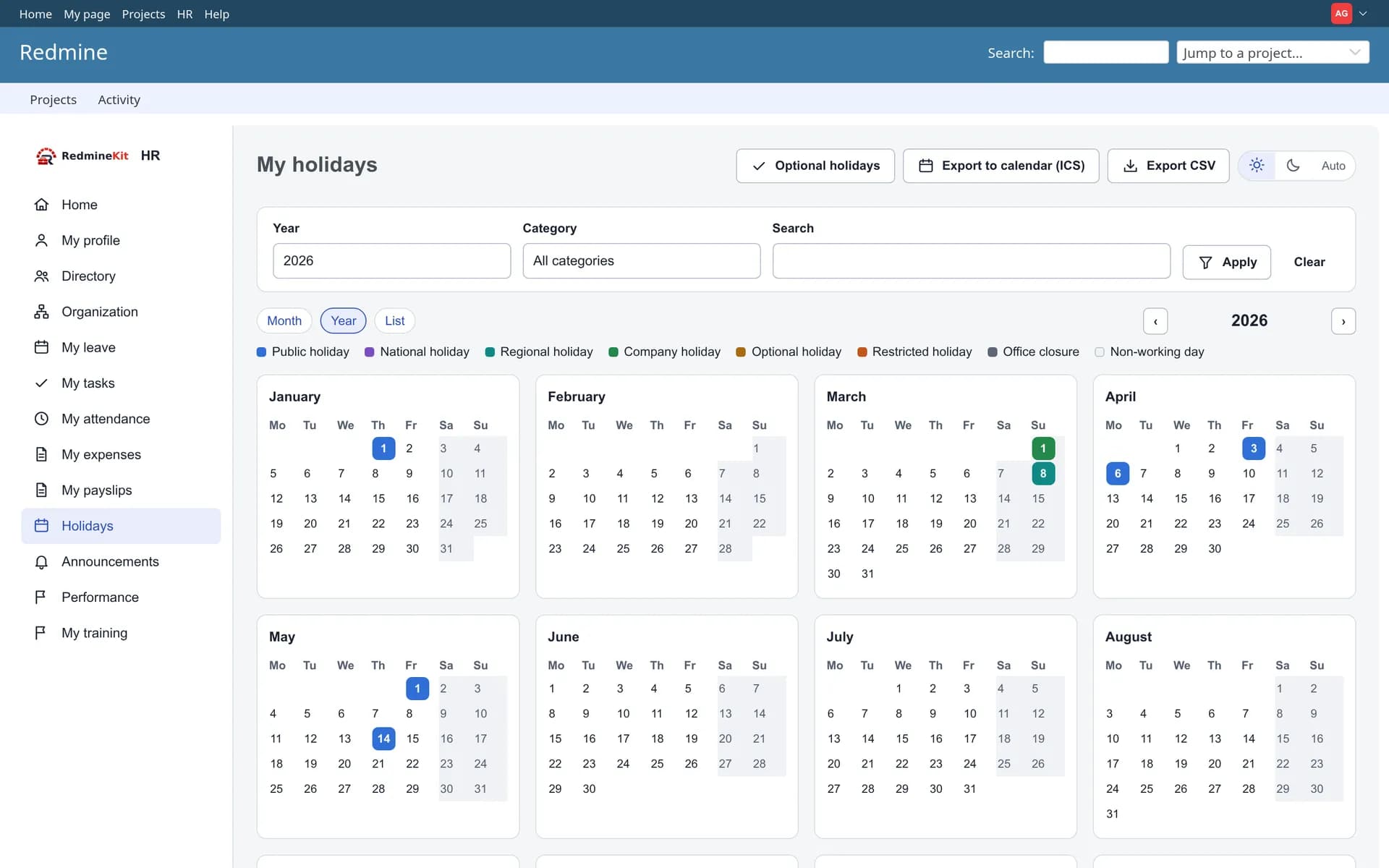
Leave, holidays and attendance
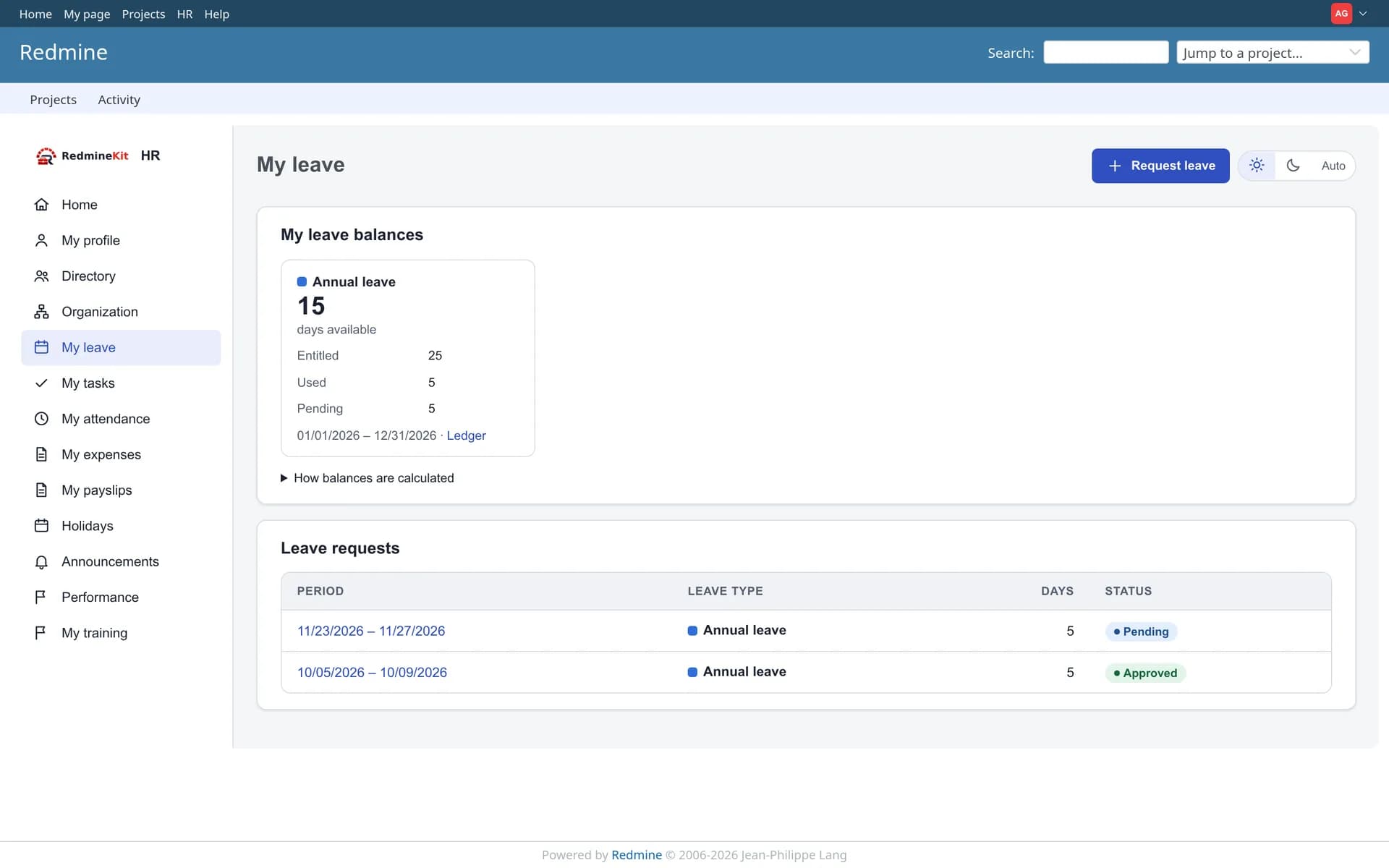
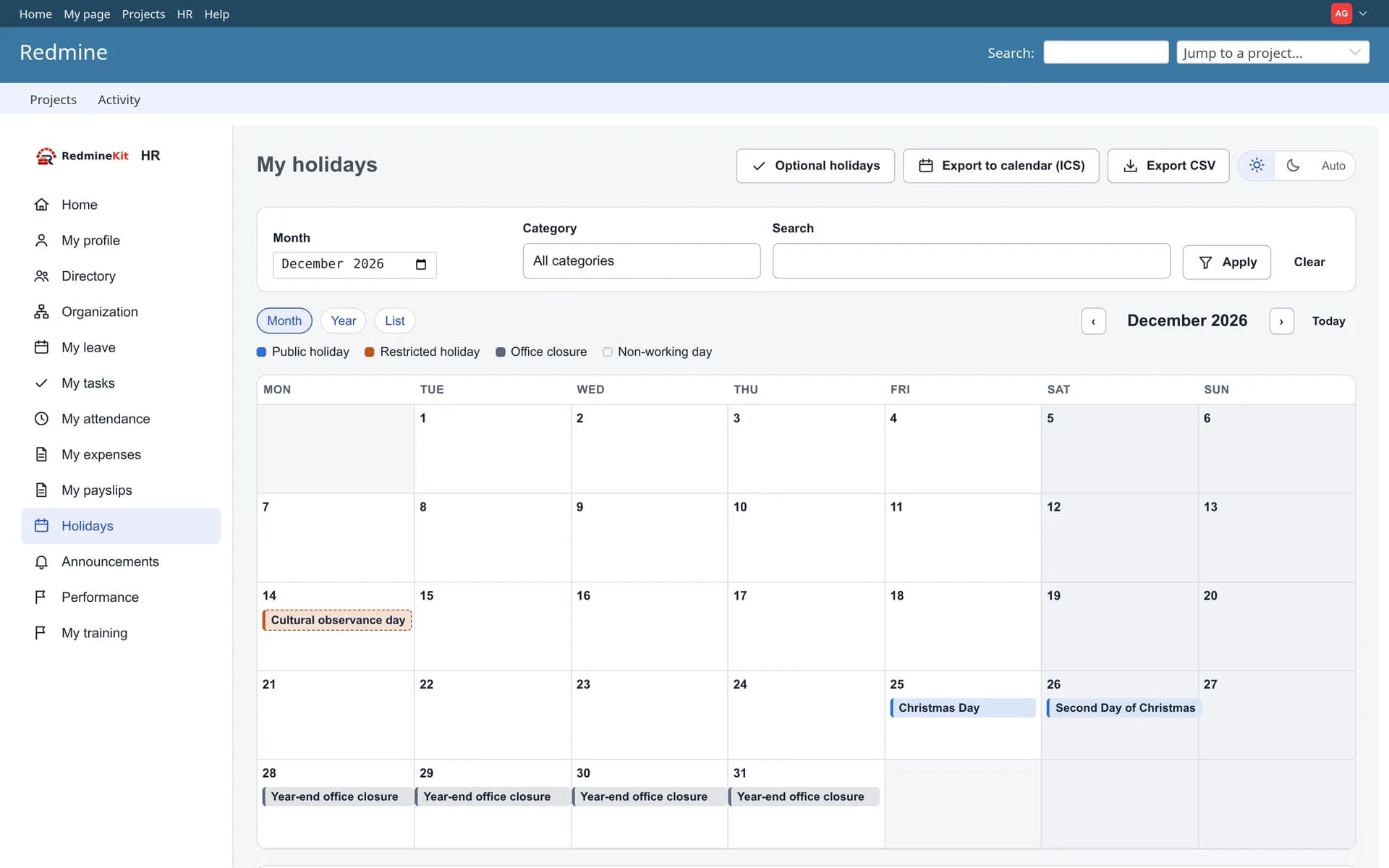
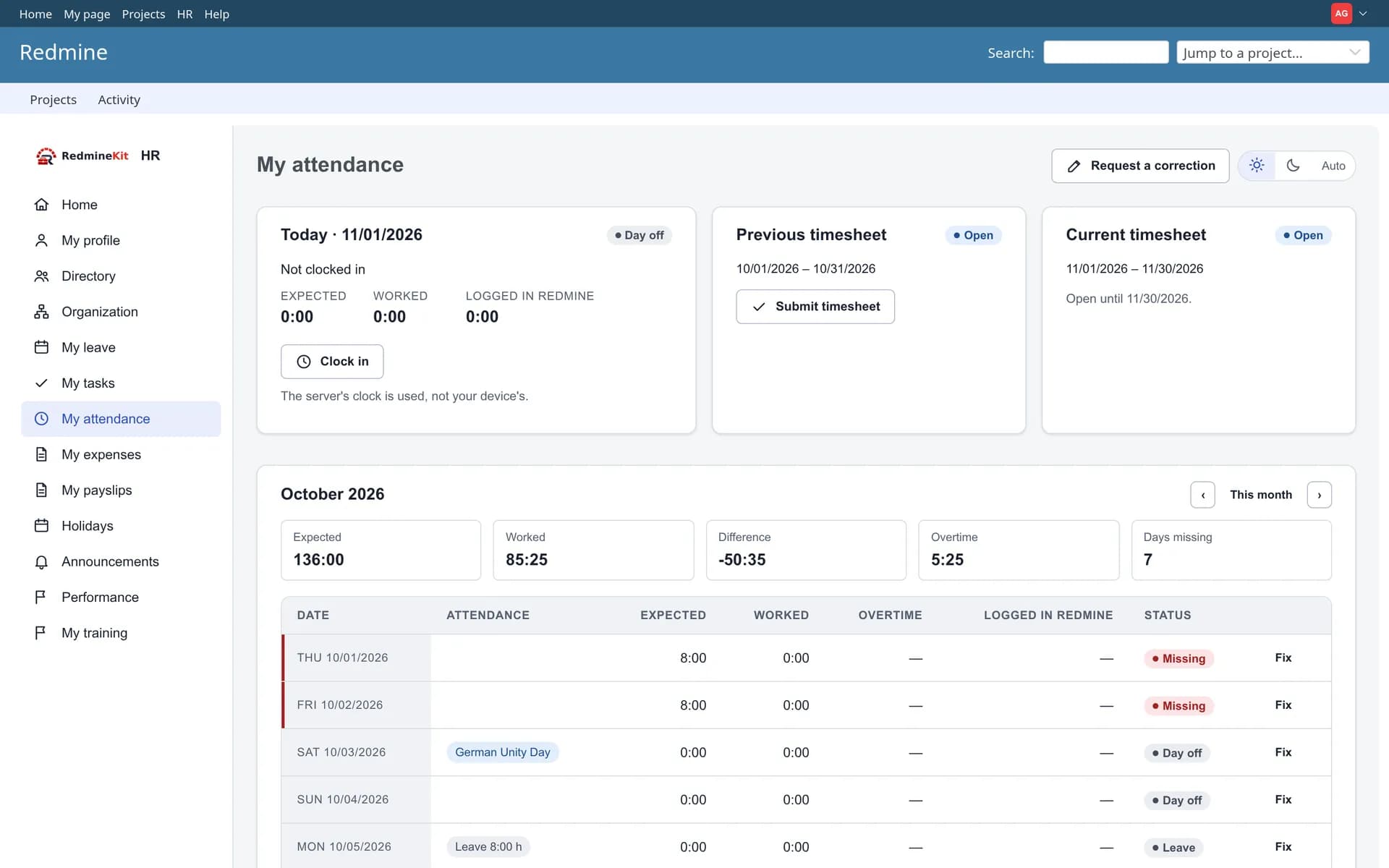
Every balance is backed by a ledger, and every leave day already accounts for weekends and the public holidays of the employee’s own country, region and office.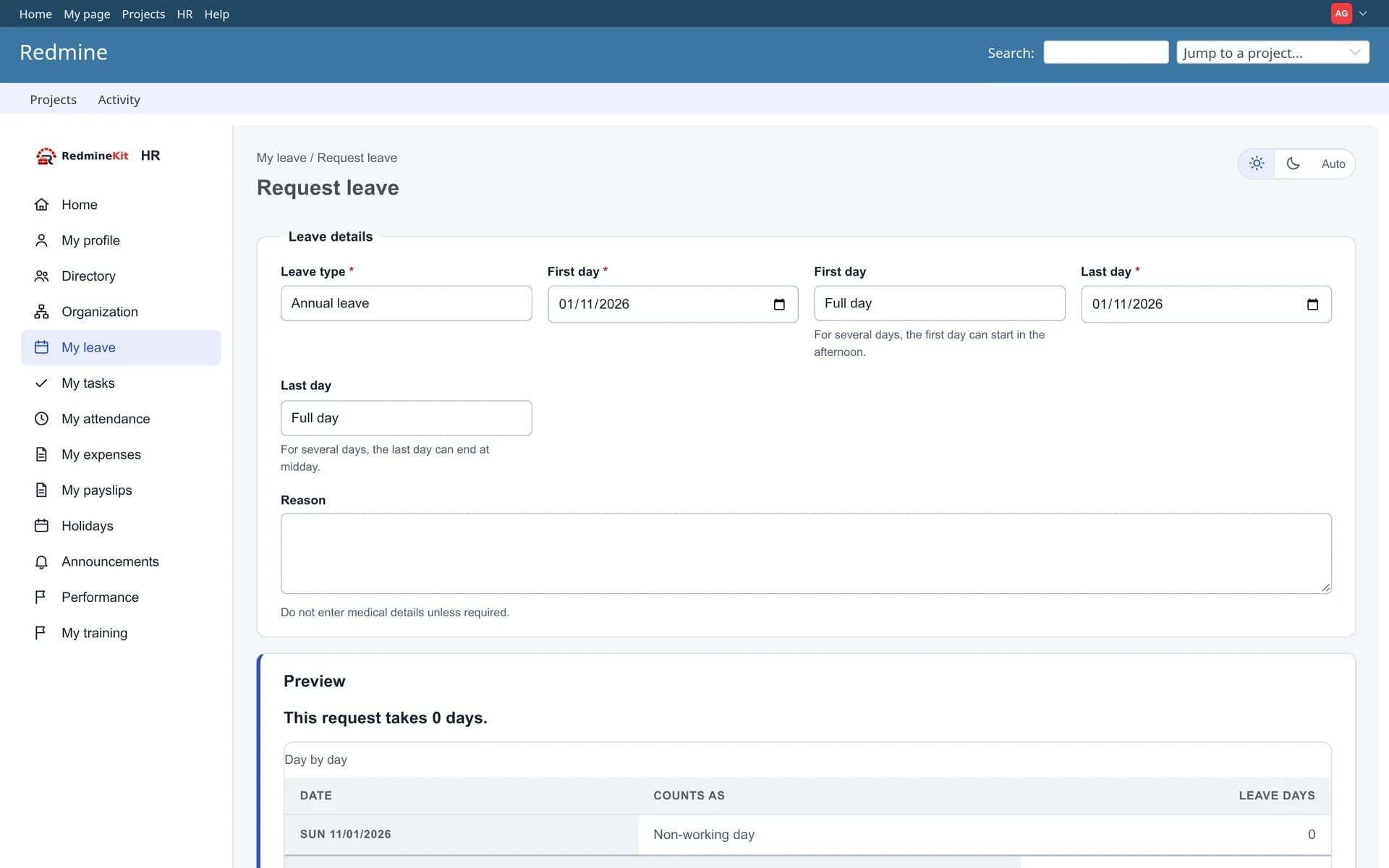
Expenses, payroll and payslips
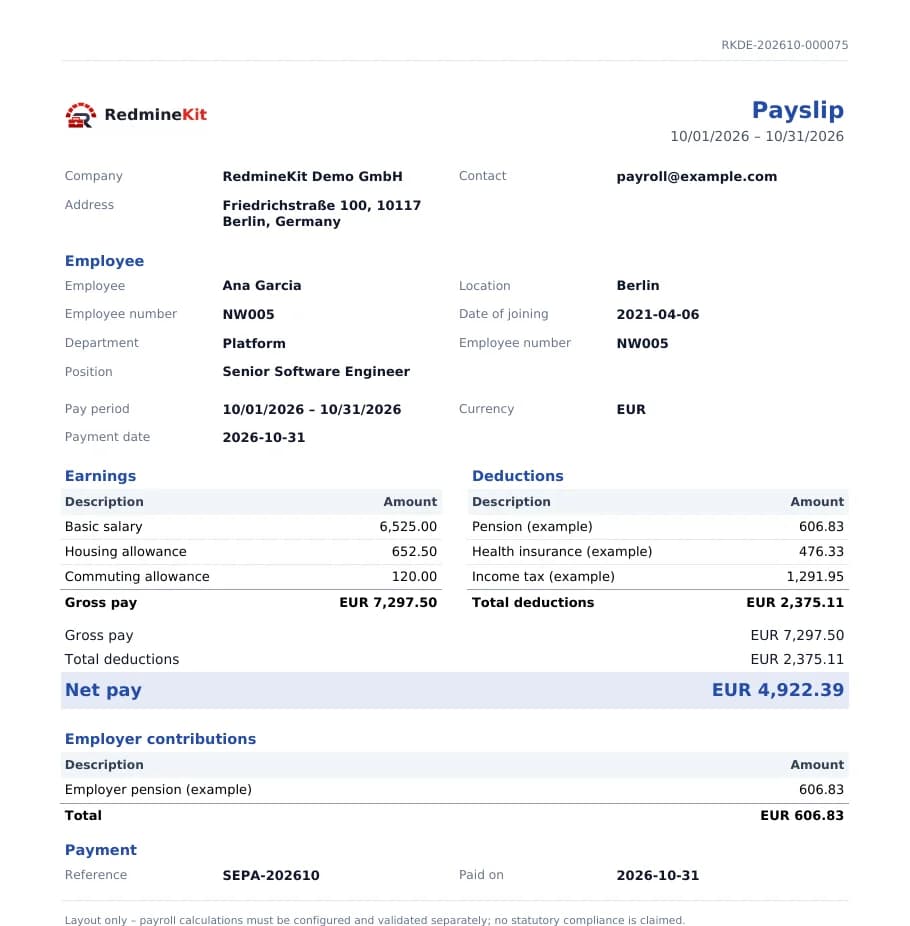
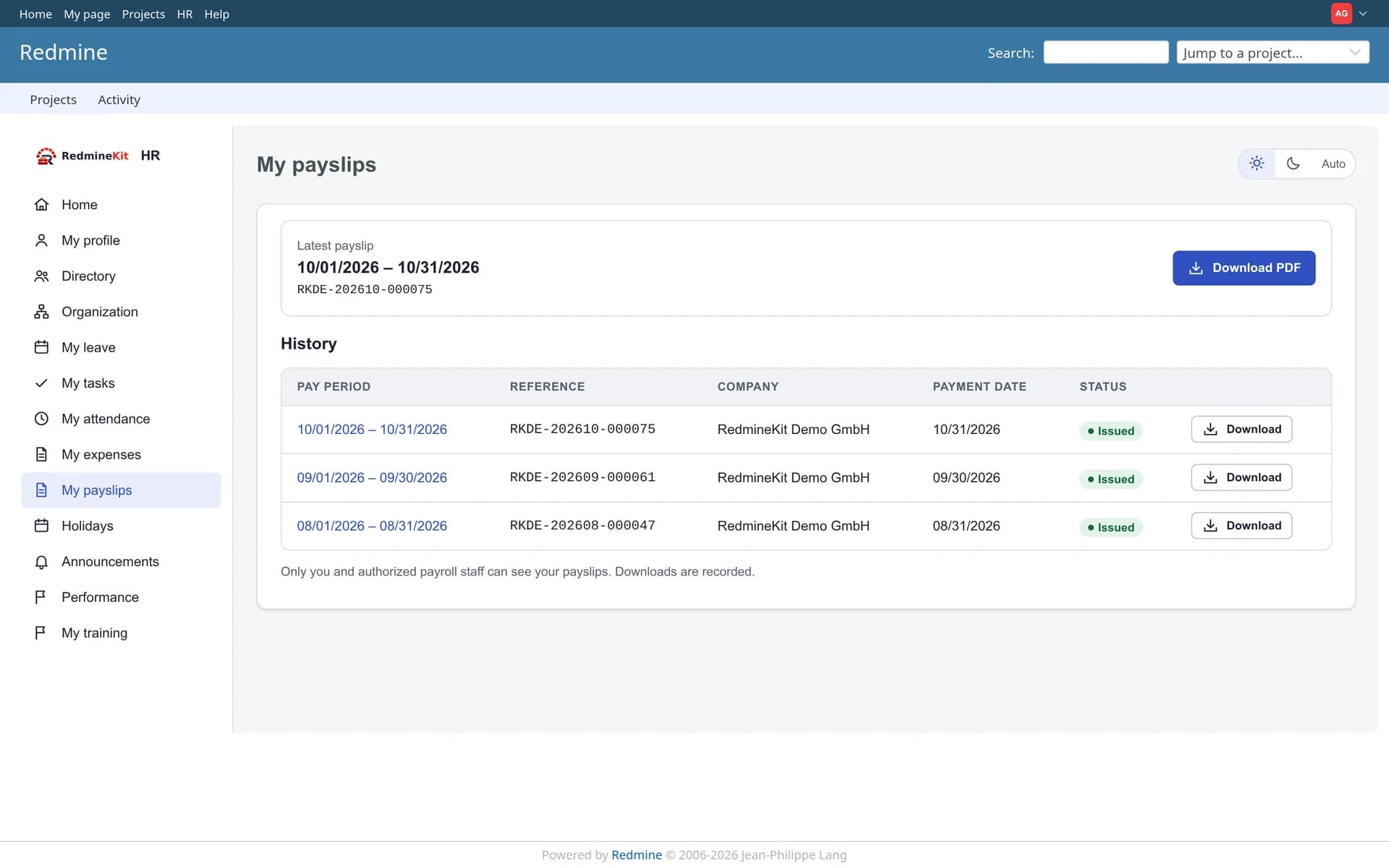
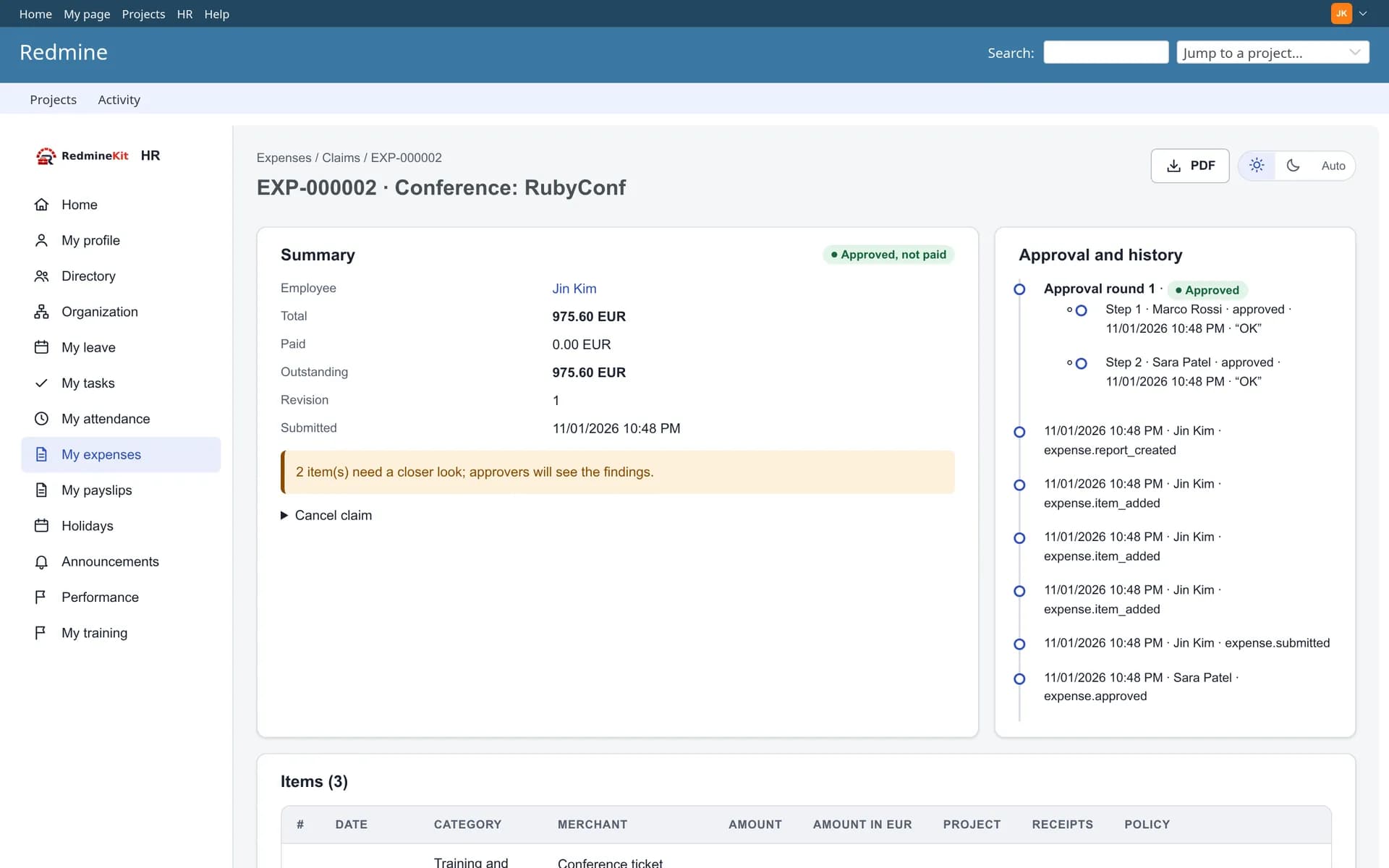
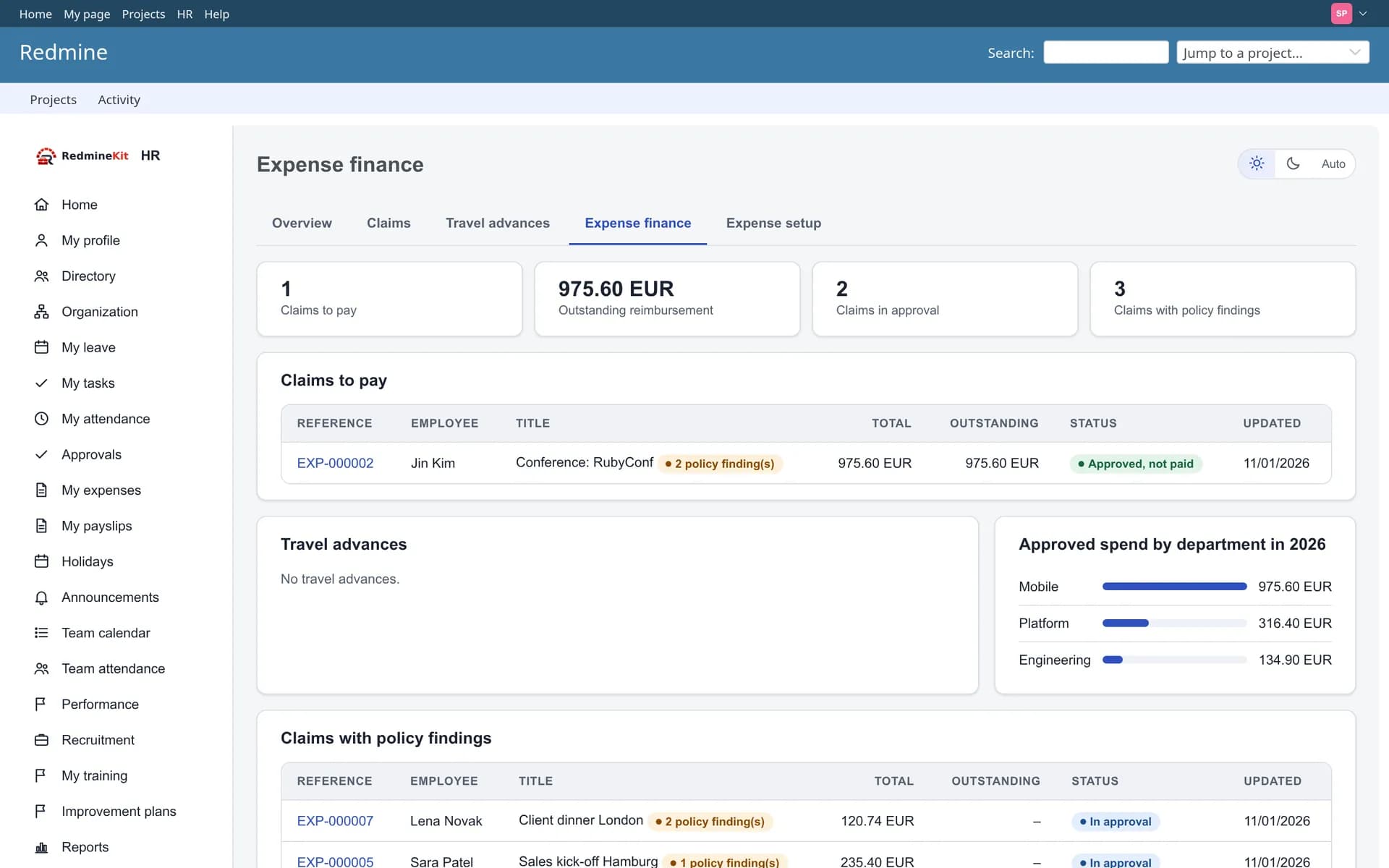
Calculated, verified, approved, finalized and paid are separate steps, and whoever calculates a payroll run cannot approve it. Finalized runs are never overwritten; corrections create a new run.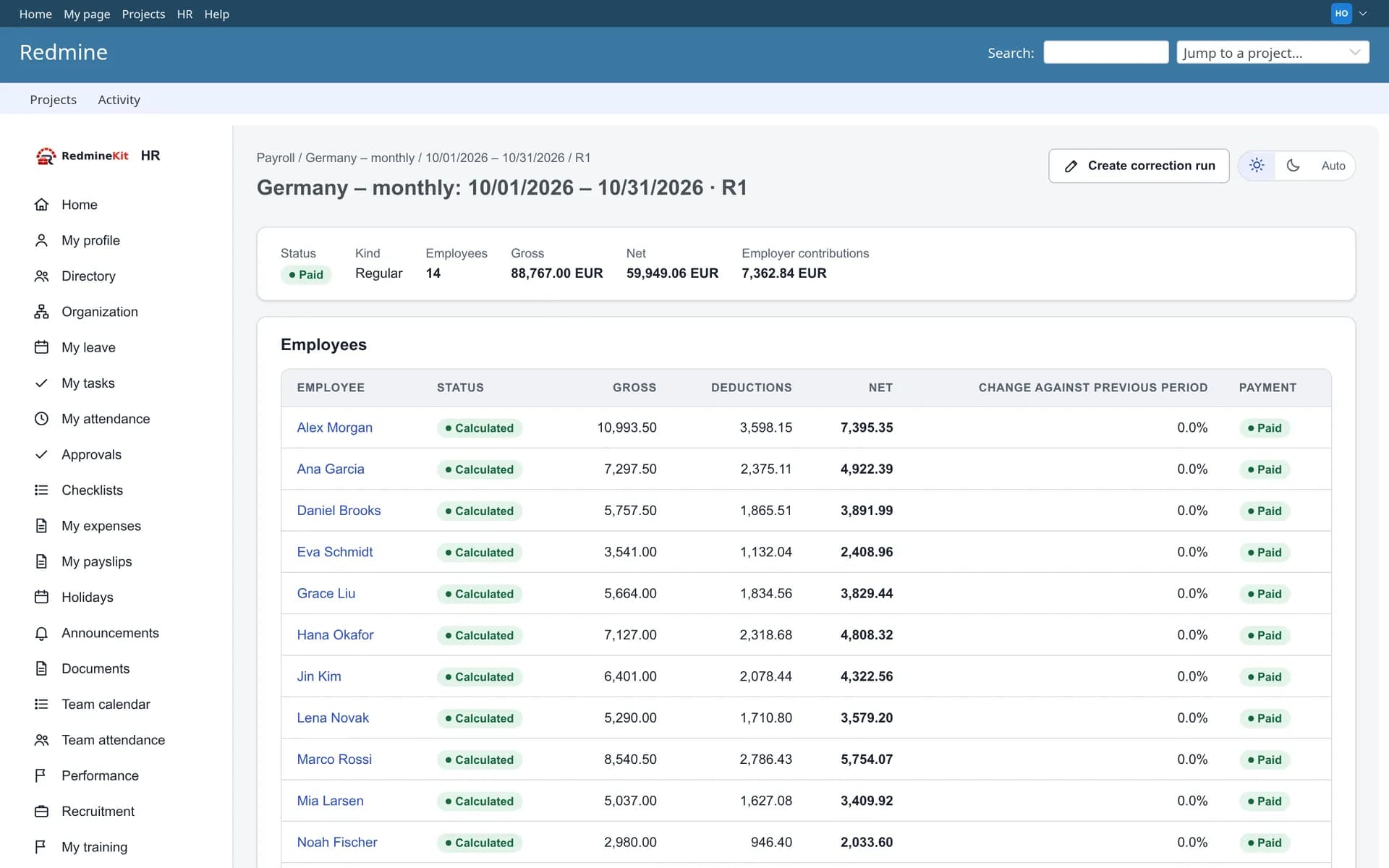
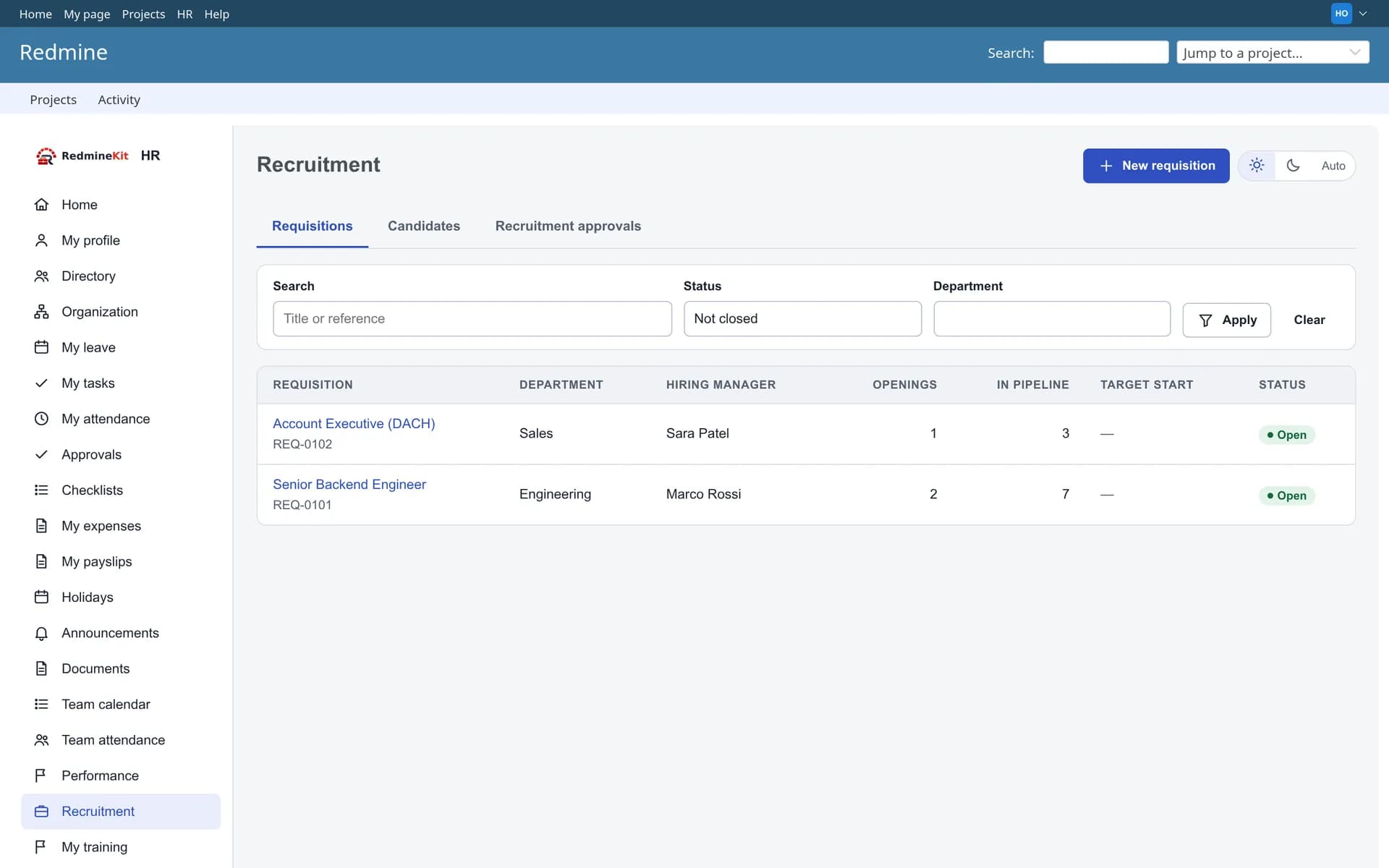
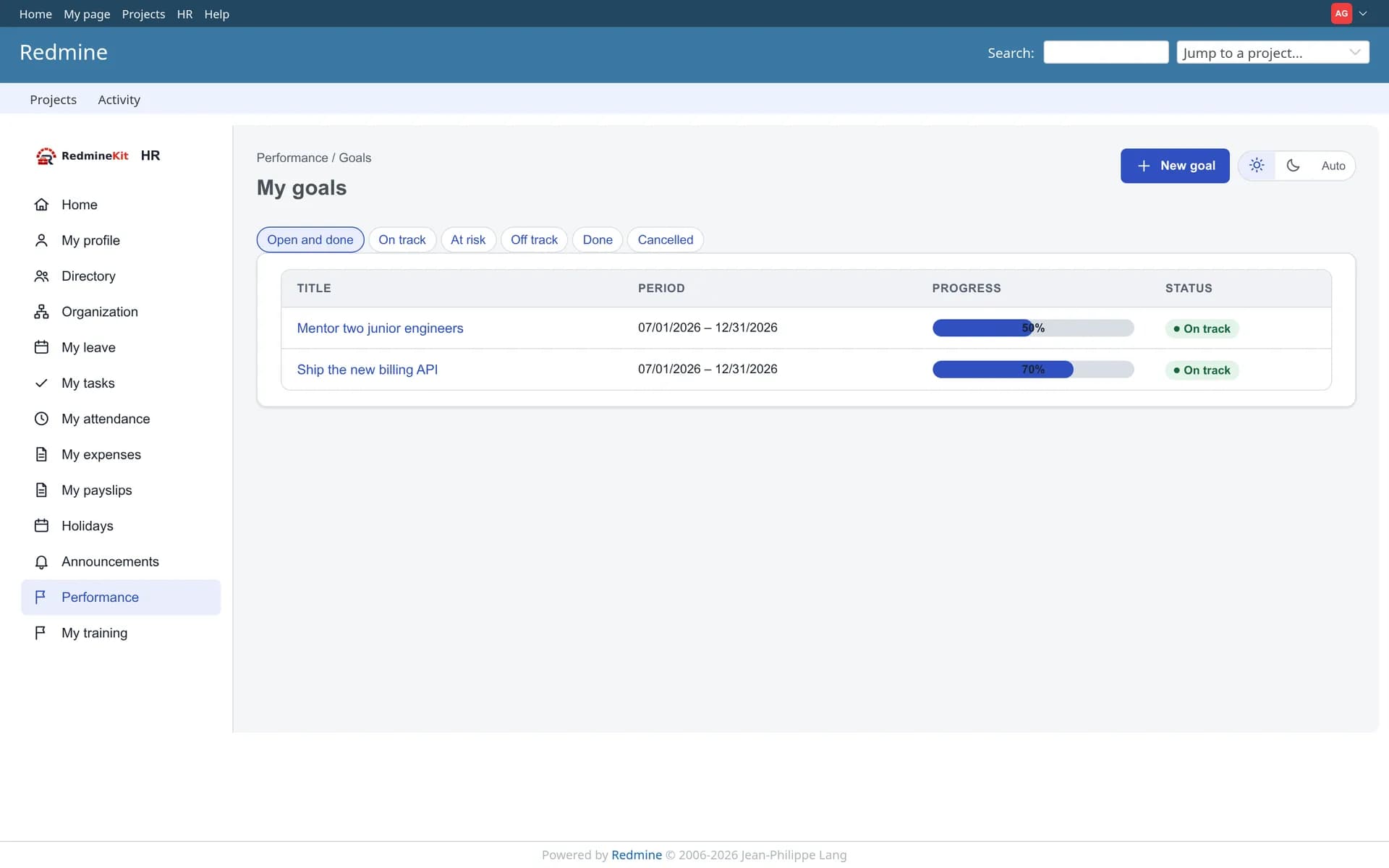
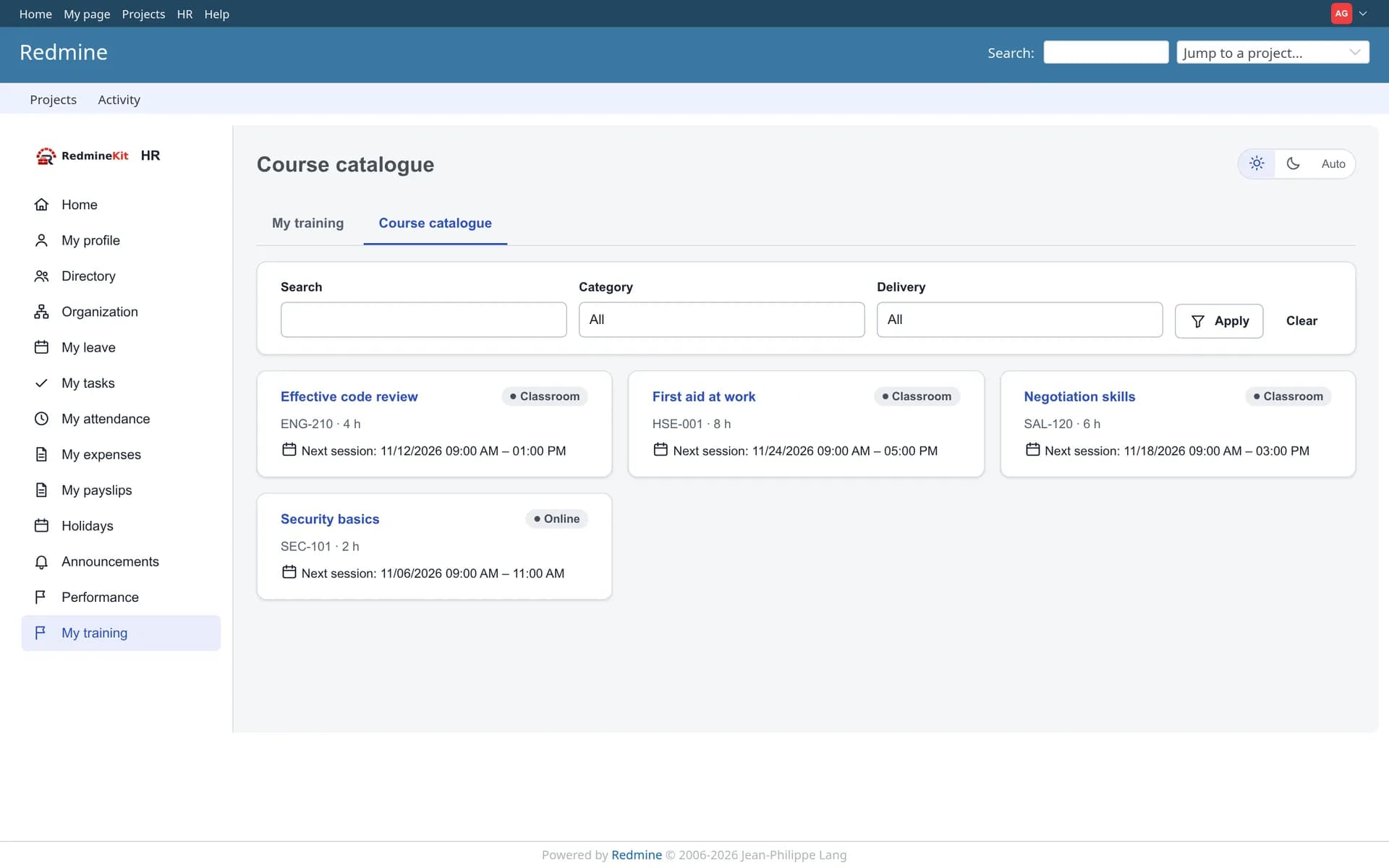
Recruitment, performance and training
Hire someone and they become an employee record with an onboarding checklist, without retyping anything.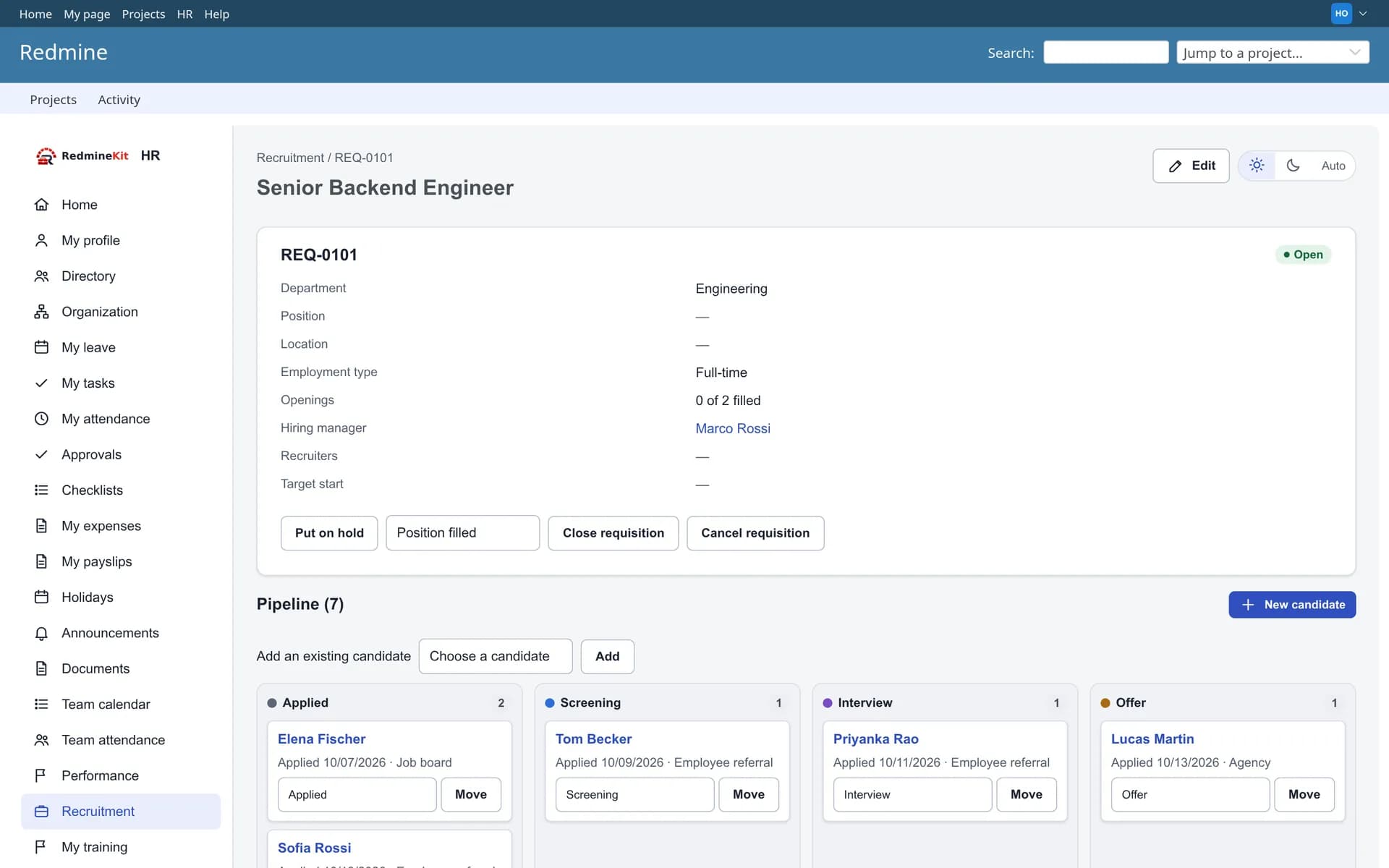
Administration
Redmine administrators do not see HR data unless they grant themselves an HR role, and that grant is audited.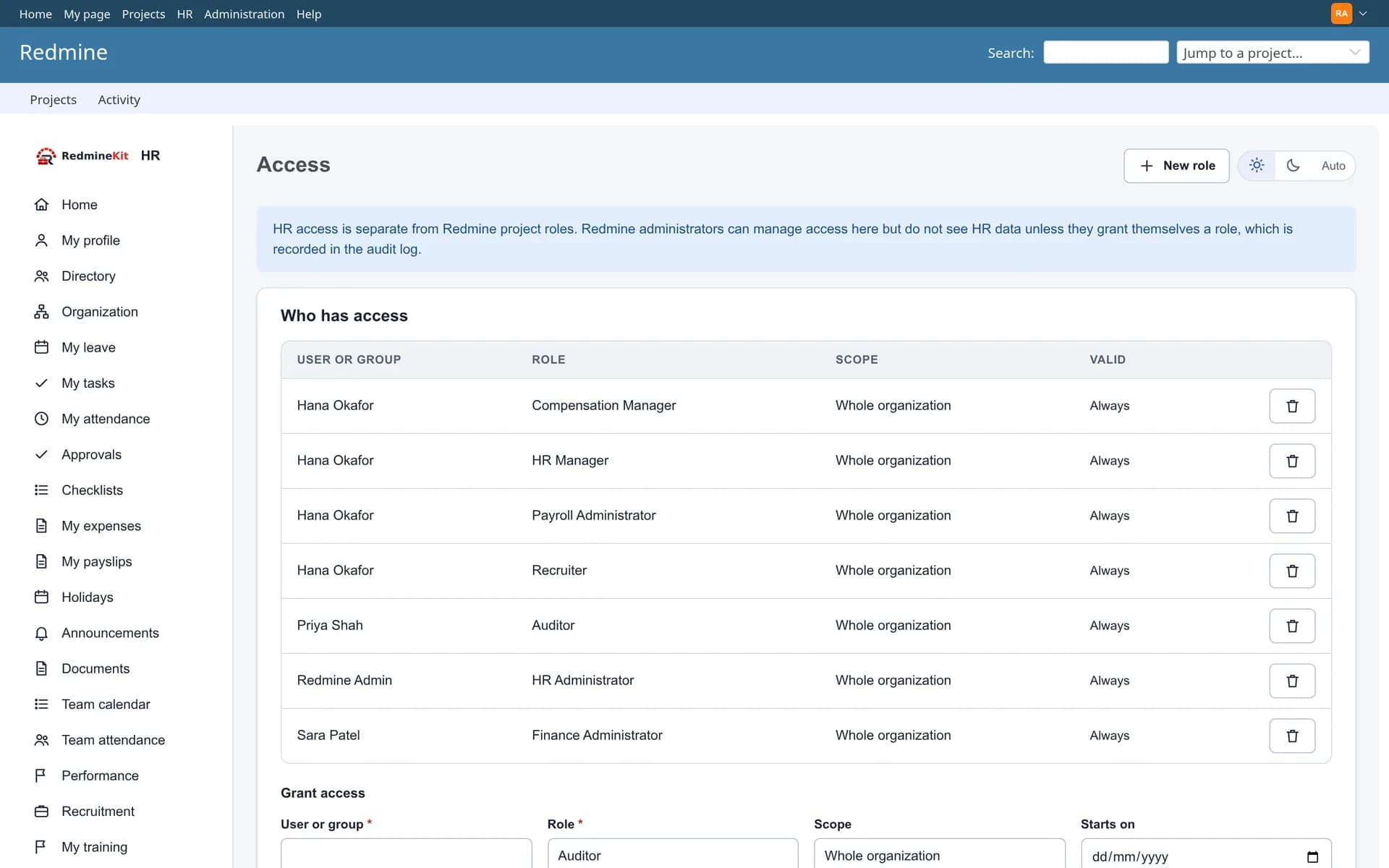
On the phone
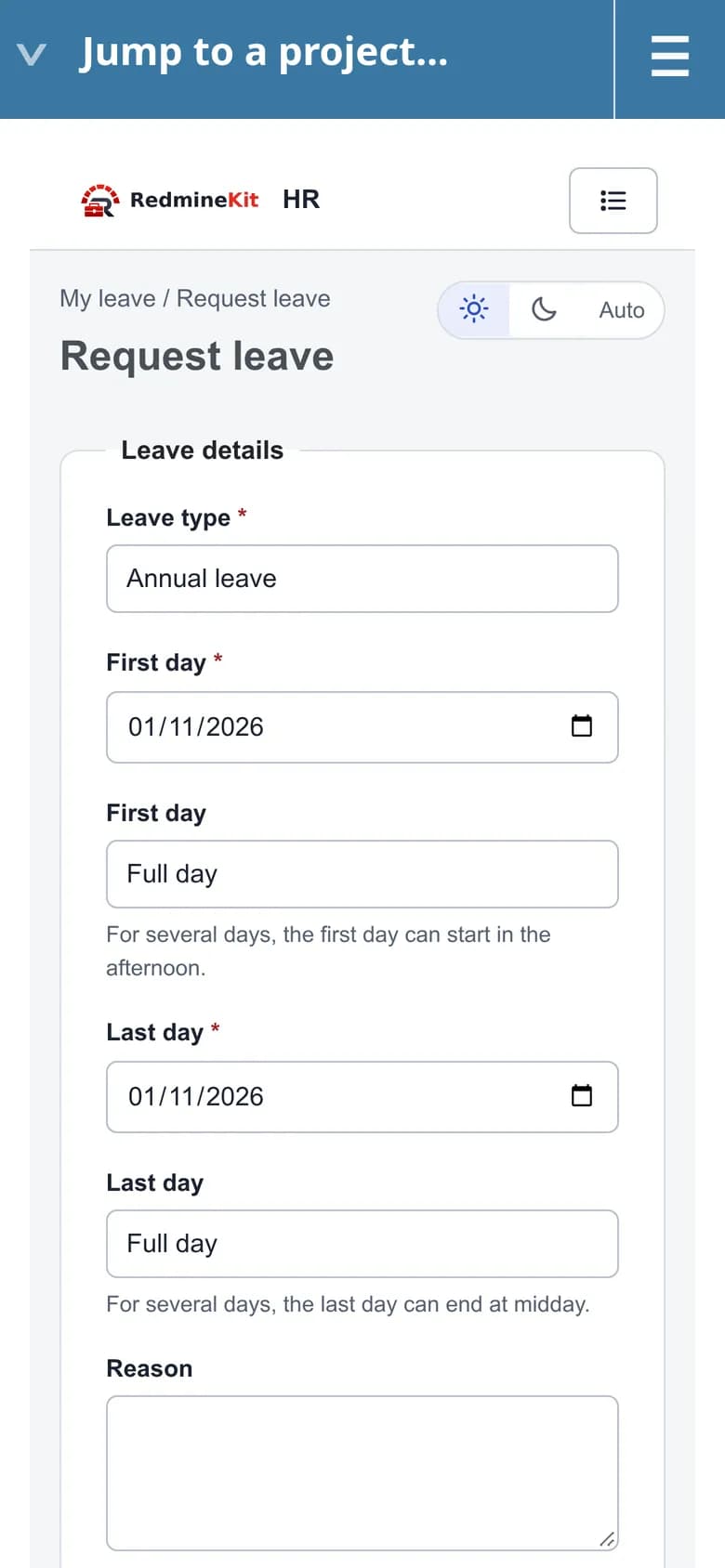
Every HR page works at phone width: request leave, check balances and approve from anywhere.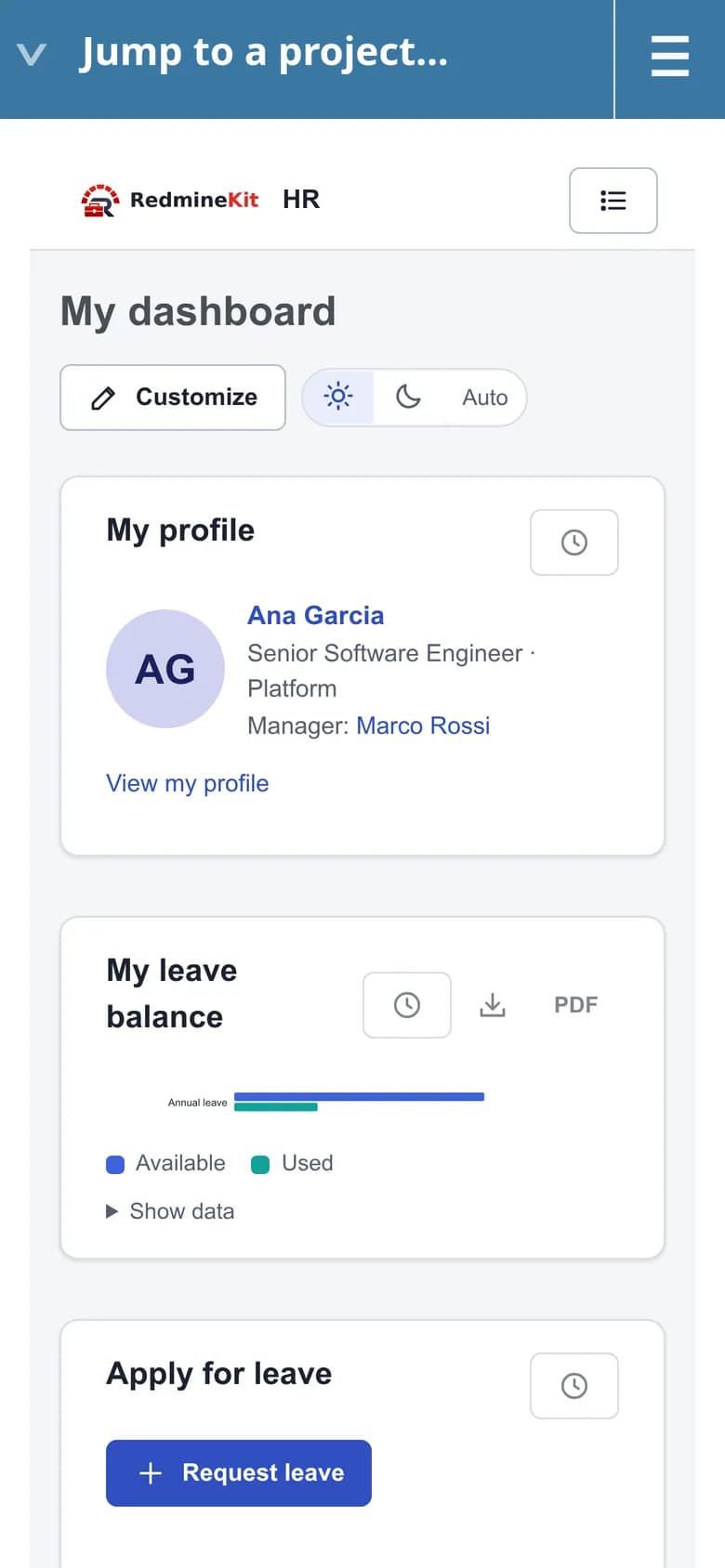
Fourteen modules, switch on what you need
The core is always on. The optional modules are off until you switch them on in Administration → HR settings, and their data is kept if you switch them off again.
Core (always on)
Employees and employment history, organization structure, HR access roles and audit log, personal-data export and anonymization.
Leave and approvals
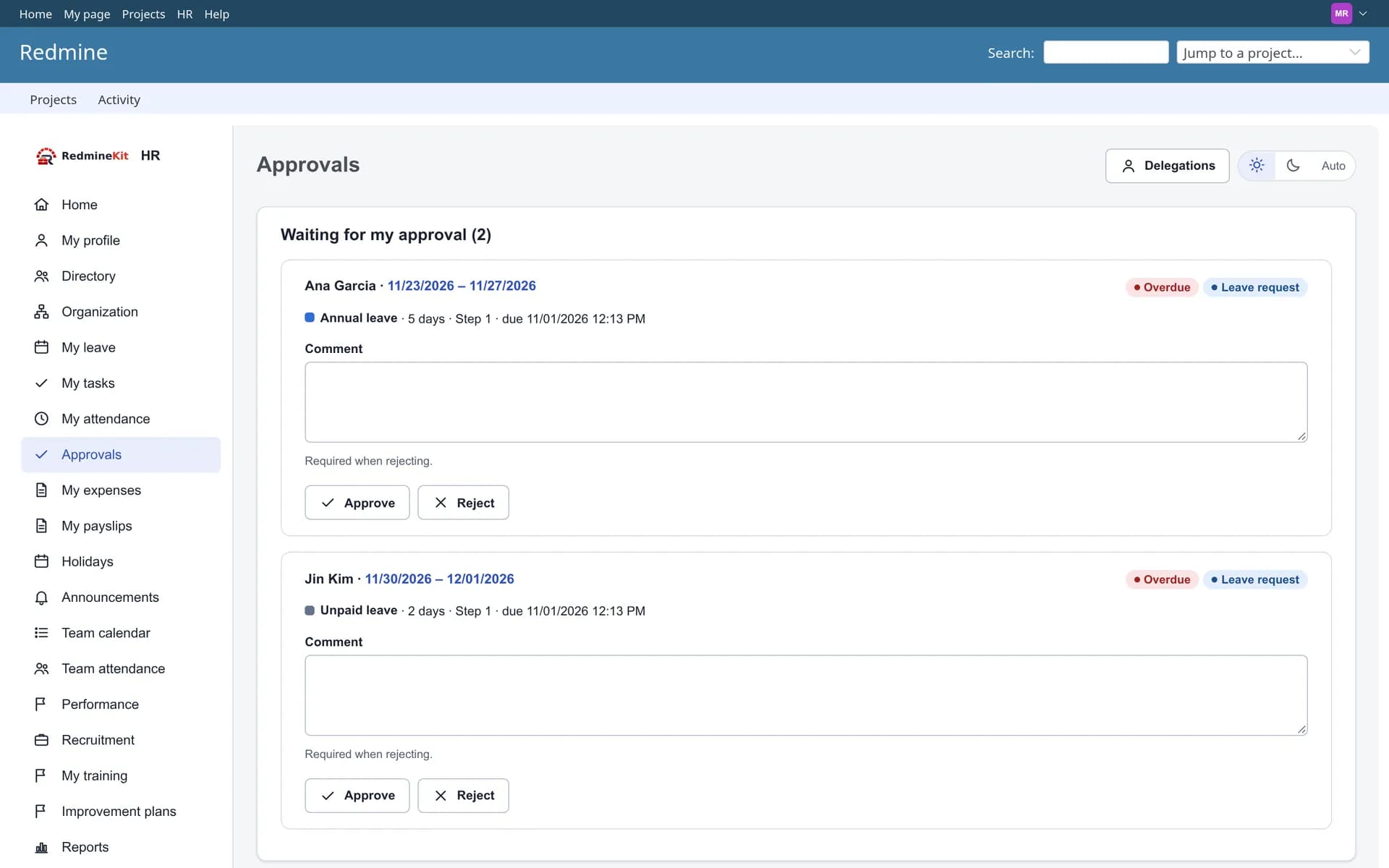
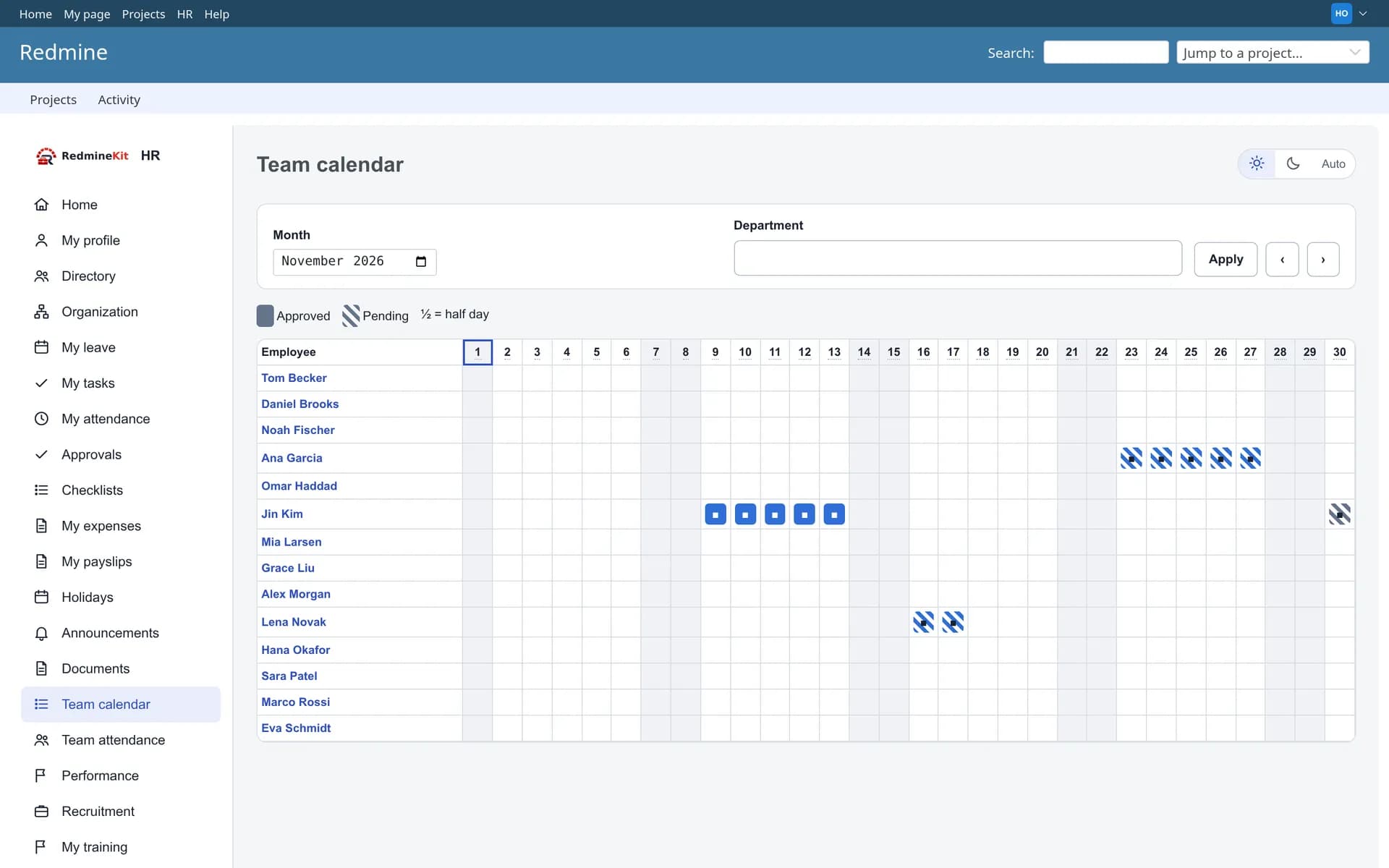
Leave types and versioned policies, accruals, carry-forward and half days, approval flows with delegation, and a team calendar.
Holiday management
Calendars by country, region and office, recurring and multi-day holidays, optional holidays with quotas, ICS and CSV export.
Self-service
Employees keep their own profile fields up to date and see their own leave, tasks, documents, payslips and expense claims.
Onboarding
Checklists on hire and exit, assets and access revocation, and probation reminders.
Documents
Per-employee documents with versions, expiry reminders and acknowledgements.
Announcements
Audiences and publish windows, with acknowledgement tracking.
Reports and API
Headcount, joiners, exits, leave and more, CSV exports, PDF for dashboards, a REST API and signed webhooks.
Attendance (optional)
Web clock-in and corrections, timesheet periods with approval, and Redmine time entries alongside.
Expenses (optional)
Multi-currency claims and receipts, policies, limits and duplicate detection, advances and settlements.
Payroll and payslips (optional)
Pay components and a safe formula engine, runs with separate approval and payment, PDF payslips per legal entity.
Recruitment (optional)
Requisitions and pipeline stages, interviews, scorecards and offers, and hiring into an employee record.
Performance (optional)
Goals and review cycles, 360 feedback and calibration, salary recommendations that are never applied automatically.
Training (optional)
Catalogue, sessions and waitlists, completions and certificates, and mandatory training tracking.
Payroll ships with country payslip layouts and clearly marked example components. It does not bundle statutory tax or social-security rules and makes no compliance claim for any country: you configure and validate the rules for your organization. A payroll group can also run in export mode, sending its input to an external payroll system.
Your data stays in your Redmine
Deny by default
Every page and API call checks HR permissions on the server. Employees see their own records, managers their own reporting line, and salary data only reaches people with payroll permission.
Encrypted personal details
Sensitive personal fields are encrypted with Redmine’s own cipher key. Without a key, the plugin refuses to store them rather than saving clear text.
Audited
Grants, changes, exports and payslip downloads are recorded in an audit log that leaves amounts and personal details out.
No outside services
Nothing is sent to a third party. Webhooks and the REST API are opt-in and use the same permission scopes as the pages.
Compatibility
The plugin’s full automated test suite was run on every Redmine release from 4.0 to 7.0 against every database below, with no failures.
| Redmine | PostgreSQL | MySQL | MariaDB | SQL Server | SQLite |
|---|---|---|---|---|---|
| 7.0 | Tested | Tested | Tested | Tested | Evaluation |
| 6.1 · 6.0 | Tested | Tested | Tested | Tested | Evaluation |
| 5.1 · 5.0 | Tested | Tested | Tested | Tested | Evaluation |
| 4.2 · 4.1 · 4.0 | Tested | Tested | Tested | Tested | Evaluation |
SQLite has no row locking, so use it for trying the plugin, not in production. Languages: a locale for each of the 50 languages Redmine ships; English is the source and the others are machine-assisted translations awaiting native review. Run the Redmine server in UTC, because Redmine stores timestamps in server local time.
Install in three steps
Requires shell access and the ability to run rake tasks. Always back up before installing a plugin.
# in your Redmine directory; the package arrives by email or from your download link
unzip redmine_hr-1.0.0.zip -d plugins/
# config/configuration.yml, under production: (keep an existing key)
#   database_cipher_key: <a long random secret>
bundle exec rake redmine:plugins:migrate NAME=redmine_hr RAILS_ENV=production
# Redmine 6.0 and later only
bin/rails assets:precompile RAILS_ENV=production
touch tmp/restart.txt   # or restart your Redmine service
# crontab of the user that runs Redmine
*/5 * * * * cd /path/to/redmine && bundle exec rake redmine_hr:tick RAILS_ENV=production >> log/redmine_hr_tick.log 2>&1
bundle exec rake redmine_hr:doctor RAILS_ENV=production
# Administration → HR settings: choose modules
# HR → Access: grant the HR Administrator role
Does it change Redmine’s own tables or permissions?
Can a Redmine administrator read everyone’s salary?
Does payroll calculate tax for my country?
Can we import our existing data?
Can we put our company logo on payslips and PDFs?
Do we have to use every module?
Which languages are included?
Do you customize it?
Is RedmineKit affiliated with the Redmine project?
Pricing
Single server
One Redmine instance · unlimited users · 12 months of updates.
Multiple servers
Unlimited Redmine servers · unlimited users · 12 months of updates.
Need a Custom Redmine Solution?
Looking for a feature that isn't available in our existing plugins?
RedmineKit provides custom Redmine plugin development, plugin customization, workflow automation, third-party integrations, and tailored solutions for your business.
Tell us what you need. We'll review your requirements and provide a suitable solution with an estimated cost and timeline.