
Redmine Billing
FinanceAn ERP-lite billing & subscription suite — invoices, subscriptions, payments and procurement in one native, order-to-cash and procure-to-pay module.
Multiple servers: $399
- Record types
- 9, from customer to purchase order
- Reports
- 5 built in
- Scheduled jobs
- 15, with a health log
- Languages
- 51
- Core files patched
- None
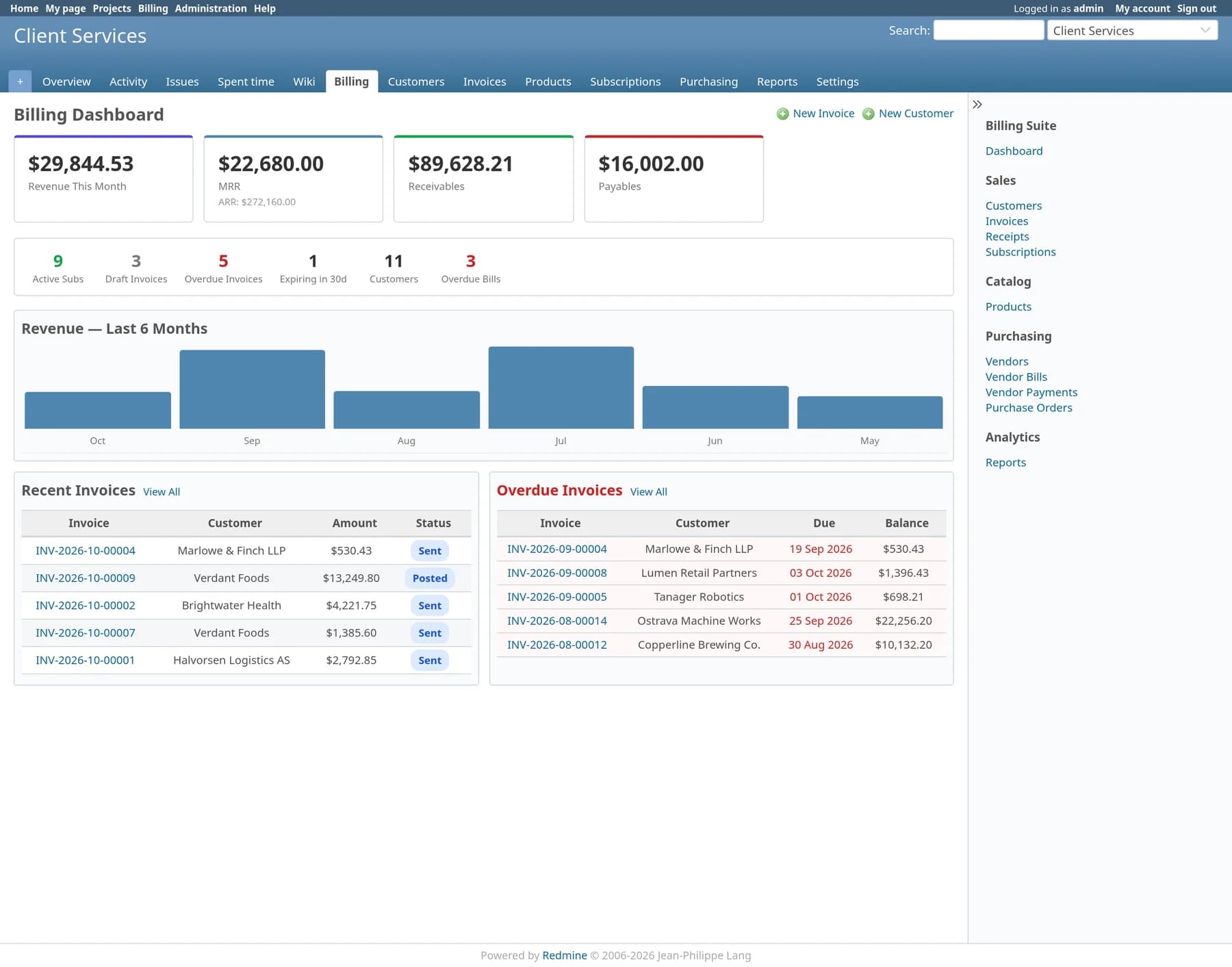
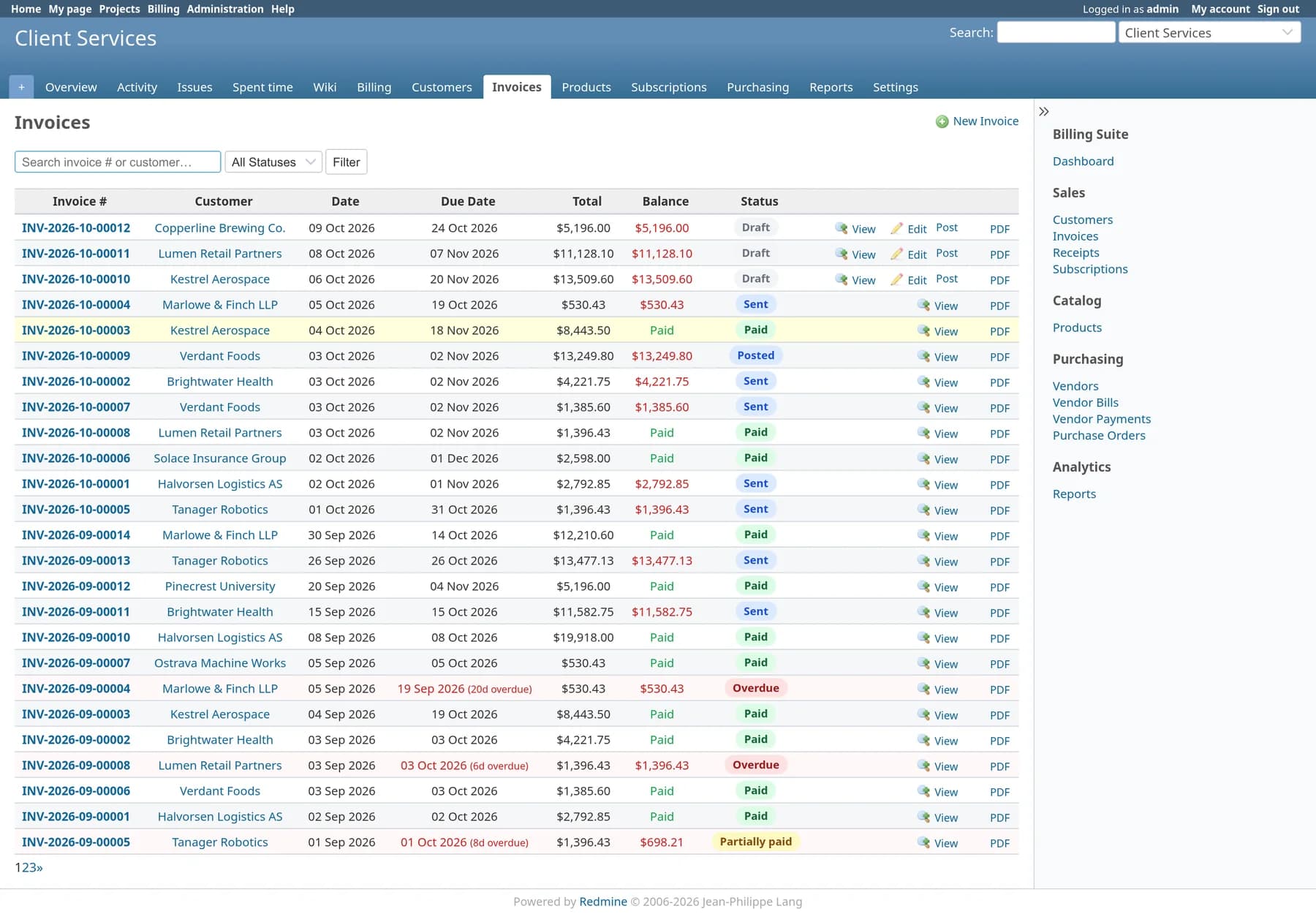
Invoices
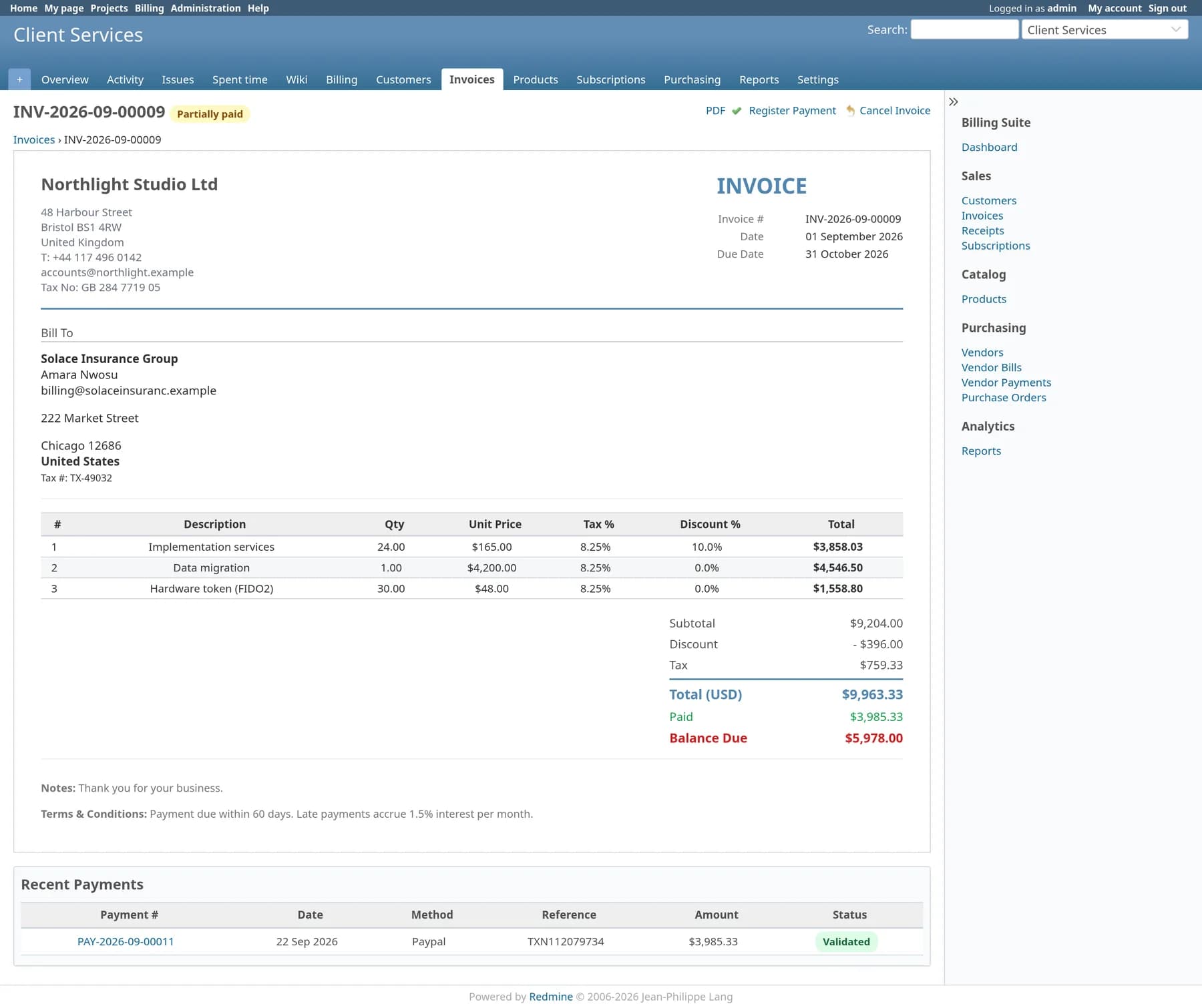
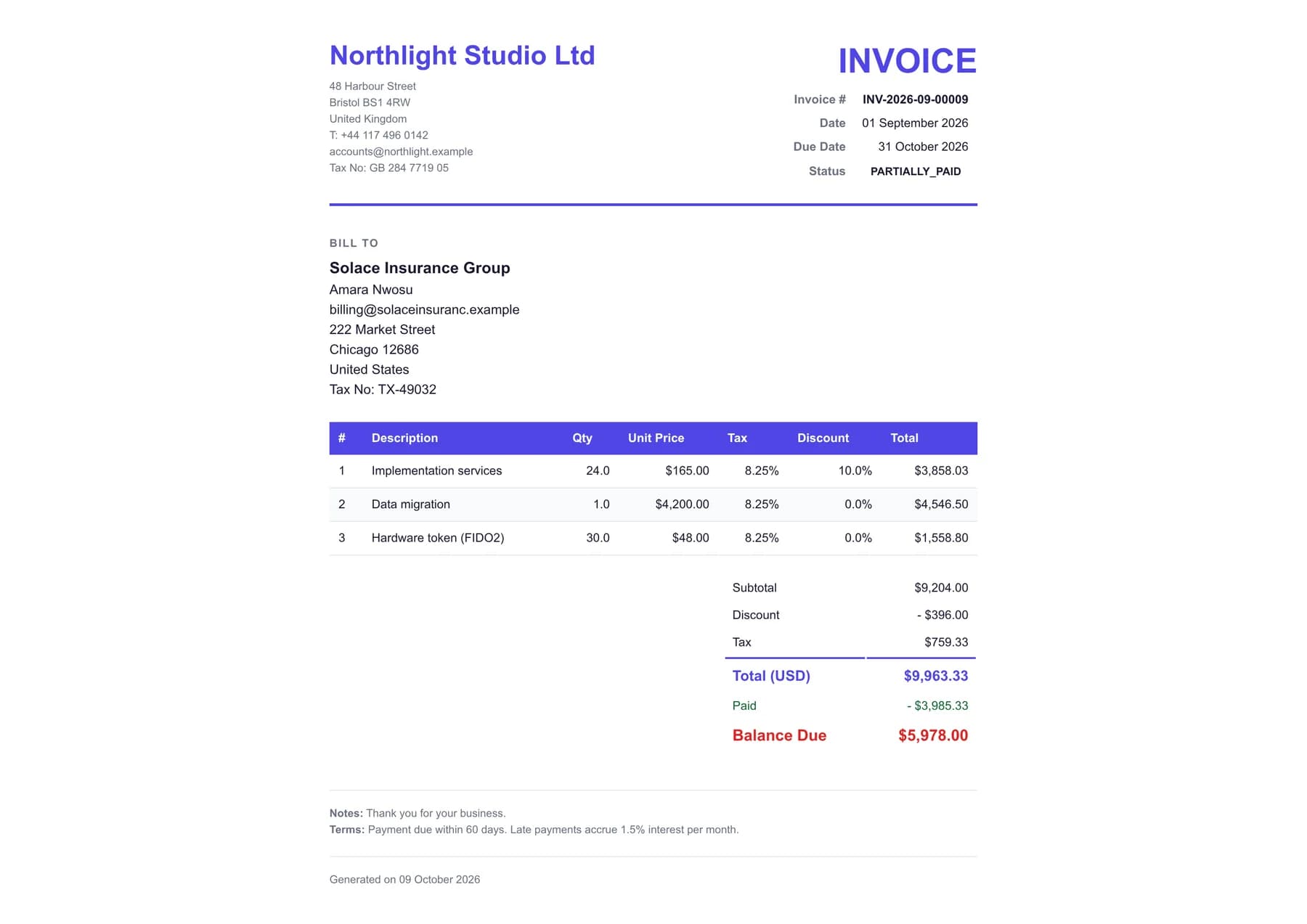
Draft, post, send, collect. Line items carry their own tax and discount, numbers follow a monthly sequence, and a print-ready page opens for saving as PDF.
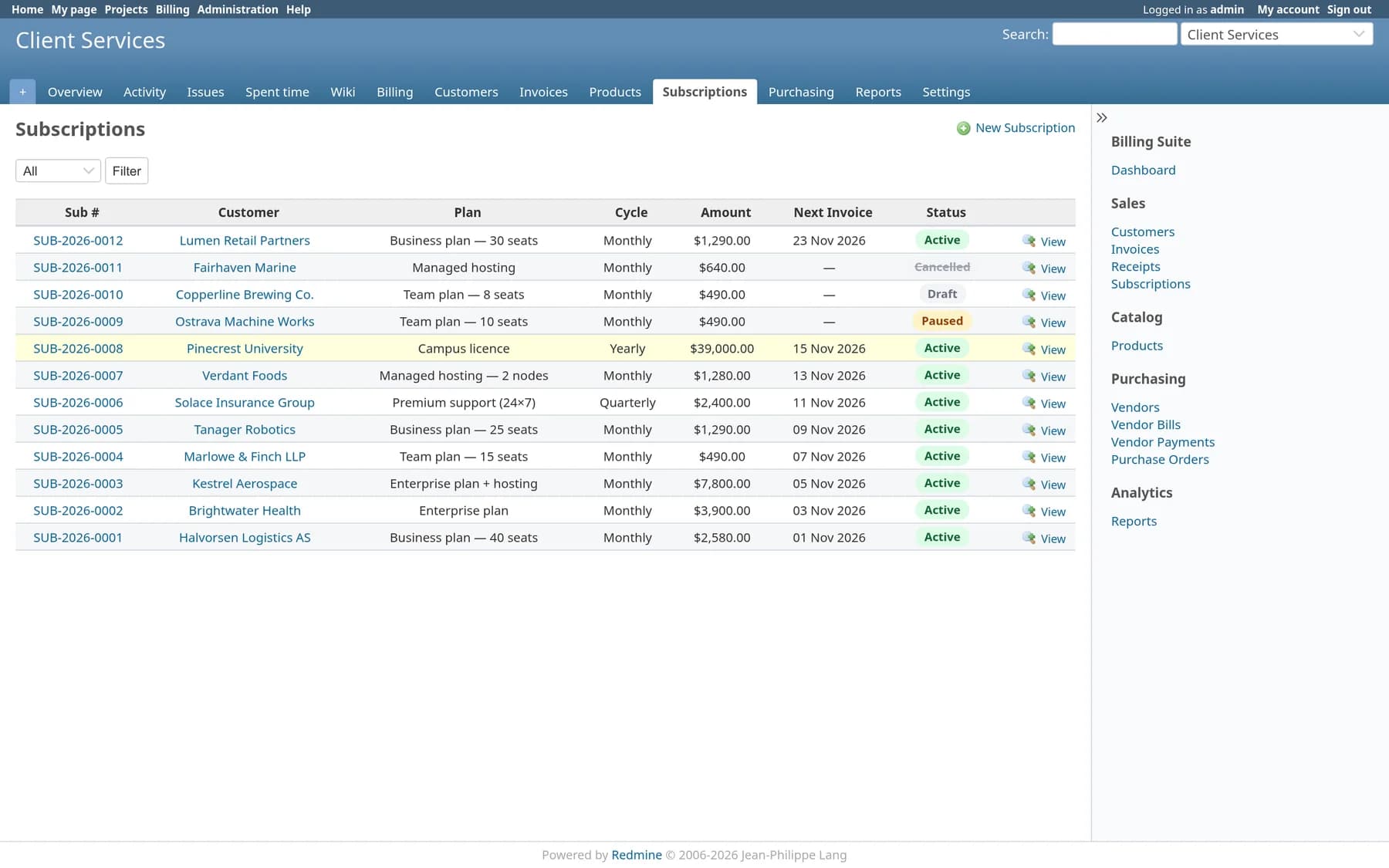
Subscriptions
Monthly, quarterly or yearly plans with trial days and an end date. A daily job raises each invoice and moves the next invoice date on.
Payments
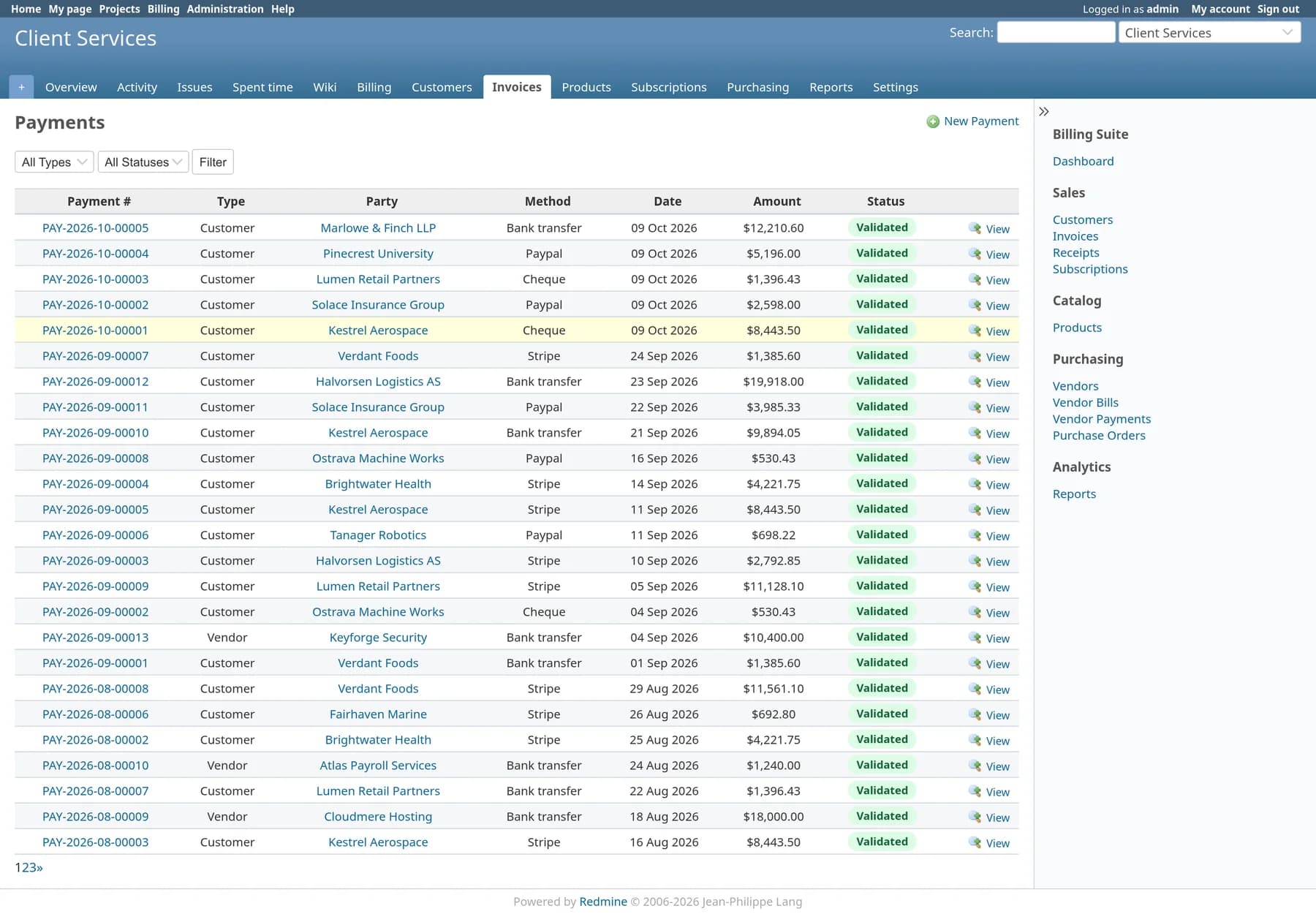
Record cash, bank transfer, card, PayPal, cheque or UPI receipts with a reference. Part payments leave the balance open and the status correct.
Purchasing
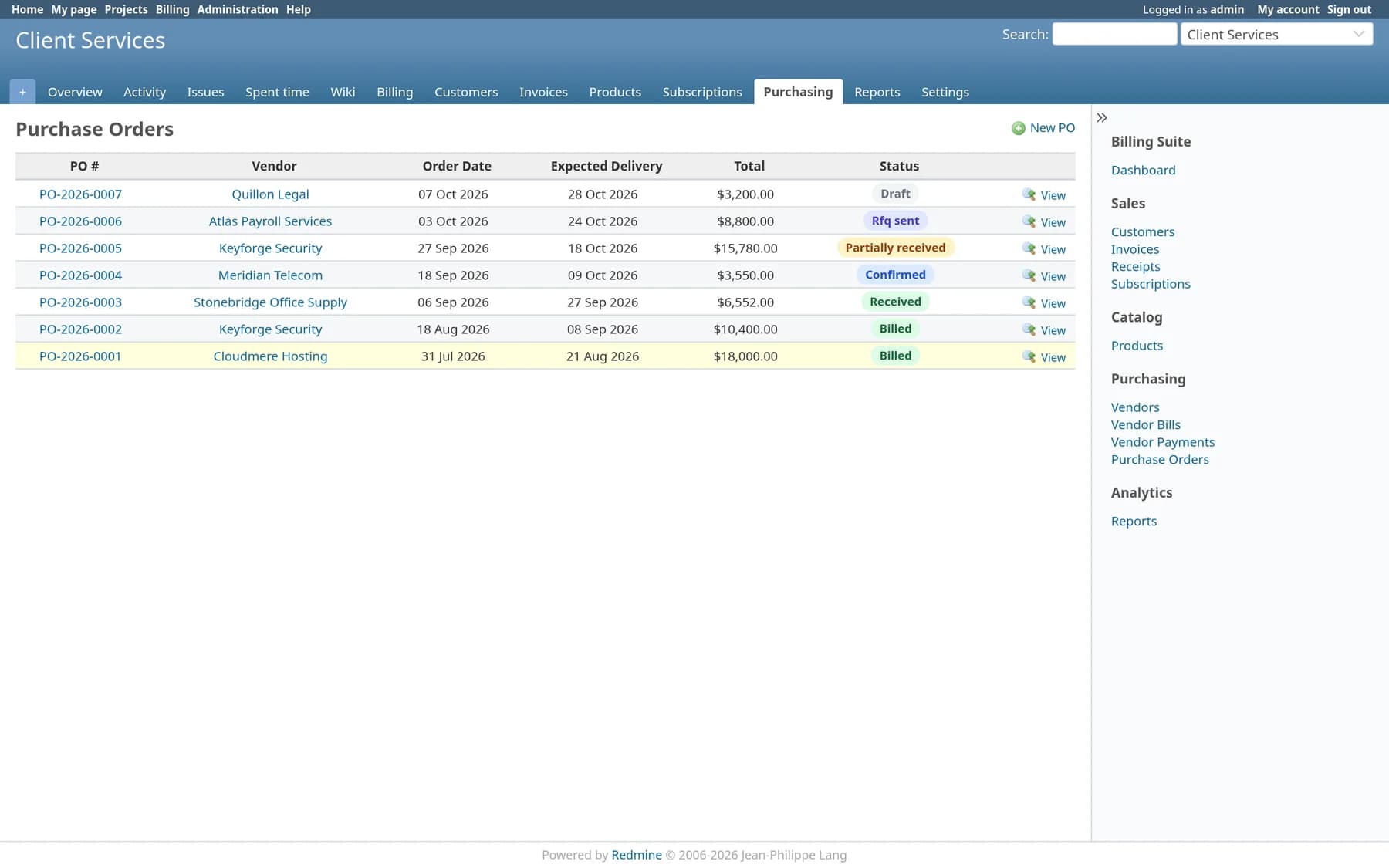
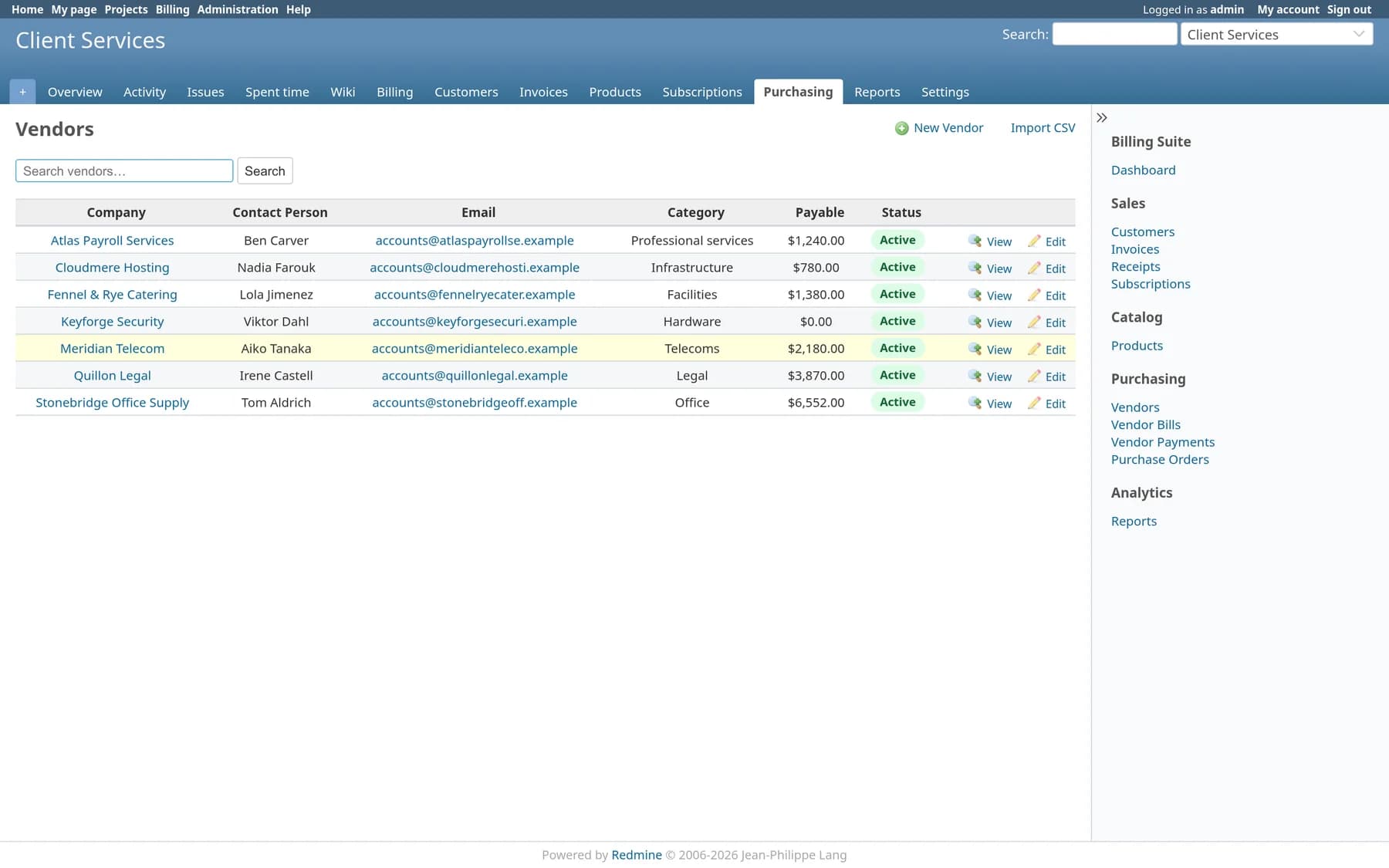
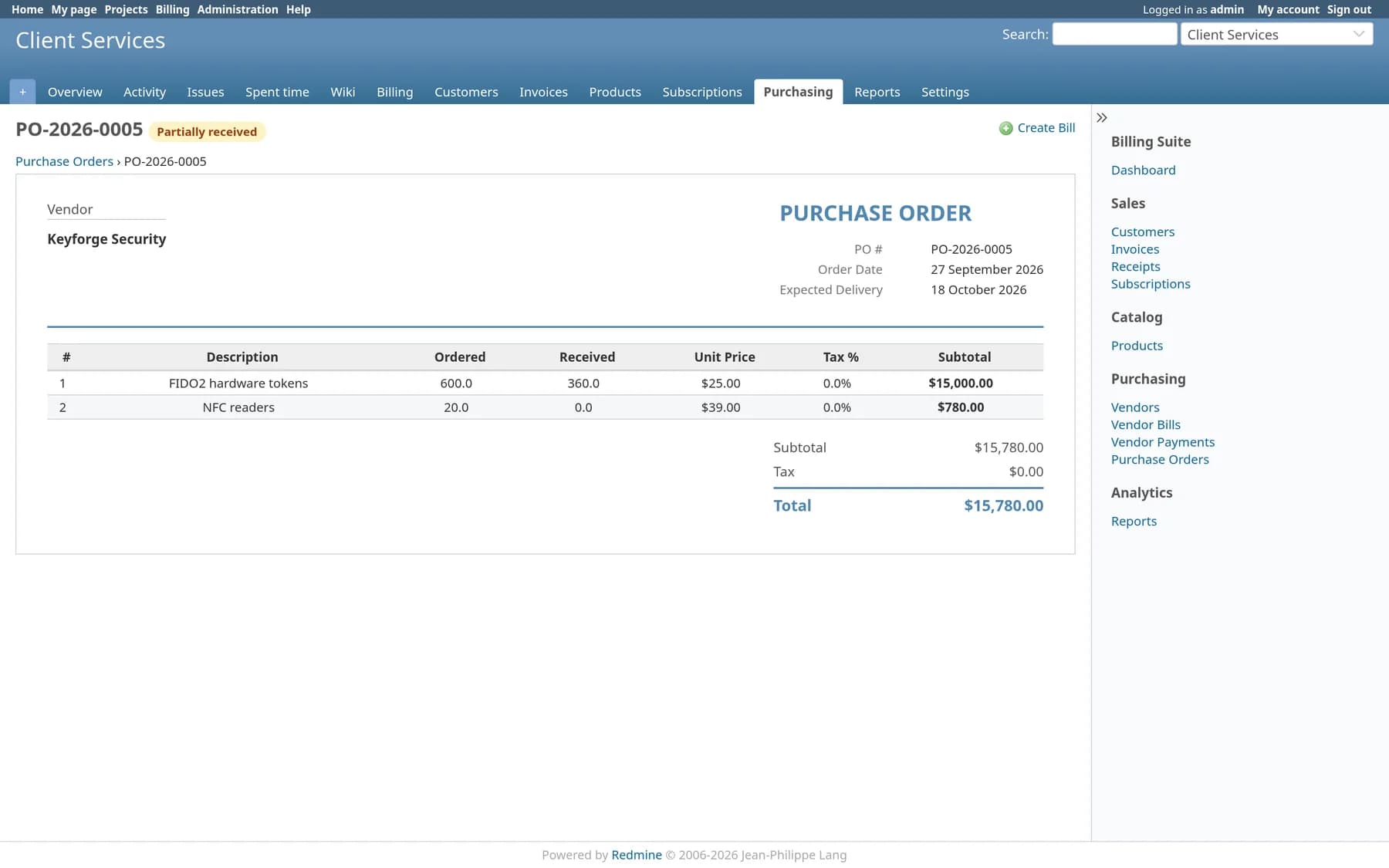
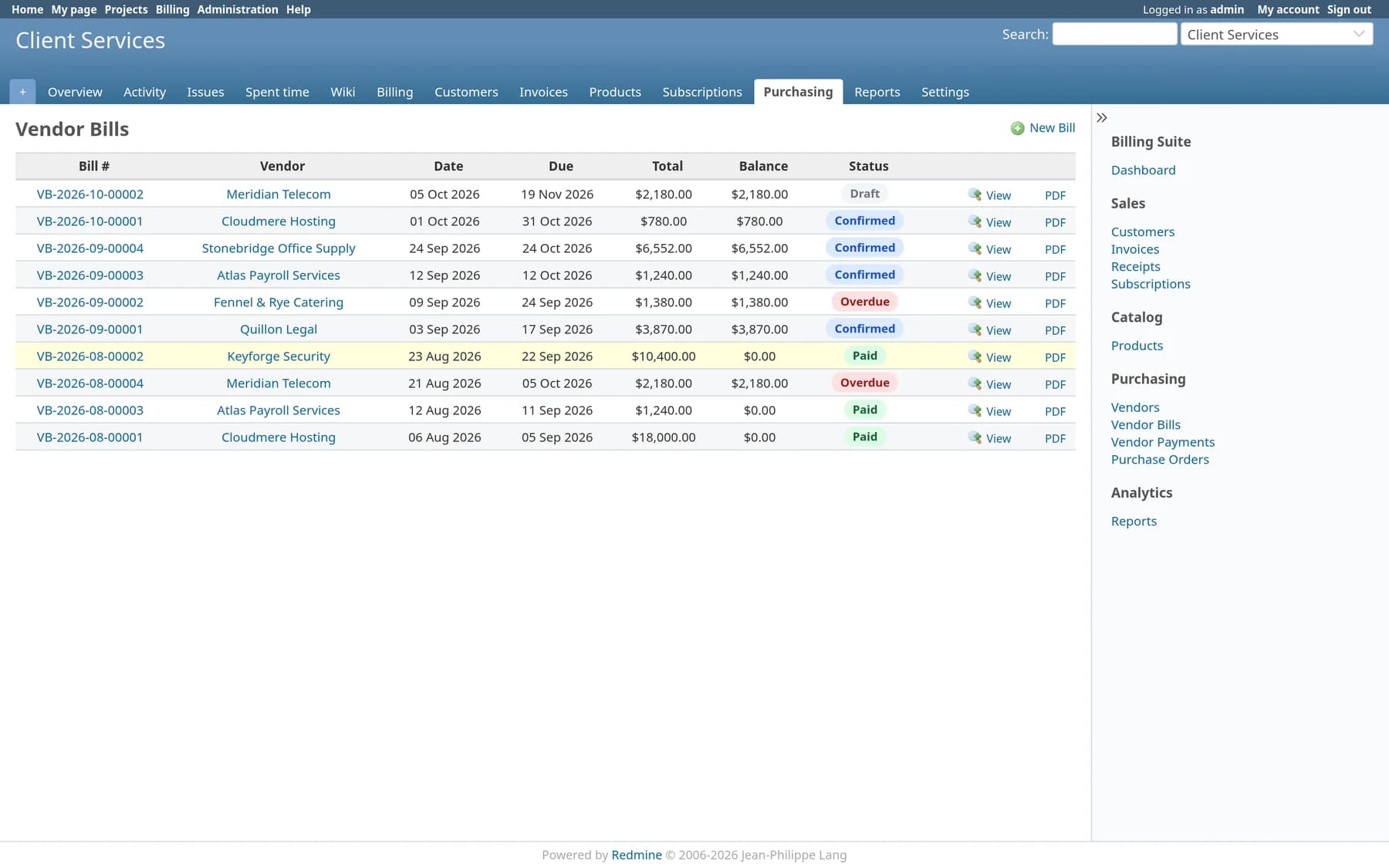
Vendors, purchase orders and vendor bills. Receive against a PO, turn it into a bill, pay it, and watch payables fall on the dashboard.
Five reports
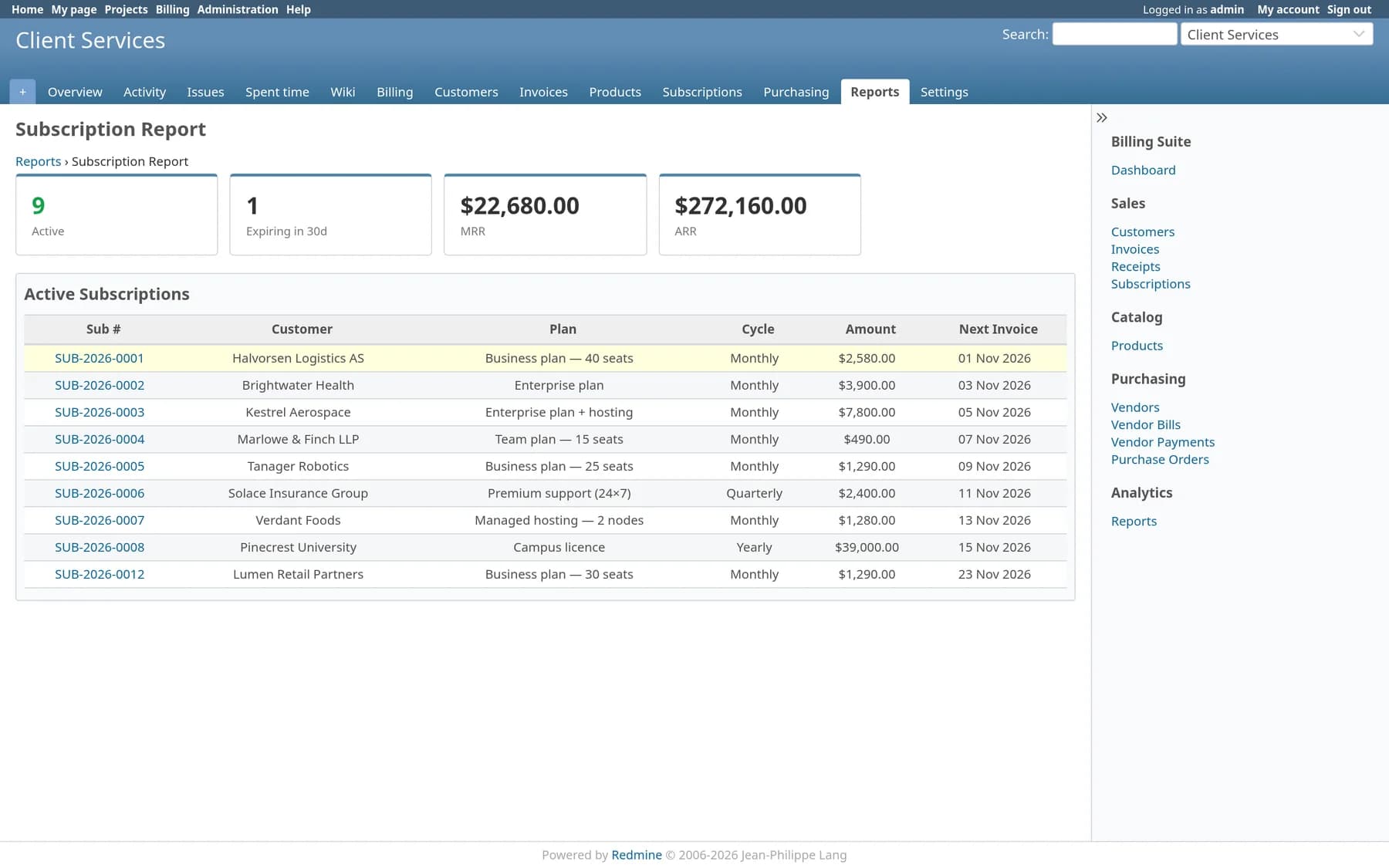
Revenue by month, subscription MRR and ARR, invoice ageing, vendor payables and a payments ledger, each with its own date range.
Scheduled jobs
Fifteen rake tasks mark invoices overdue, send reminders, renew subscriptions and mail summaries. Every run is logged with duration and result.
See it running inside Redmine
Every screenshot on this page comes from a stock Redmine 6.1 install with the plugin dropped into plugins/. Billing sits under Redmine’s own header, project tabs and sidebar, because that’s where it runs.
The billing side of the work you already track
Sales, catalogue, purchasing and reporting, each switchable per project as its own Redmine module, so a team sees only the parts it uses.
Invoices
Draft, post, send, collect. Line items carry their own tax and discount, numbers follow a monthly sequence, and a print-ready page opens for saving as PDF.
Subscriptions
Monthly, quarterly or yearly plans with trial days and an end date. A daily job raises each invoice and moves the next invoice date on.
Payments
Record cash, bank transfer, card, PayPal, cheque or UPI receipts with a reference. Part payments leave the balance open and the status correct.
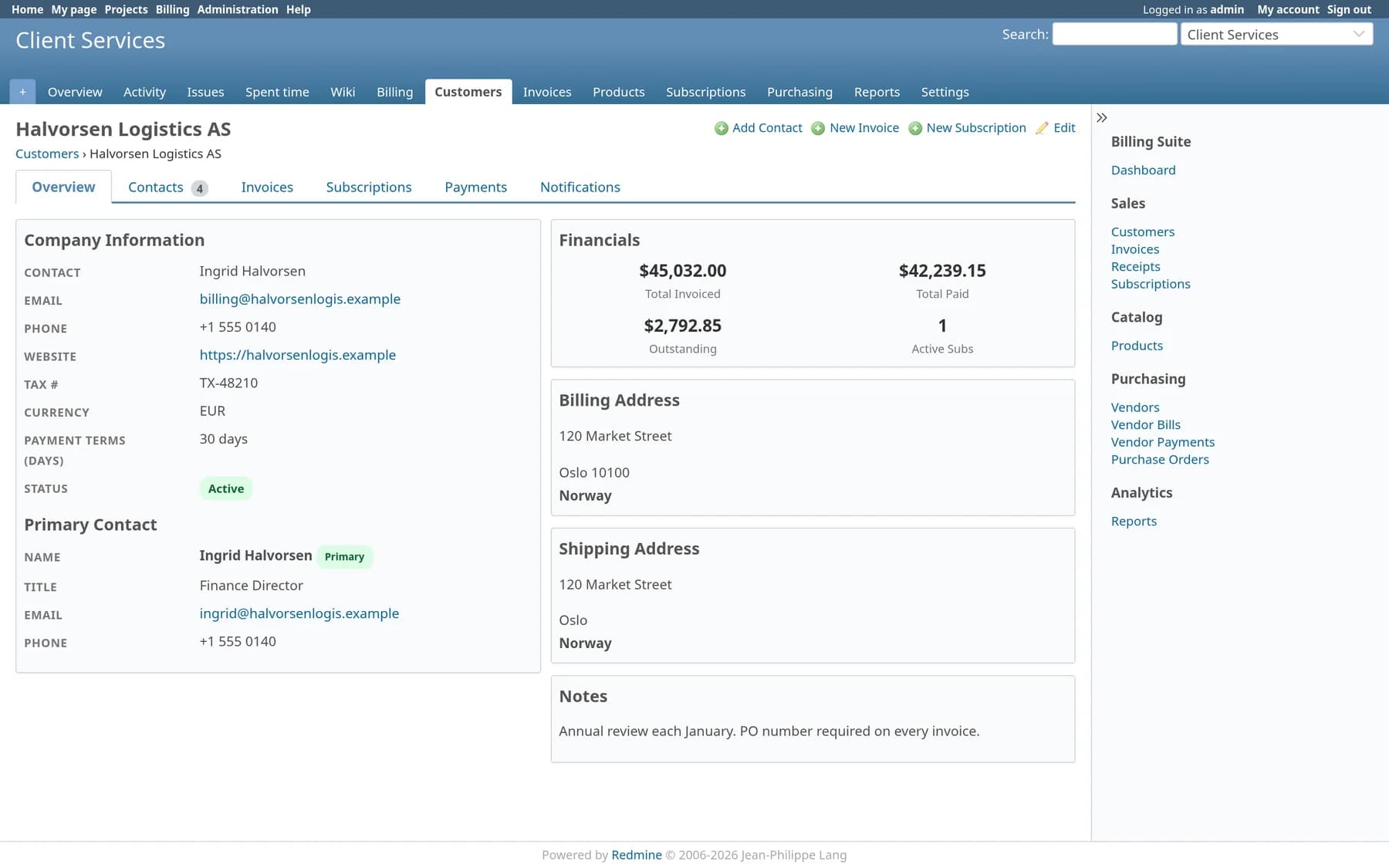
Customers and contacts
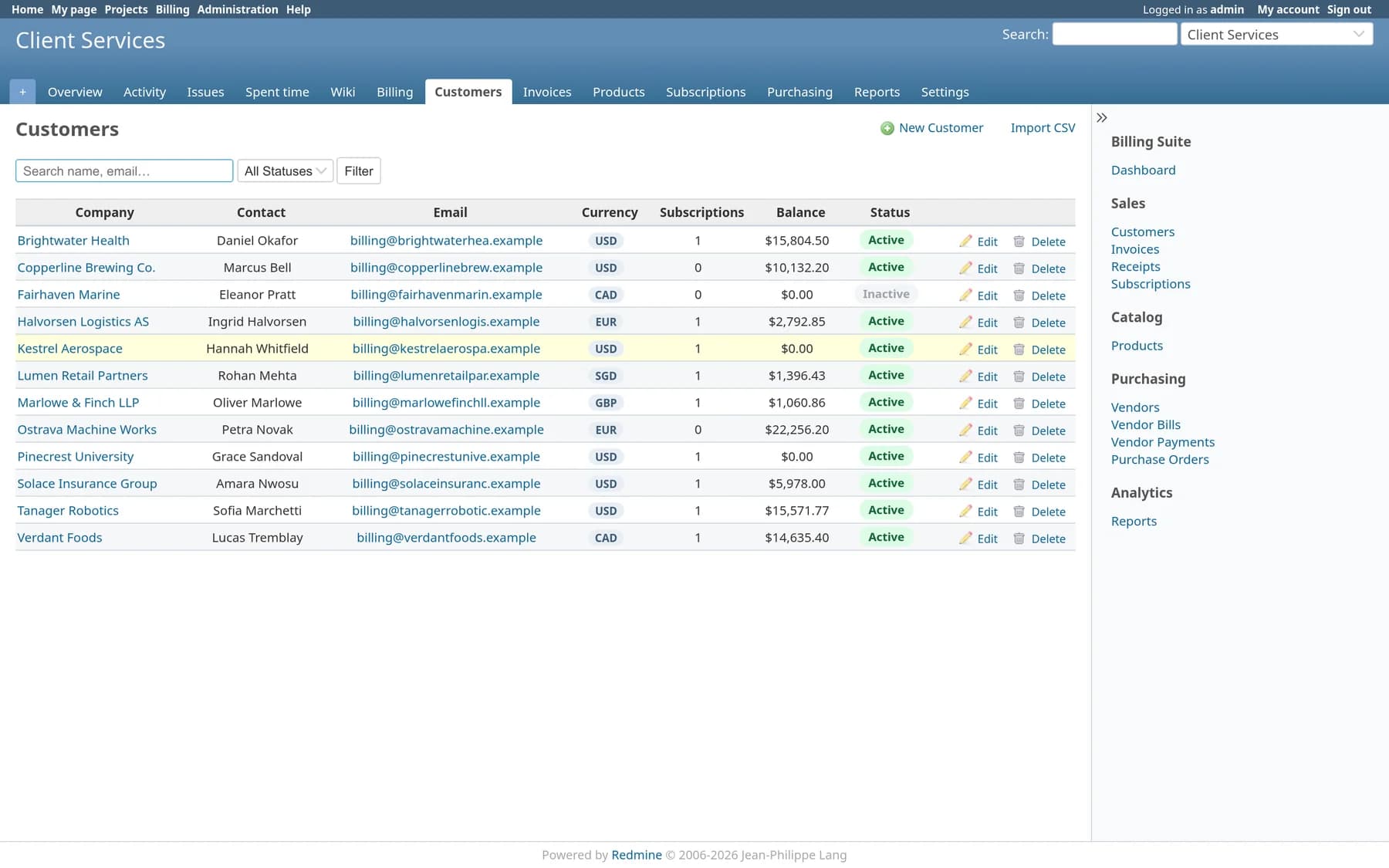
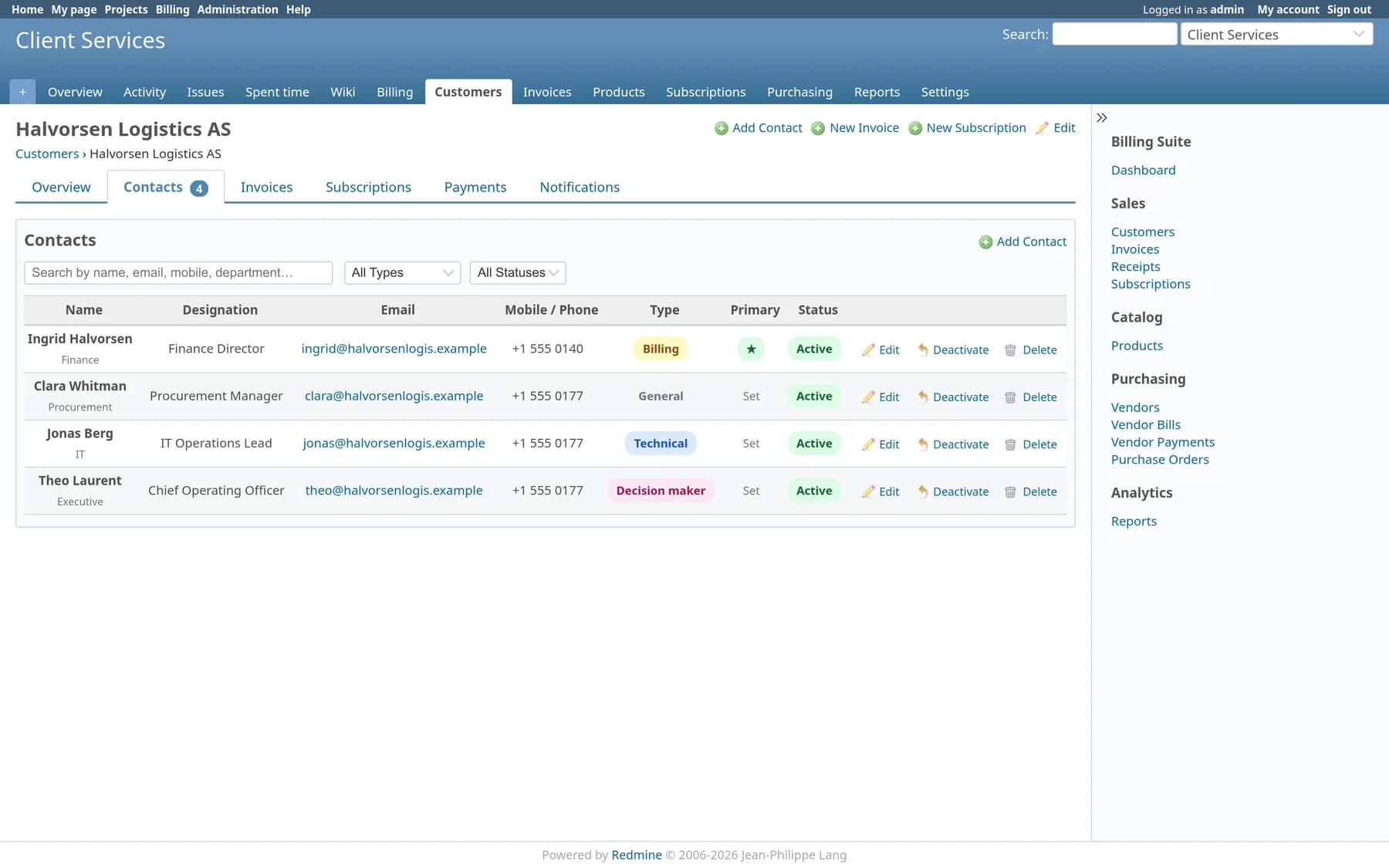
Company records with billing and shipping addresses, currency, payment terms and a logo, plus typed contacts with one marked primary. Import from CSV.
Product catalogue
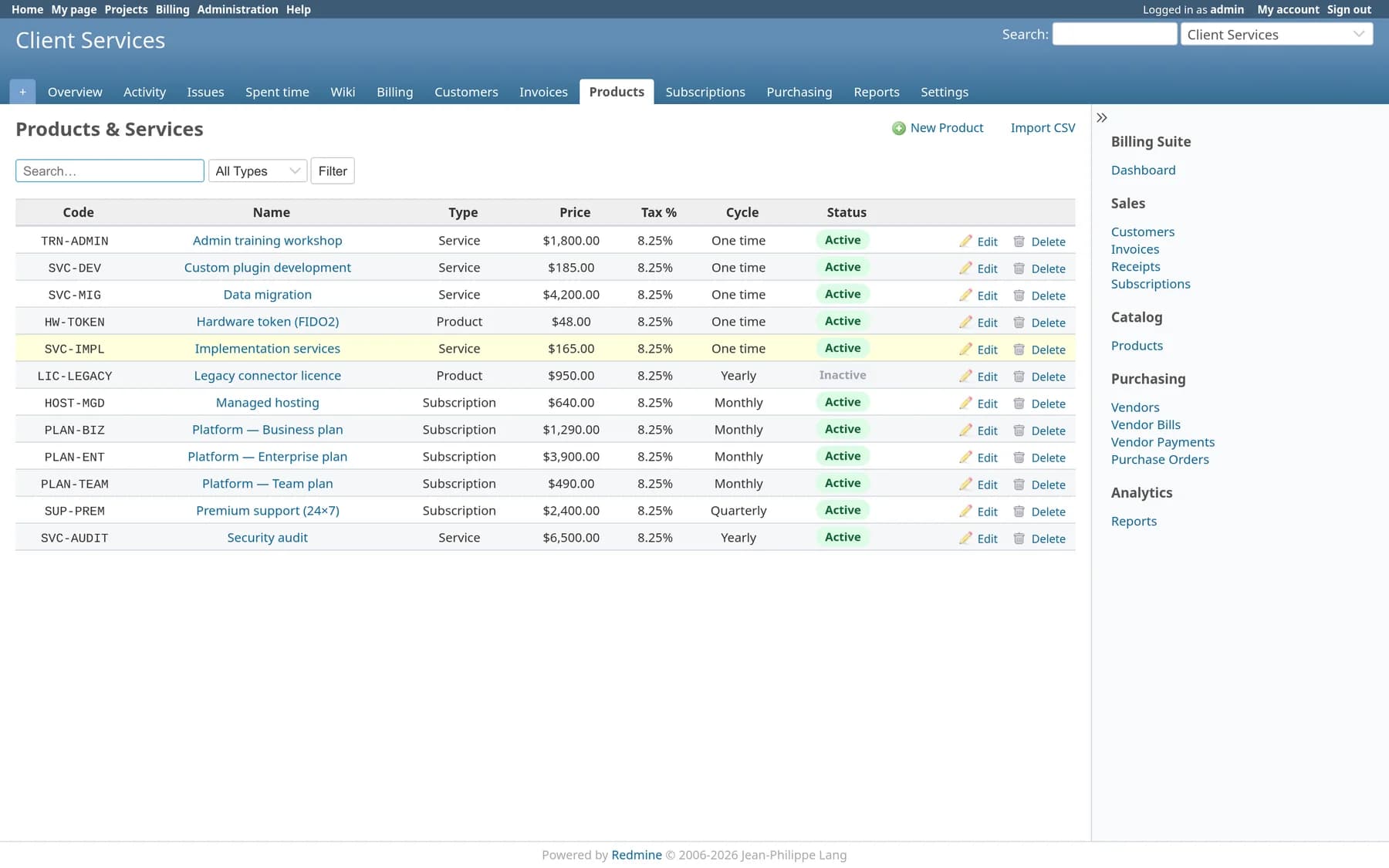
Services, products and subscription plans with price, cost, tax rate, unit and billing cycle. Pick one on an invoice line and the rest fills in.
Purchasing
Vendors, purchase orders and vendor bills. Receive against a PO, turn it into a bill, pay it, and watch payables fall on the dashboard.
Five reports
Revenue by month, subscription MRR and ARR, invoice ageing, vendor payables and a payments ledger, each with its own date range.
Email in their language
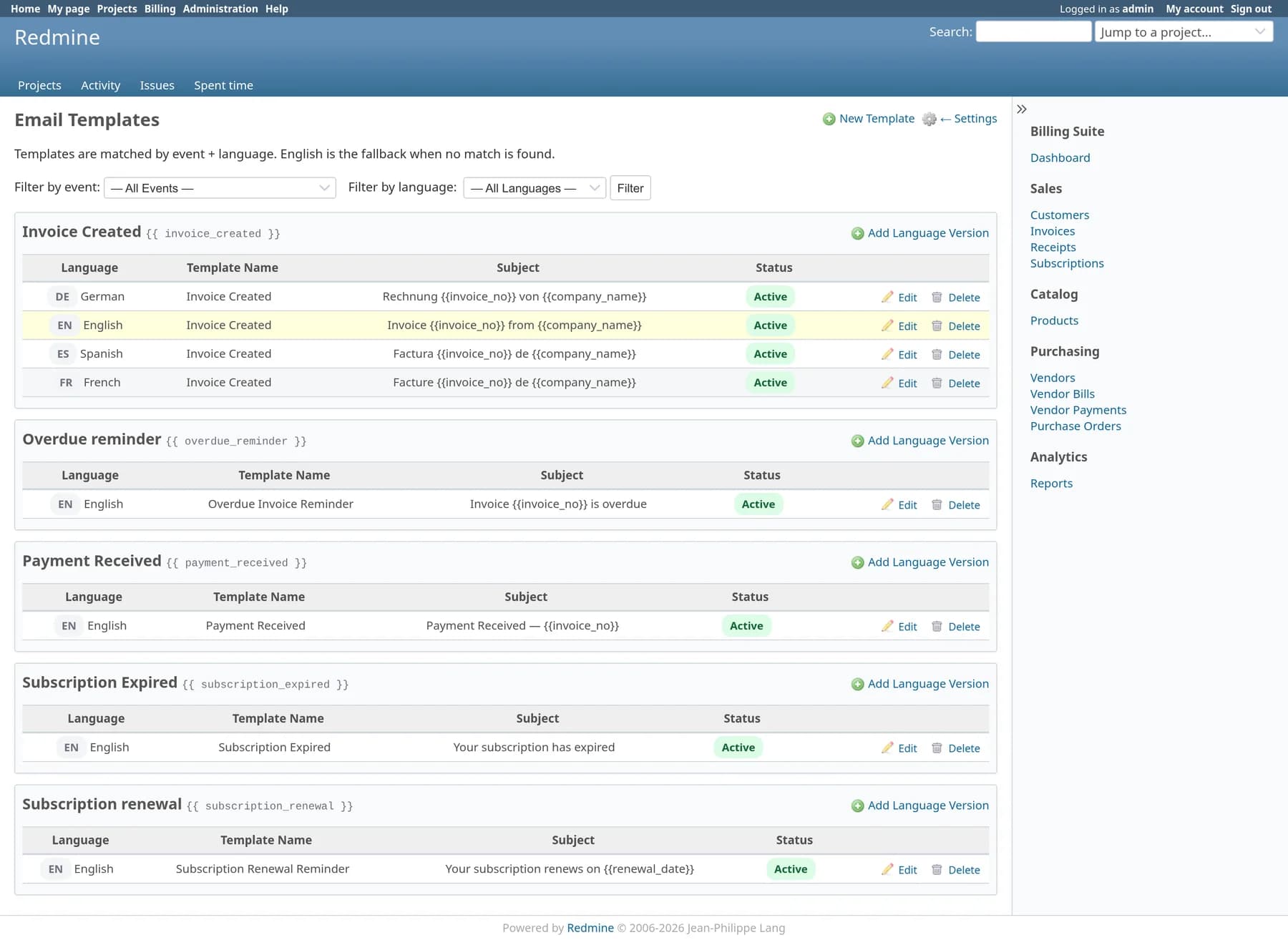
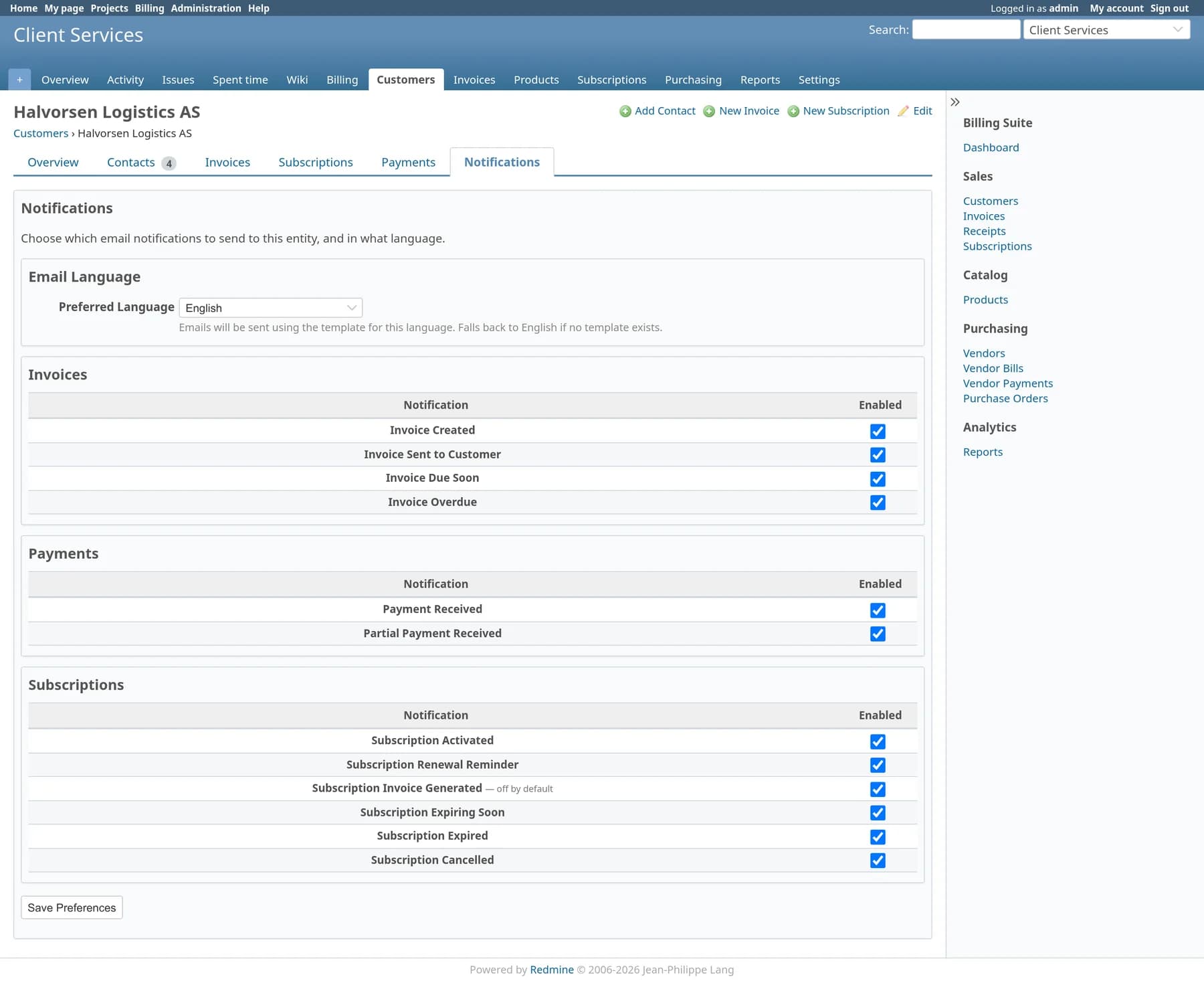
Nineteen notification types, switchable per customer or vendor. Templates are stored per language and fall back to English when one is missing.
Scheduled jobs
Fifteen rake tasks mark invoices overdue, send reminders, renew subscriptions and mail summaries. Every run is logged with duration and result.
From draft to paid without leaving the project
An invoice stays editable while it’s a draft, locks when you post it, and follows the money from there.
1. Build it
Pick a customer and the currency, due date and terms follow. Add lines from the catalogue or type them; tax and discount are worked out per line.
2. Post and send
Post finalises the invoice and its number. Send Email uses the customer’s language template, and the PDF view is ready to print or attach.
3. Collect
Register Payment records a receipt against the invoice. The balance and status move to partially paid or paid; a daily job flags anything overdue.
Subscriptions that raise their own invoices
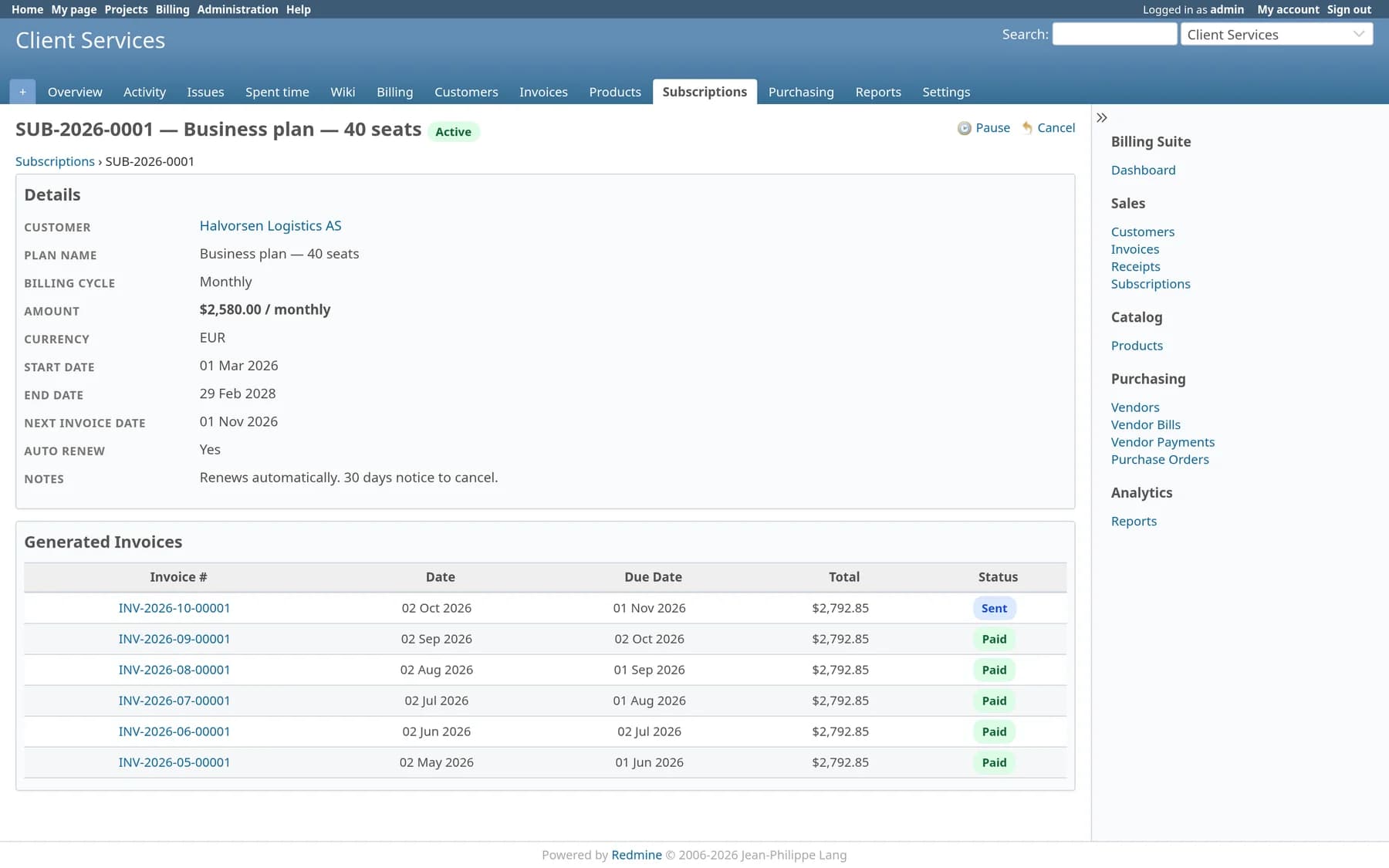
Set the plan up once. The plugin works out MRR and ARR, generates each cycle’s invoice and tells you which plans are about to end.
Three billing cycles
Monthly, quarterly and yearly plans, all normalised into one MRR figure on the dashboard.
A clear lifecycle
Draft, active, paused, cancelled and expired, with activate, pause, resume and cancel buttons on the plan.
Invoices on schedule
The daily job bills every active plan that is due and advances its next invoice date.
The full history
Each plan lists the invoices it has generated and whether they were paid.
The other half of the ledger
Track what you owe with the same care as what you’re owed. Purchase orders become vendor bills, bills become payments, and payables stay on the dashboard next to receivables.
Answers finance asks for every month
Five reports read straight from the invoices, bills and payments above, so the numbers match what the lists show.
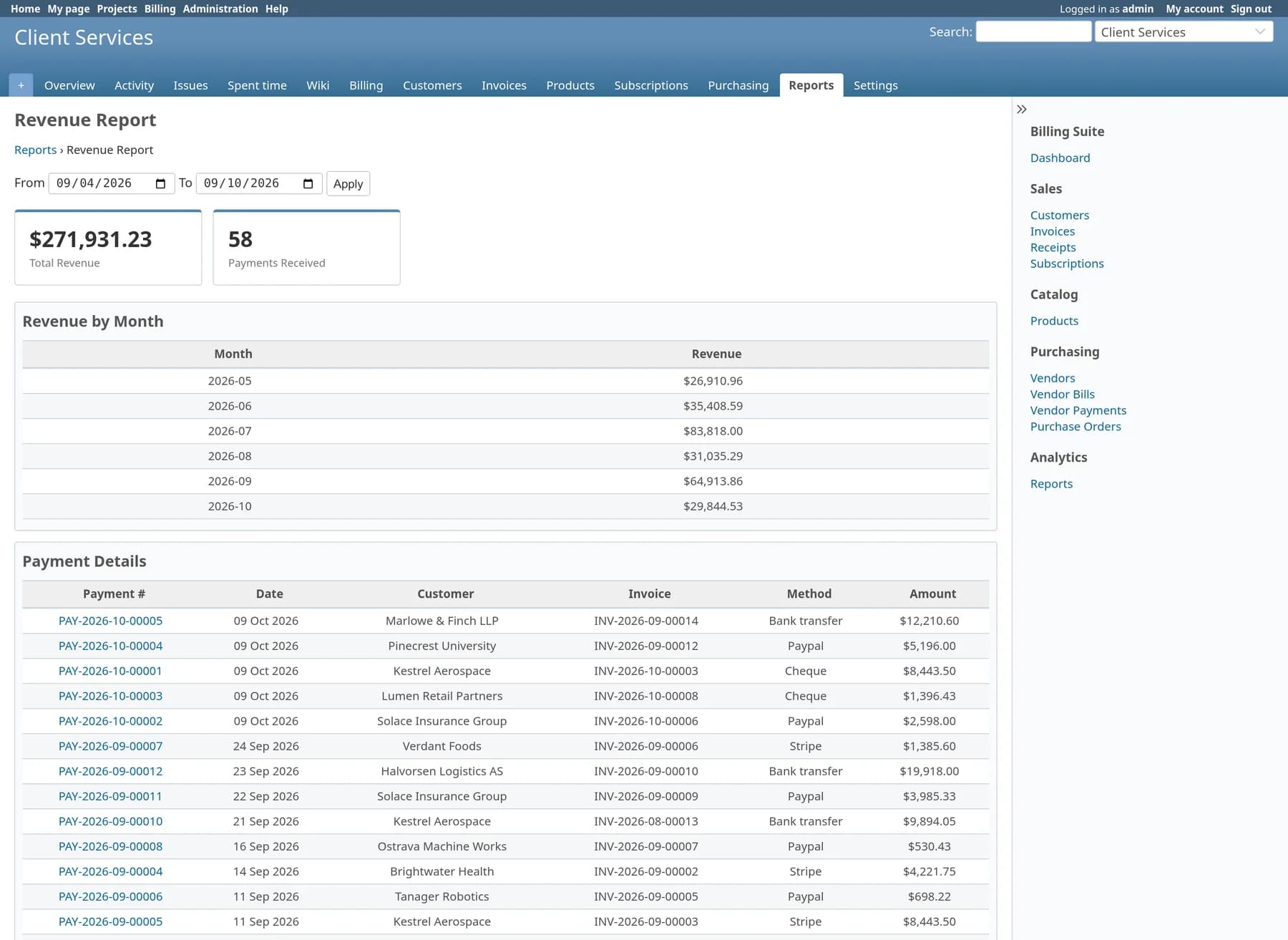
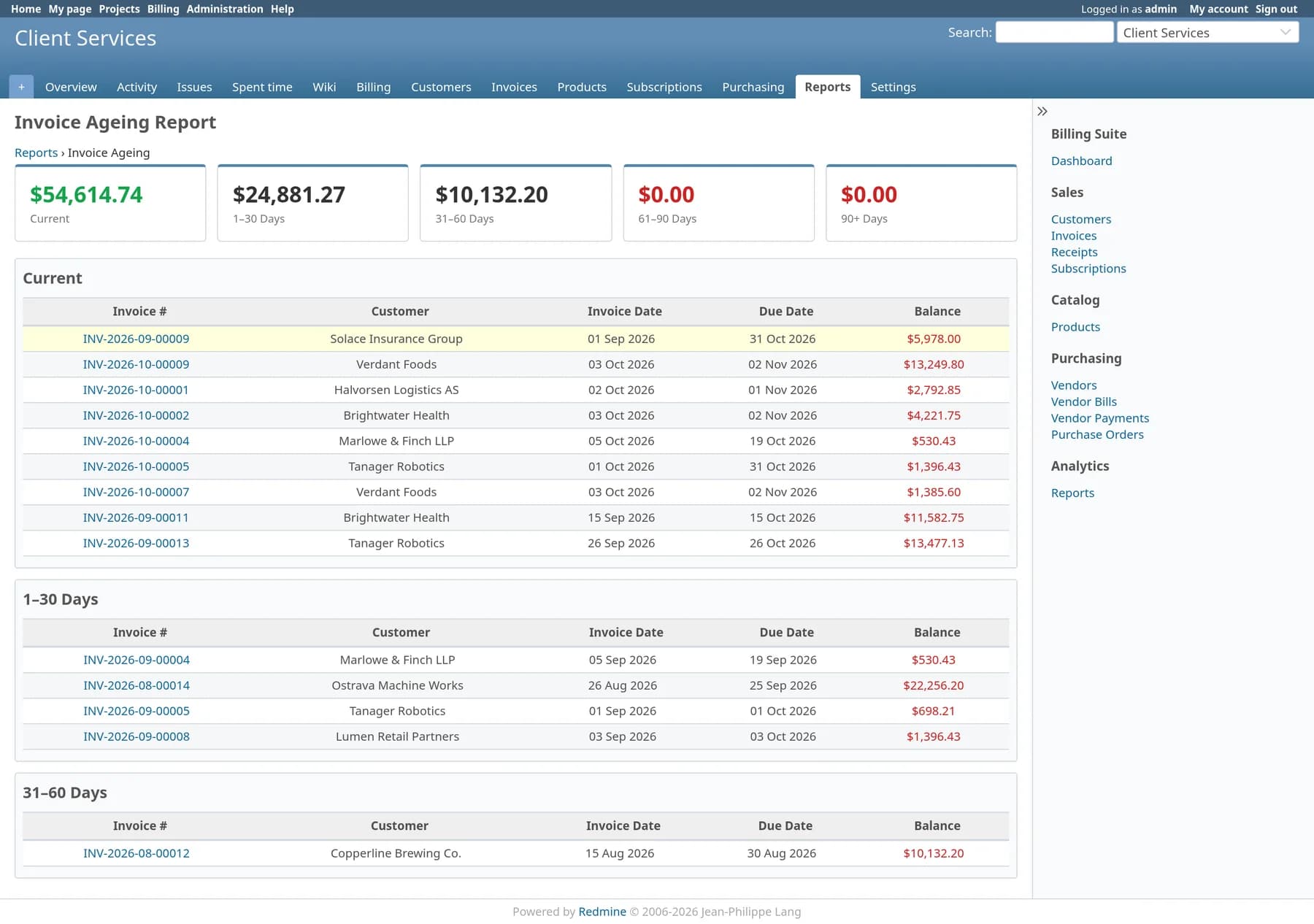
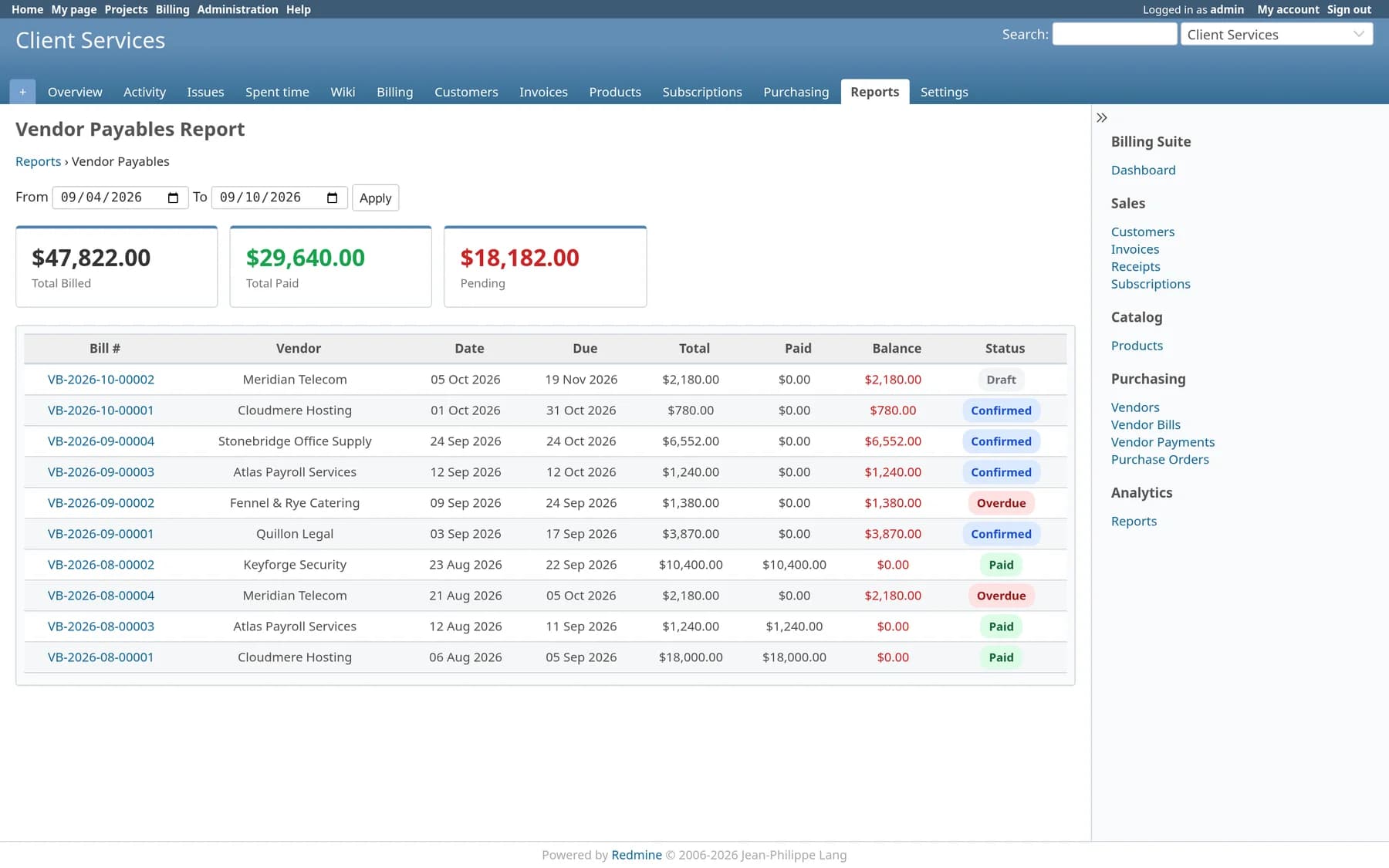
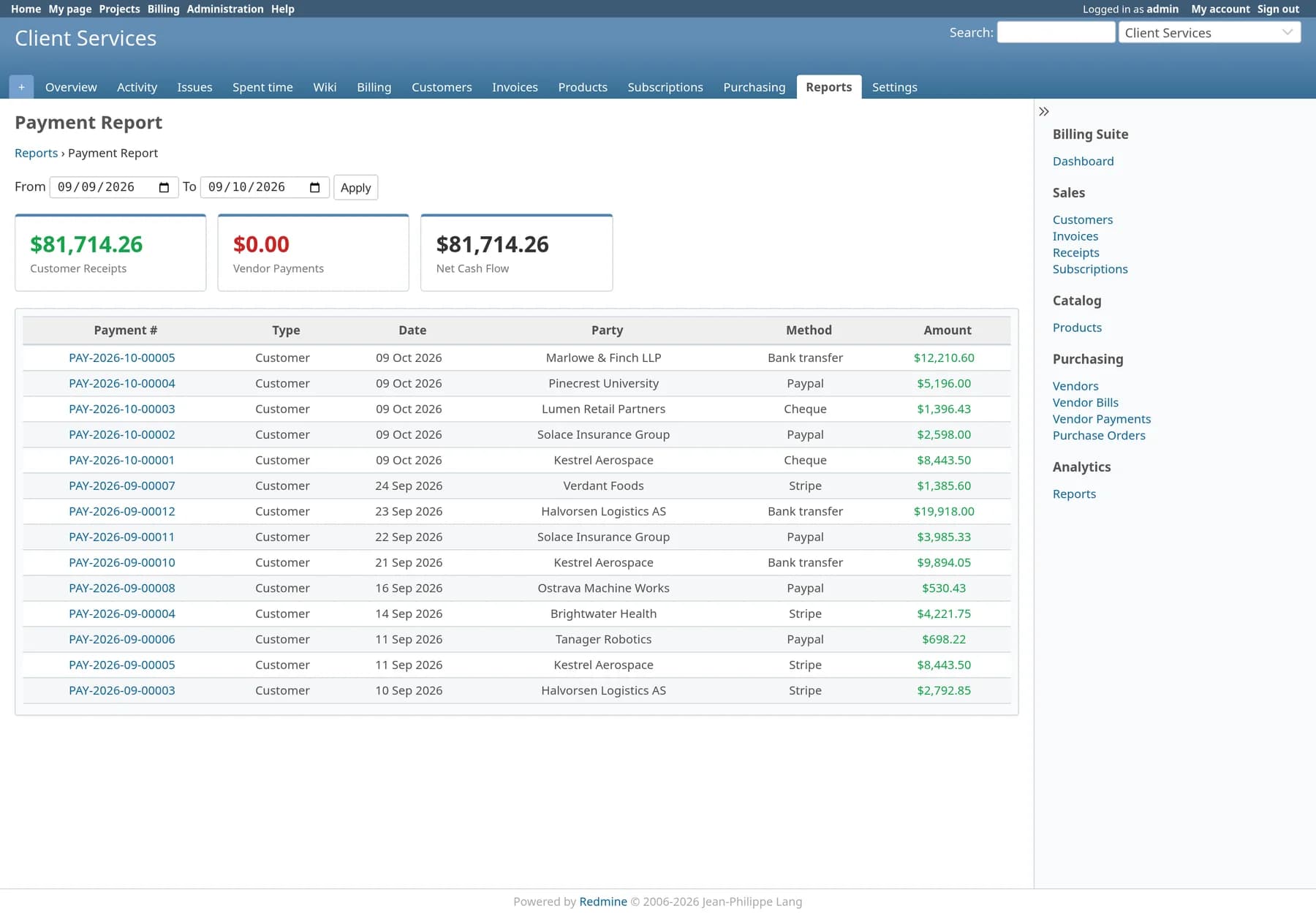
The chasing happens on its own
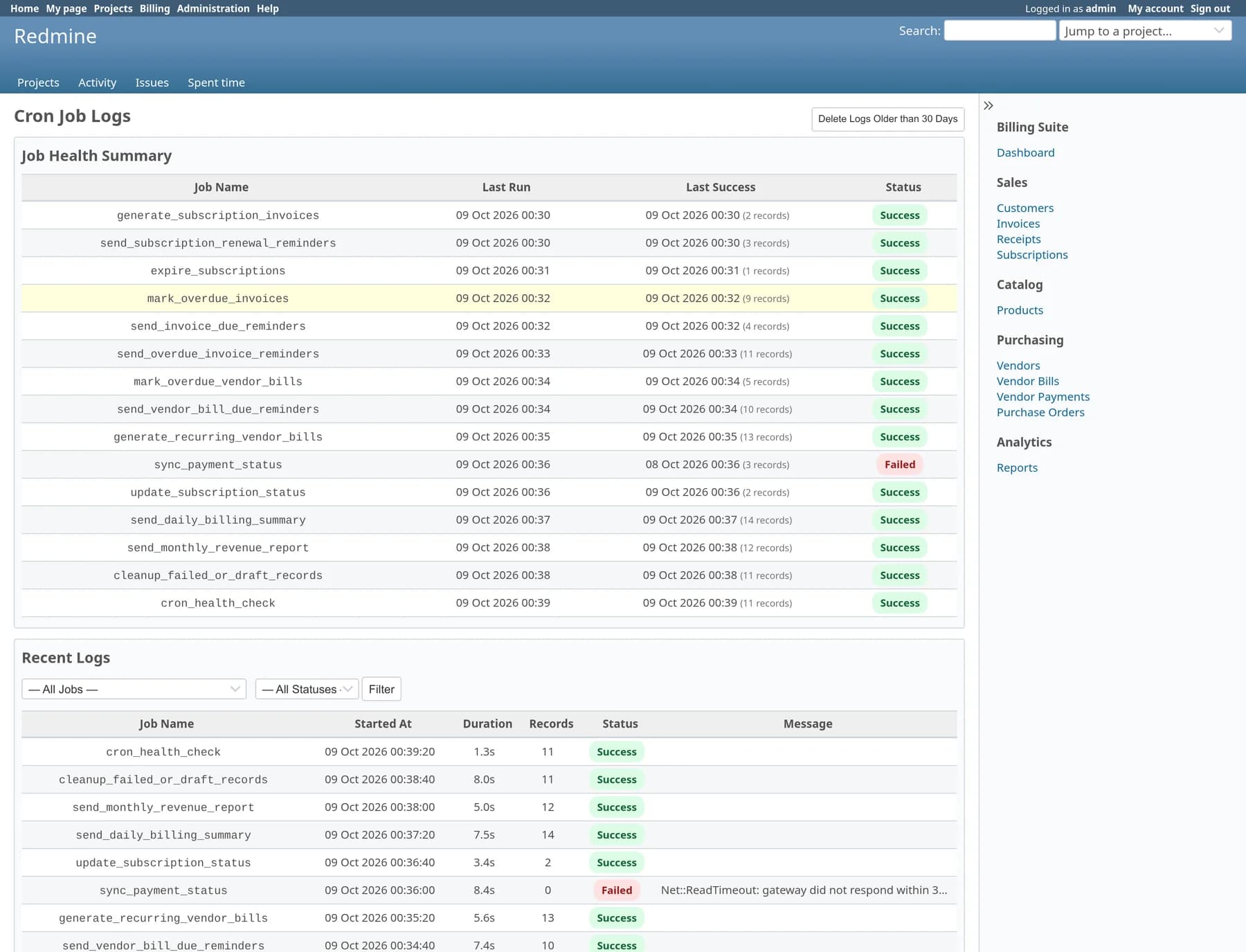
Point cron at one rake task and the plugin does the daily round: renewals, reminders, overdue flags and summaries. You can see every run afterwards.
Last run and last success
For each of the fifteen jobs, on one page.
Duration, records and errors
Duration, records processed and the error message when a run fails.
A built-in health check
Alerts when a job has gone stale.
What the jobs do
Generate subscription invoices, send renewal reminders, mark overdue invoices, send overdue reminders and vendor bill due reminders, mail a daily billing summary and a monthly revenue report, and expire subscriptions.
Redmine roles decide who sees the money
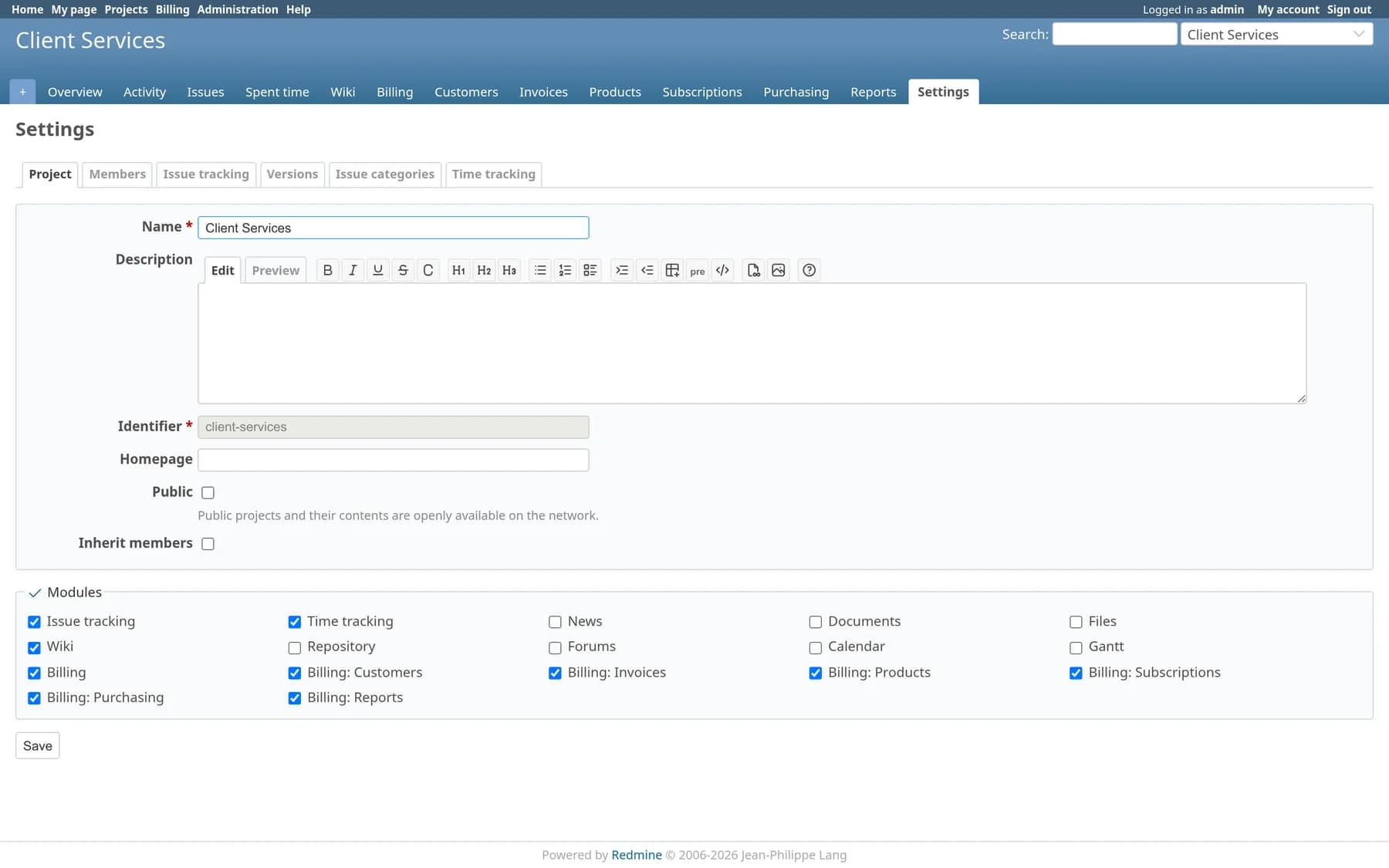
Billing is split into seven project modules and thirteen permissions, all granted through Redmine’s own Roles and permissions screen.
| Module | Permissions |
|---|---|
| Billing | View billing · Admin billing settings |
| Customers | Manage customers · Manage customer contacts |
| Invoices | Manage invoices · Manage payments |
| Products | Manage products |
| Subscriptions | Manage subscriptions |
| Purchasing | Manage vendors · vendor bills · purchase orders · vendor contacts · notification preferences |
| Reports | View reports · View cron logs |
What it runs on
Built and tested against current Redmine. Nothing in Redmine’s core is overridden, so core upgrades stay ordinary upgrades.
| Concern | Supported | Notes |
|---|---|---|
| Redmine | 6.x, 7.x | Screenshots on this page are from Redmine 6.1.2. |
| Ruby | 3.4+ | Matches the Ruby versions Redmine 6 supports. |
| Database | MySQL | Twenty-five migrations create and extend the plugin’s own billing_* tables; no Redmine table is altered. |
| Languages | 51 locales | A locale file for every language Redmine ships, following each user’s own language setting. |
| Currencies | Configurable list | USD, EUR, GBP, INR, AUD, CAD, SGD, AED and JPY by default; add your own codes in Settings. |
| Themes | Any Redmine theme | Pages render inside Redmine’s standard layout and sidebar. |
| Document | Example |
|---|---|
| Invoices | INV-2026-10-00012 |
| Payments | PAY-2026-10-00007 |
| Vendor bills | VB-2026-10-00003 |
| Subscriptions | SUB-2026-0012 |
| Purchase orders | PO-2026-0007 |
Billing or Finance: which one do you need?
Billing covers invoices, subscriptions, payments, vendors and purchase orders. Finance adds contracts with included hours, timesheet billing with billing and cost rates, project billing plans, expense claims and the profitability reports. If you only send invoices, Billing is enough. If you want to know what a project earned, choose Finance.
| Feature | Redmine Billing | Redmine Finance |
|---|---|---|
| Customers | Included | Included |
| Invoices | Included | Included |
| Payments | Included | Included |
| Products | Included | Included |
| Subscriptions | Included | Included |
| Purchasing | Included | Included |
| Contracts | Not included | Included |
| Timesheets and rates | Not included | Included |
| Expenses | Not included | Included |
| Reports | 5 | 10 |
| Scheduled jobs | 15 | 18 |
| Modules | 7 | 10 |
| Permissions | 13 | 20 |
Install in three steps
Requires shell access and the ability to run rake tasks. Always back up before installing a plugin.
# unpack the package from your email or download link, then
cp -r redmine_billing $REDMINE_ROOT/plugins/redmine_billing
cd $REDMINE_ROOT
bundle exec rake redmine:plugins:migrate RAILS_ENV=production
bundle exec rake assets:precompile RAILS_ENV=production
touch tmp/restart.txt
# Administration → Roles and permissions → grant the billing permissions
# Project → Settings → Modules → enable the modules you want
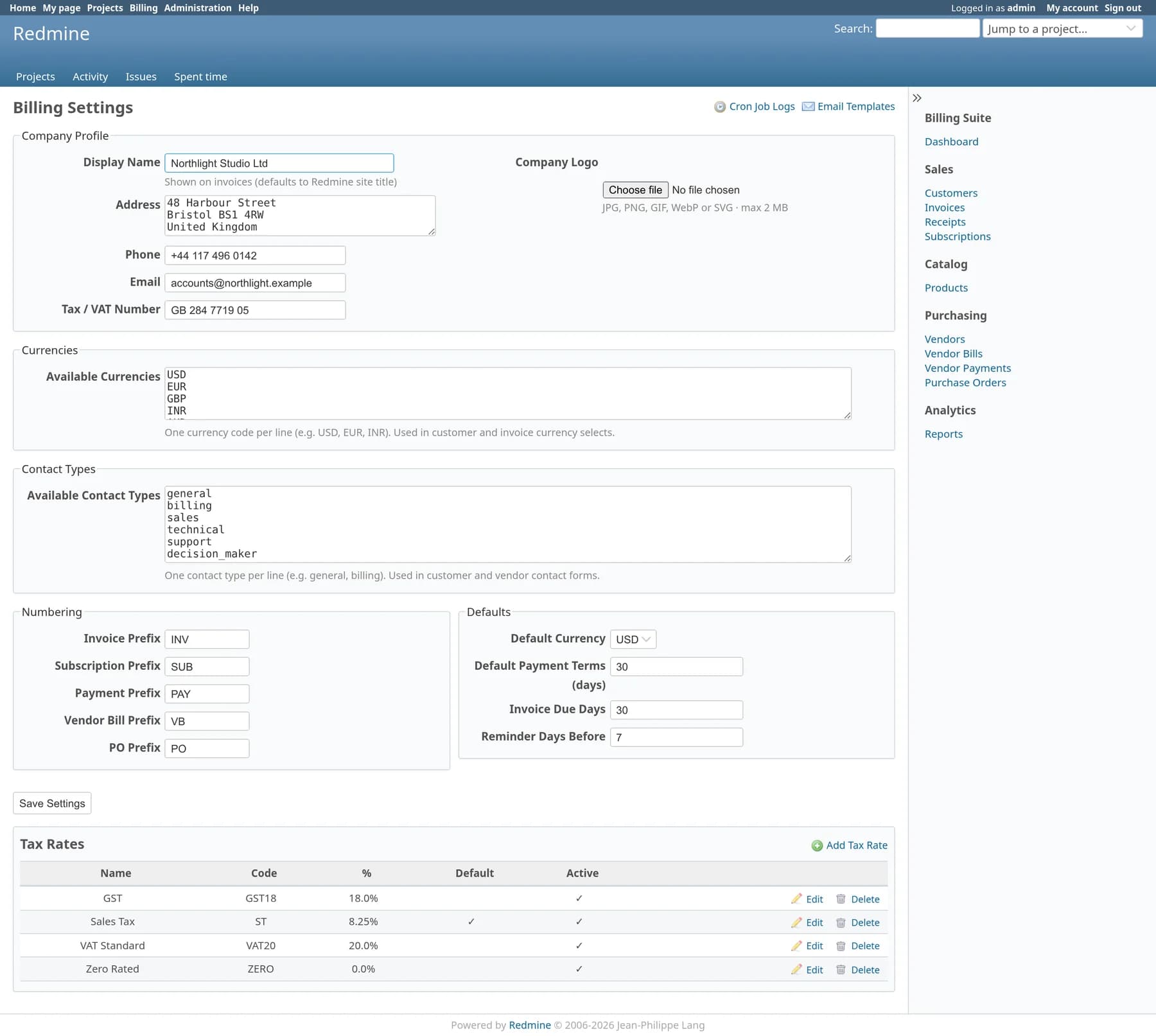
# Billing → Settings → fill in your company profile
# every daily billing job, 06:00
0 6 * * * cd /path/to/redmine && bundle exec rake billing:cron:daily RAILS_ENV=production
# monthly revenue report, 1st at 07:00
0 7 1 * * cd /path/to/redmine && bundle exec rake billing:cron:send_monthly_revenue_report RAILS_ENV=production
How is this different from Redmine Finance?
Does it patch or override any Redmine core files?
Is this a full accounting system?
Can it take card payments online?
Can I use billing globally and inside a project?
How are invoice emails translated?
Can I import my existing customers and products?
What happens if a scheduled job fails?
Does anything leave our server?
Pricing
Single server
One Redmine instance · unlimited users · 12 months of updates.
Multiple servers
Unlimited Redmine servers · unlimited users · 12 months of updates.