
Redmine Finance
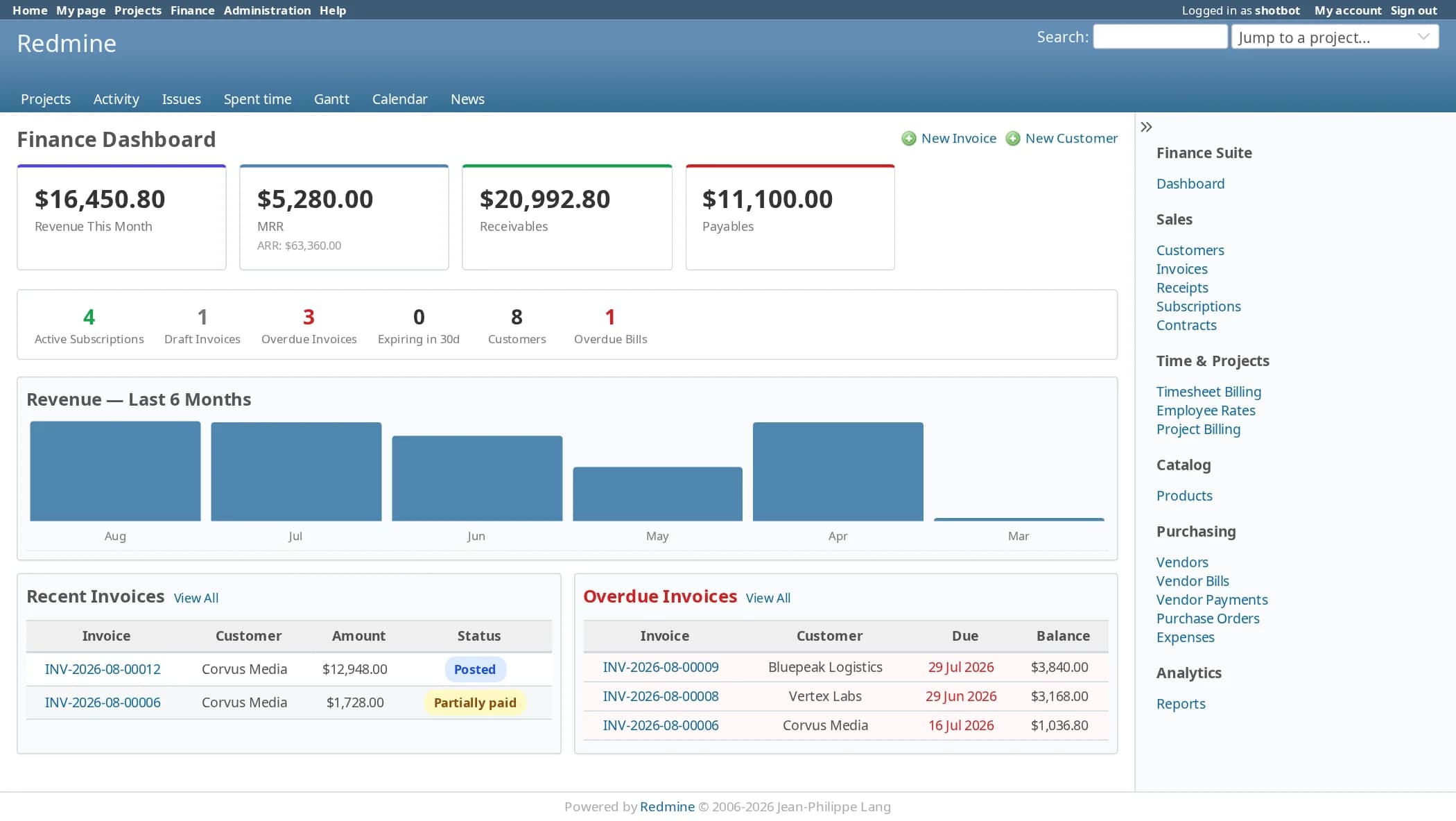
FinanceThe hours are already in Redmine. Finance adds the rest: invoices and payments, subscriptions and contracts that bill themselves, purchase orders and vendor bills, and the margin on every project, worked out from the time your team has already logged.
Multiple servers: $399
- Redmine
- 4, 5, 6 and 7
- Modules
- 10, per project
- Reports
- 10
- Scheduled jobs
- 18
- Permissions
- 20
- Languages
- 51
Invoices with a real lifecycle
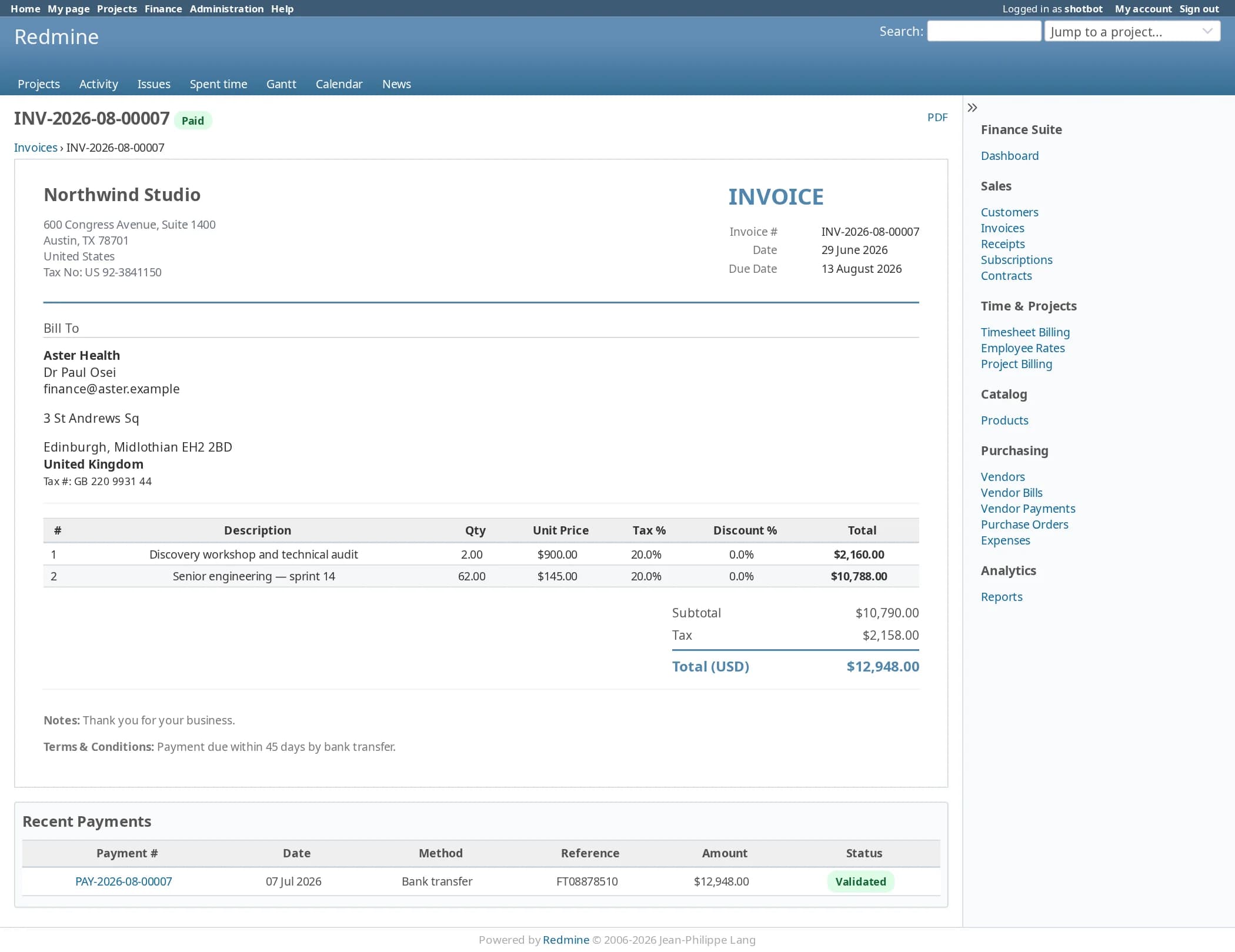
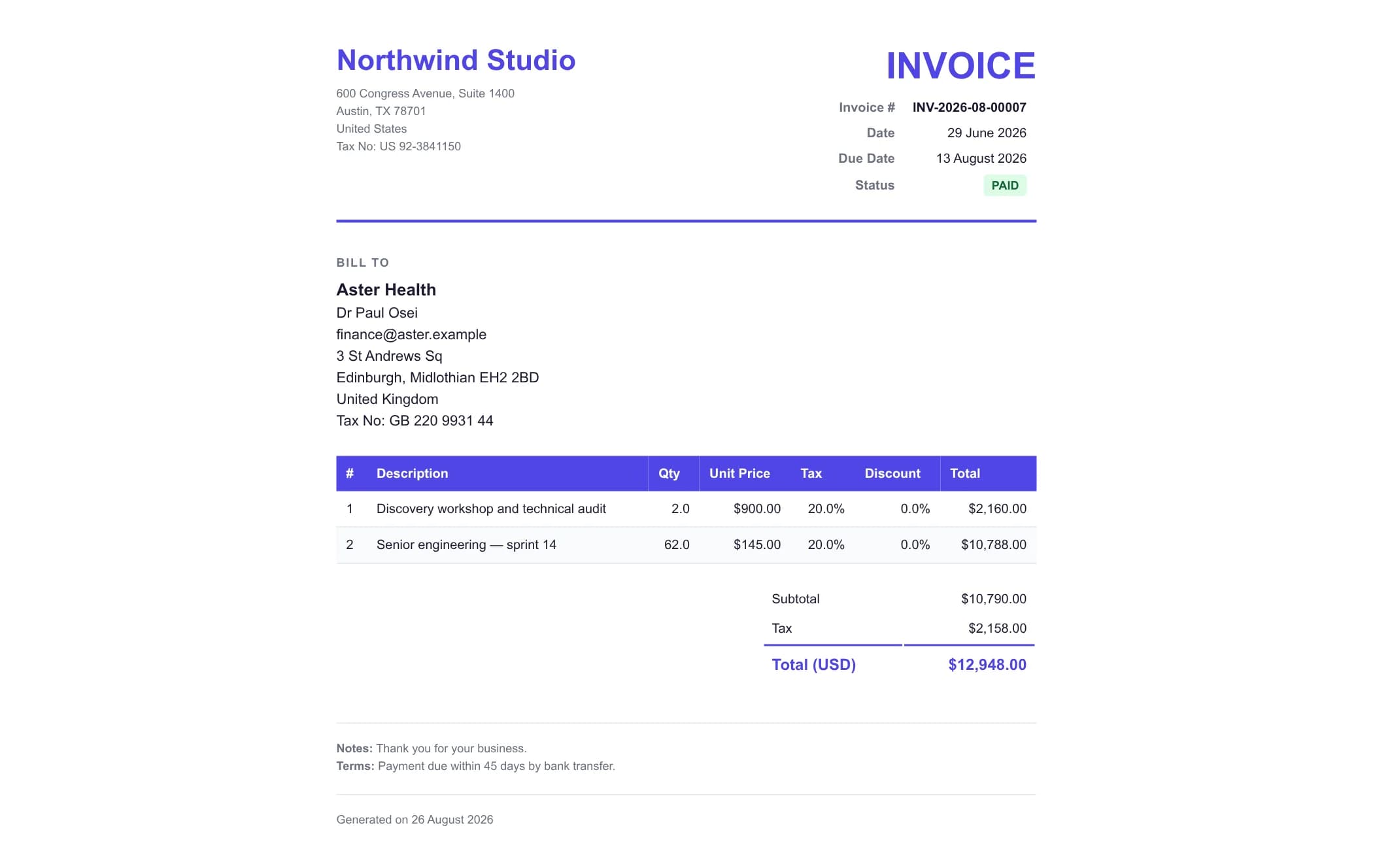
Draft, posted, sent, partially paid and paid, with overdue and cancelled as their own states. Tax and discount per line, a print version and email delivery.
Subscriptions that invoice themselves
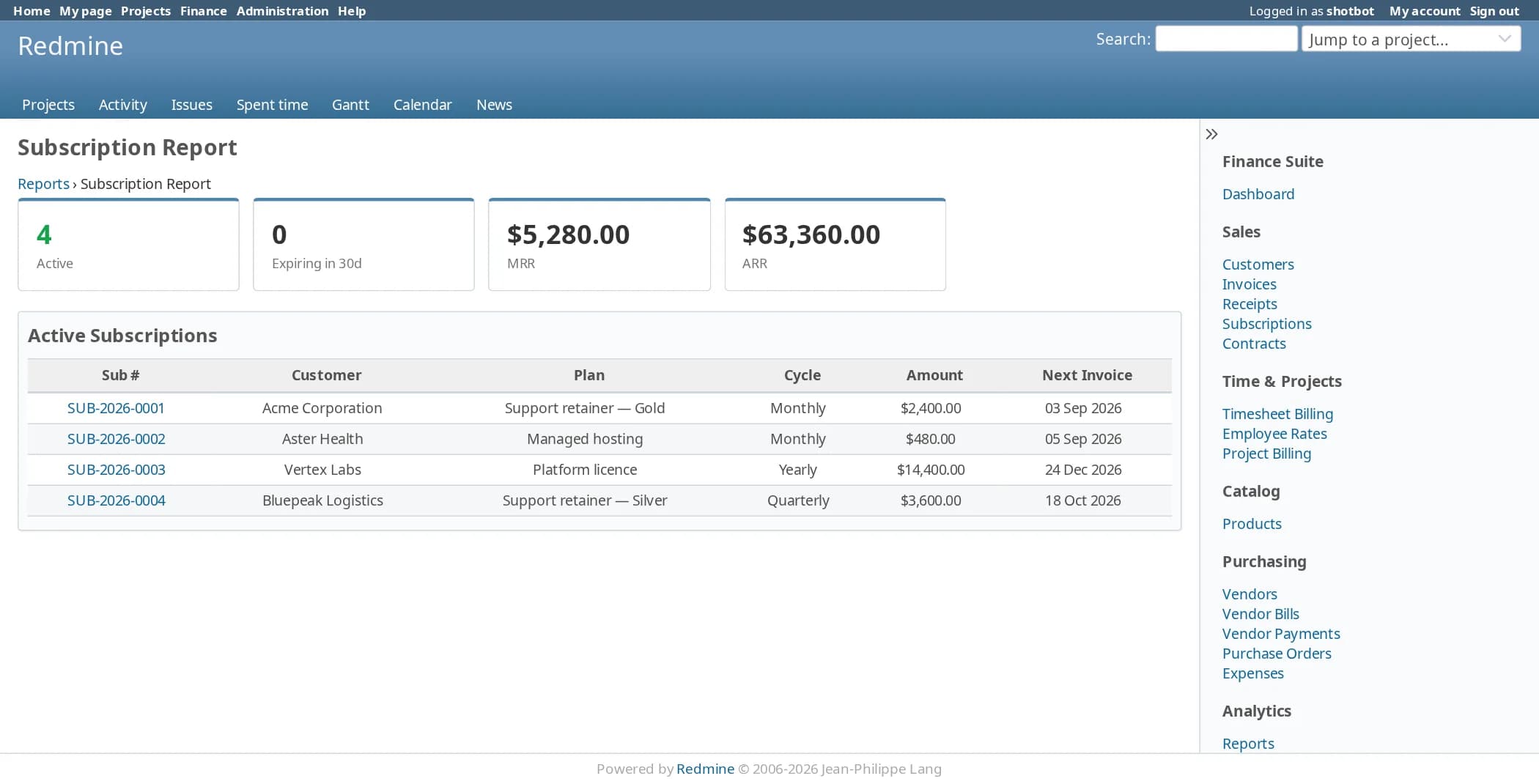
Monthly, quarterly or yearly plans raise their invoices on the due date. MRR and ARR come from the subscriptions that are active.
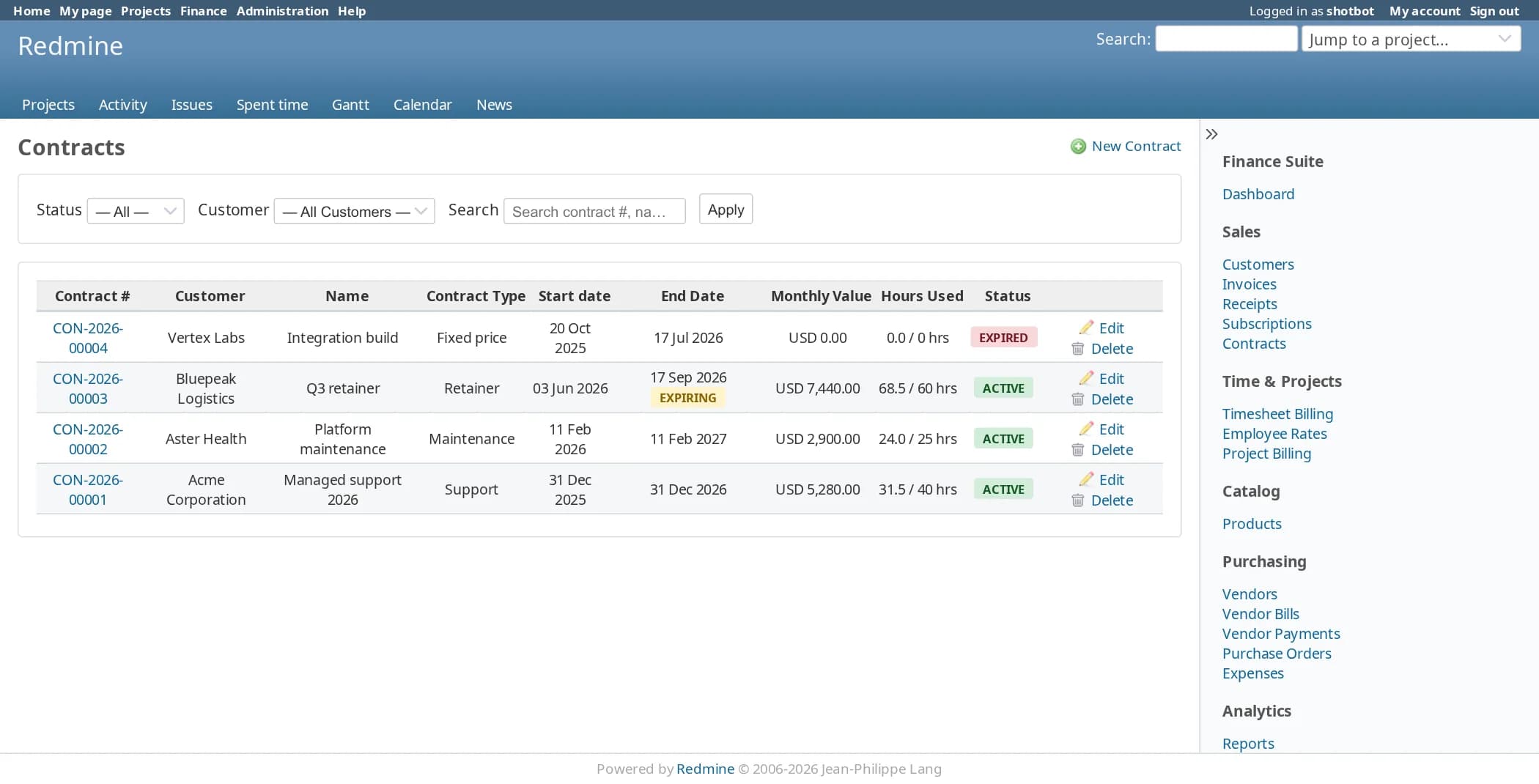
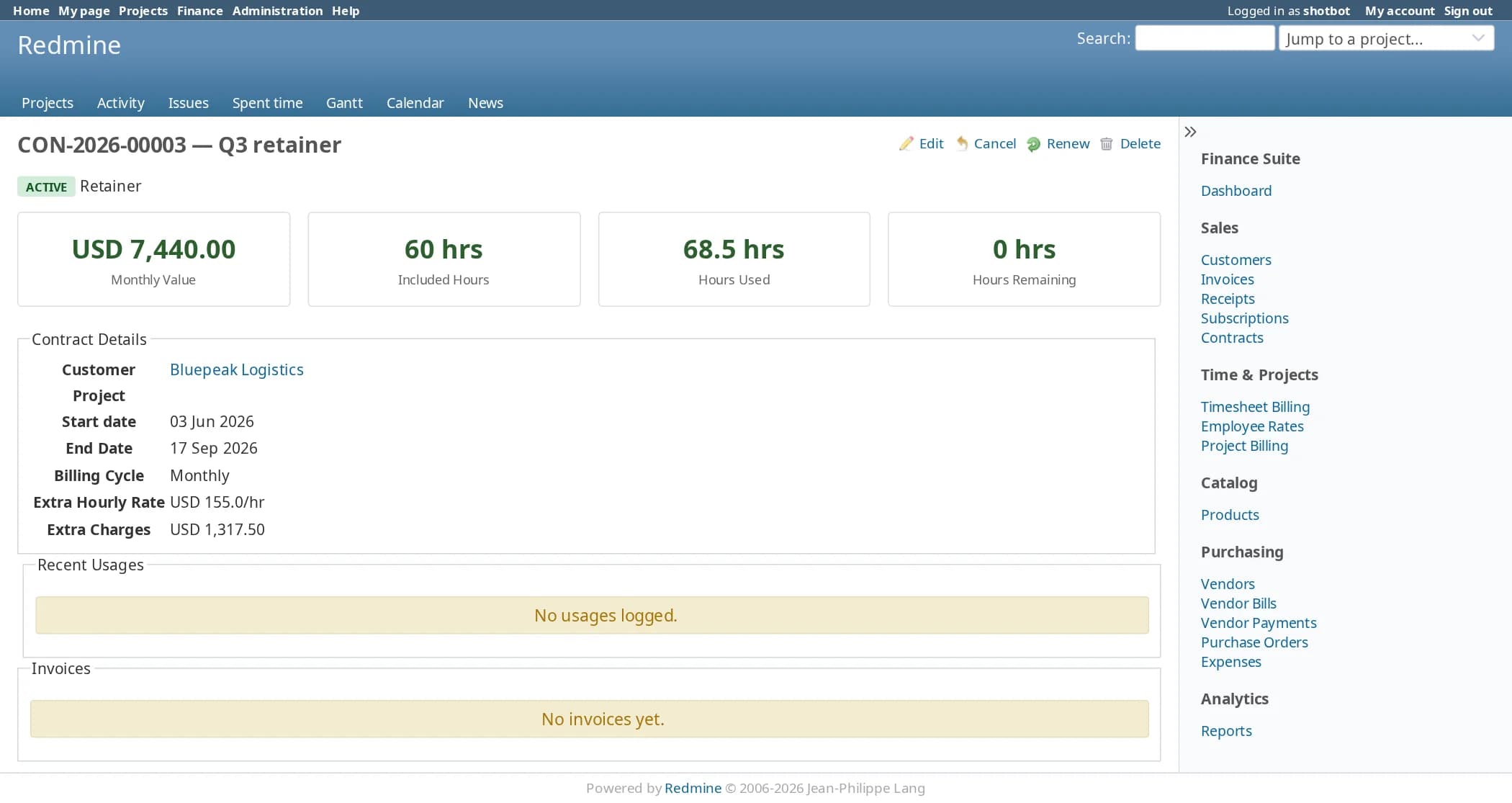
Contracts with included hours
Maintenance, support, retainer, fixed-price and recurring contracts. Logged time uses up the included hours, and anything beyond them is charged at the extra rate.
Timesheet billing with cost rates
Each person has a billing rate and a cost rate. Select the unbilled entries, create the invoice, and see cost and profit for the same period.
Purchasing and expenses
Vendors, purchase orders and vendor bills, plus expense claims in seven categories that go from submitted to approved to paid.
Import what you already have
Customers, vendors and products import from CSV, and each has a sample file with the right column headers.
Money in and money out, on the projects you already run
Each document is created from the one before it, so nobody retypes a customer, a line or an amount. Both cycles feed the same dashboard and the same reports.
| Step | What happens |
|---|---|
| Customer | Company, contacts, currency, payment terms and addresses. |
| Source | A contract, a subscription, a project billing plan or logged hours. |
| Invoice | Several lines with tax and discount per line, a print version and email. |
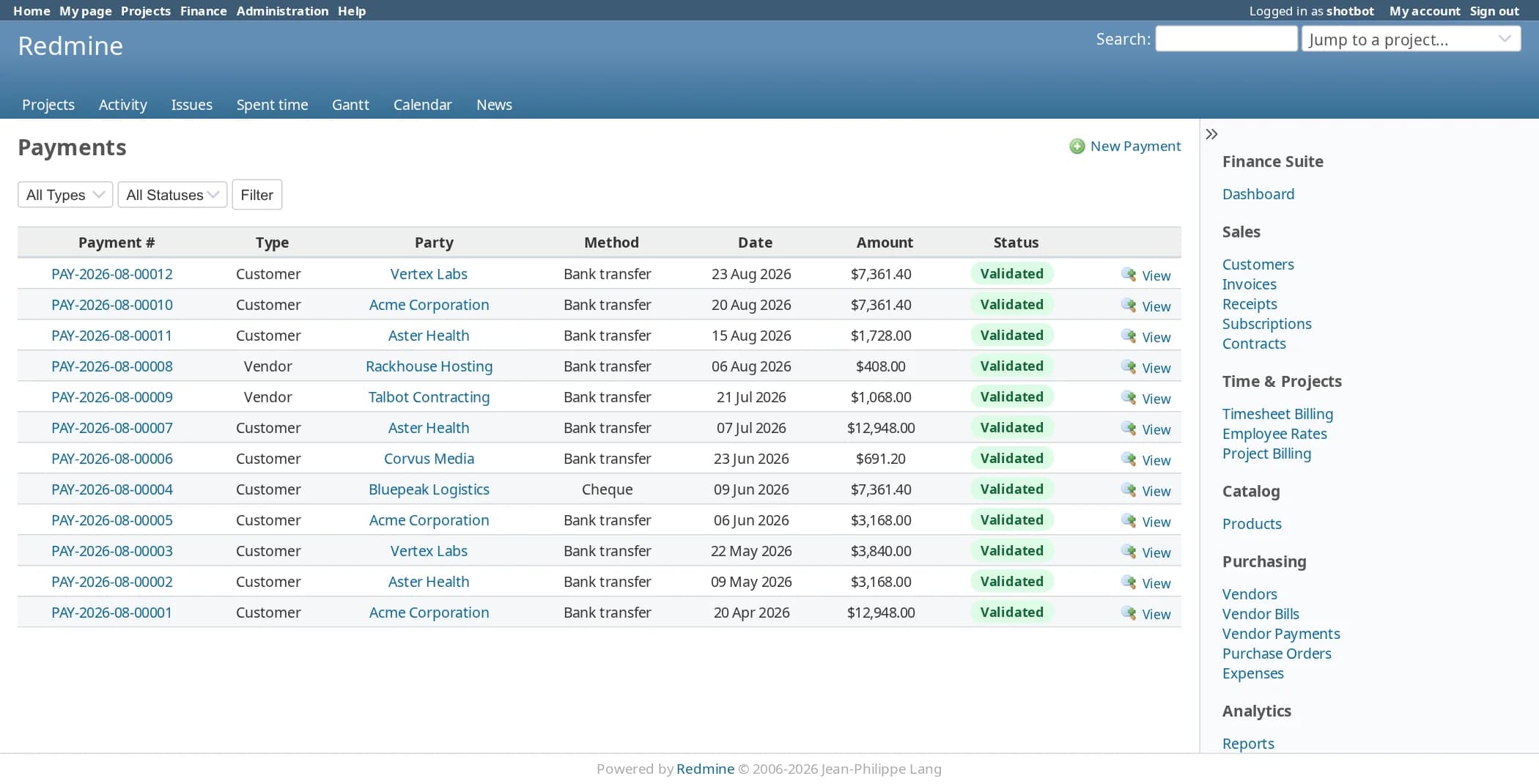
| Payment | Validate it and the invoice balance is settled, in full or in part. |
Numbering such as INV-2026-08-00001 with your own prefixes, and several currencies and tax rates.
| Step | What happens |
|---|---|
| Vendor | Supplier record with contacts, terms and currency. |
| Purchase order | Ordered and received quantities for each line. |
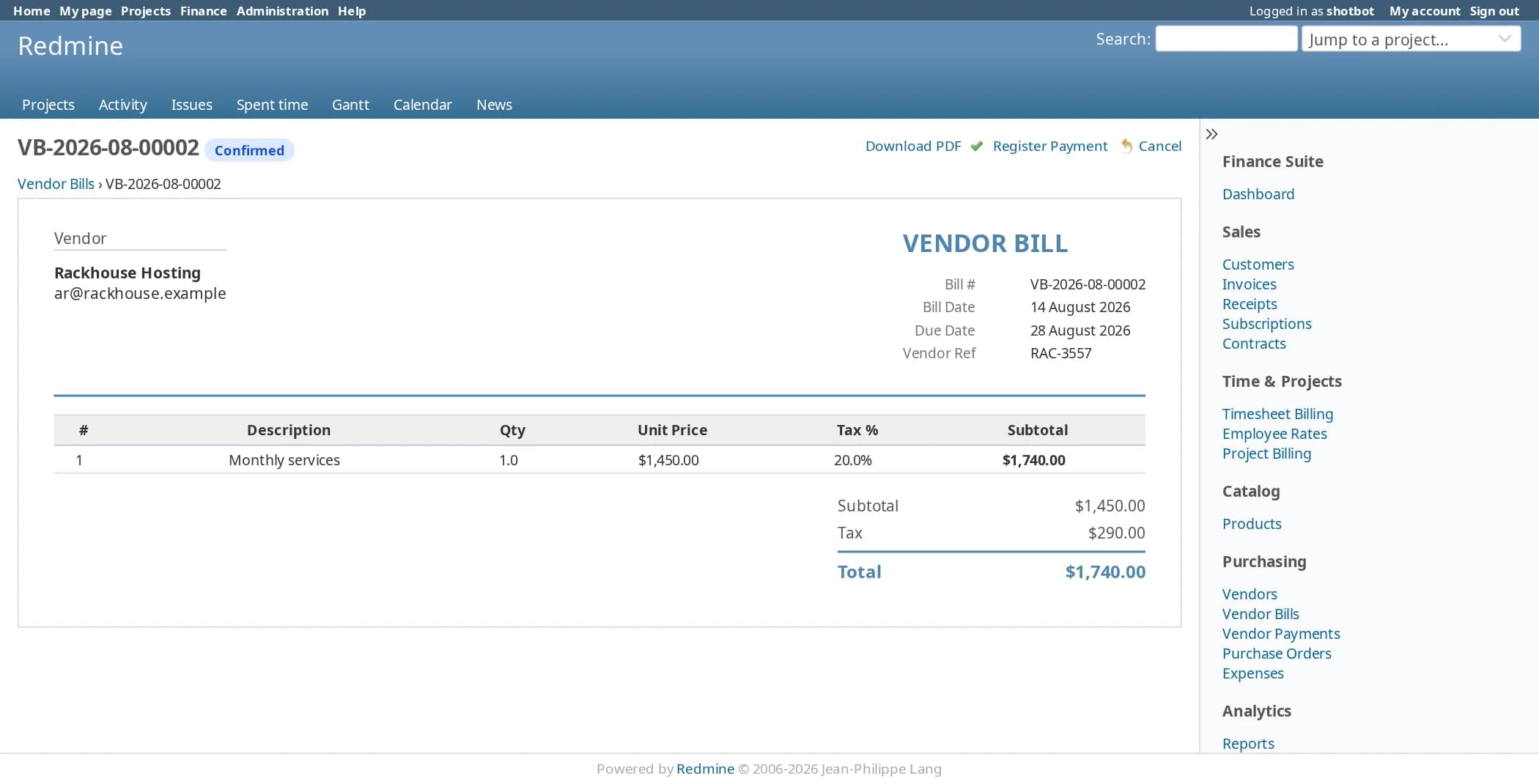
| Vendor bill | Created from the received order, with every line carried over. |
| Payment | Outgoing payments settle bills the same way incoming ones settle invoices. |
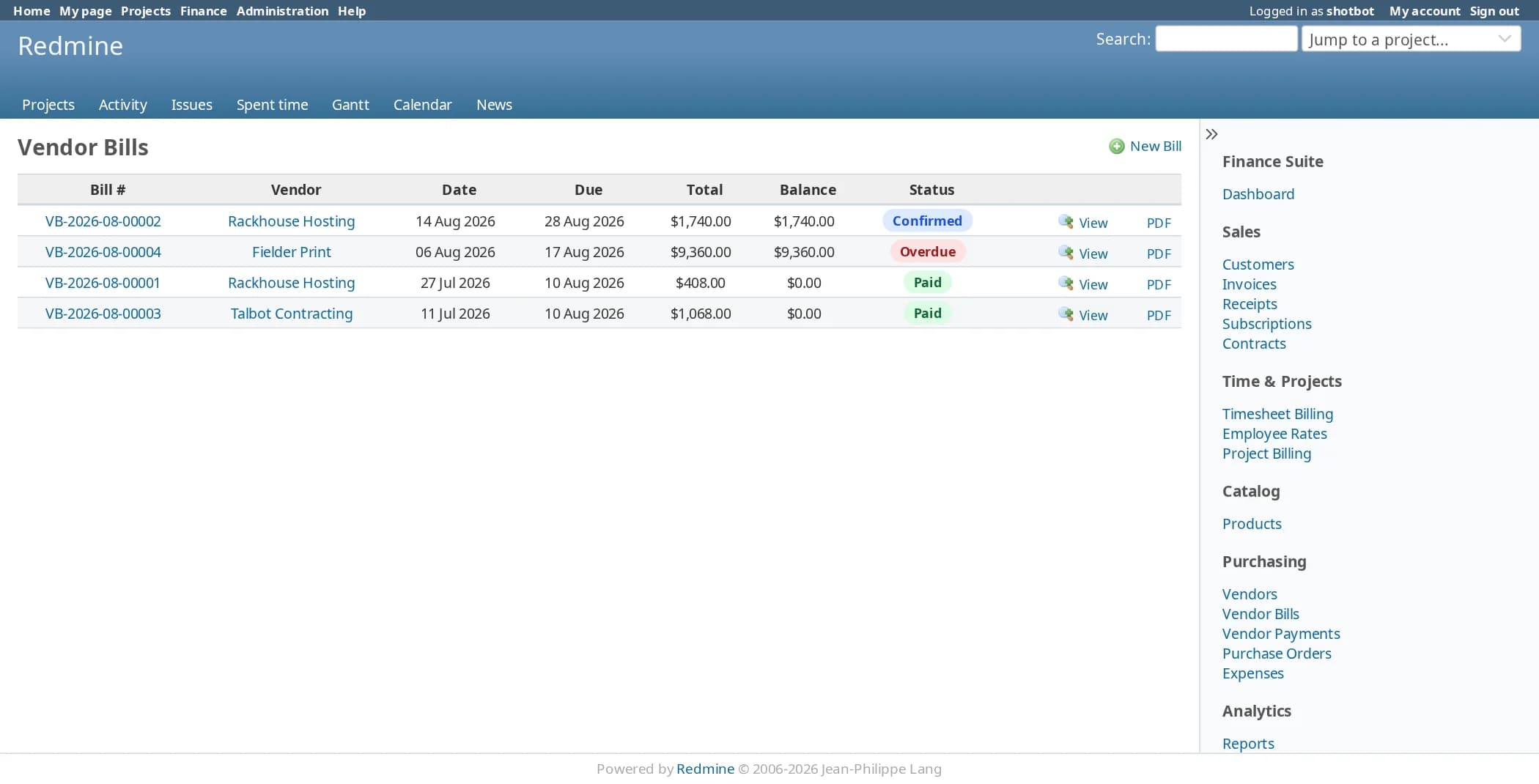
Expense claims with approval, payables by vendor, and overdue bills flagged on the dashboard.
What your finance team will see
These are real screens from the plugin, filled with demo customers, vendors and invoices, on Redmine 6.1.
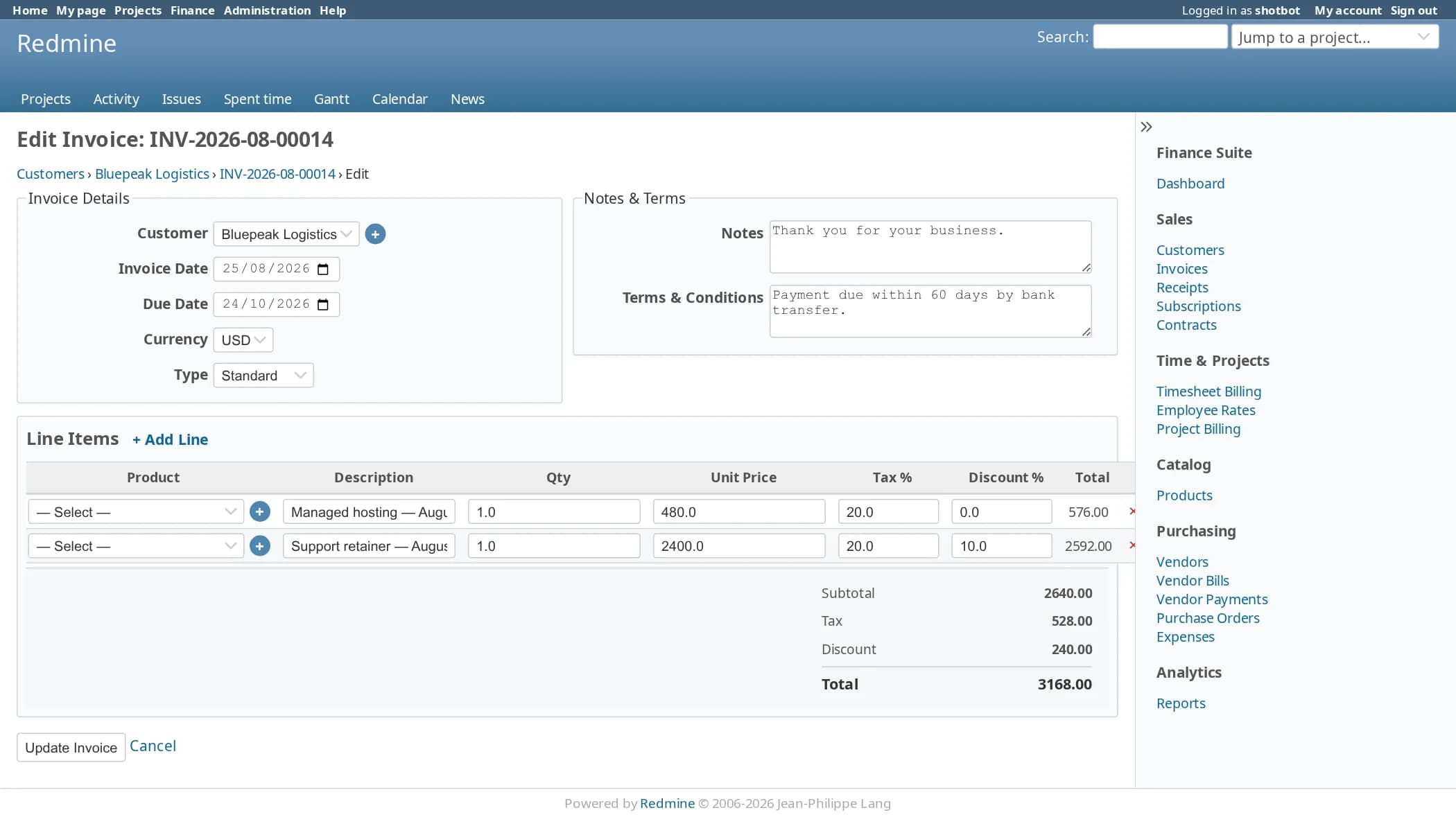
Bill: invoices, from draft to paid
Create an invoice by hand or from a subscription, a contract or logged time, then post it, send it and record the payment.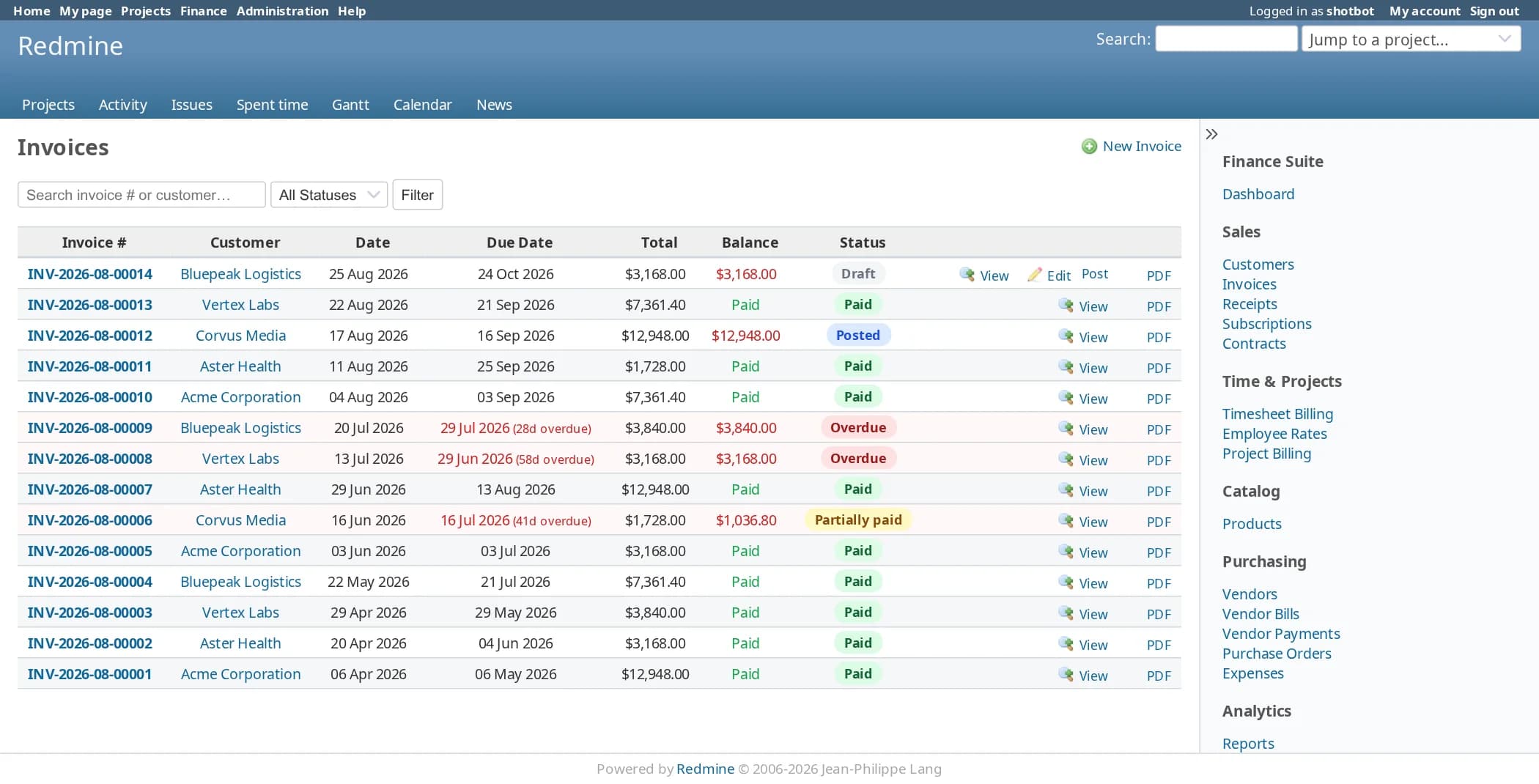
Recur: subscriptions and contracts
Recurring revenue that raises its own invoices on the due date.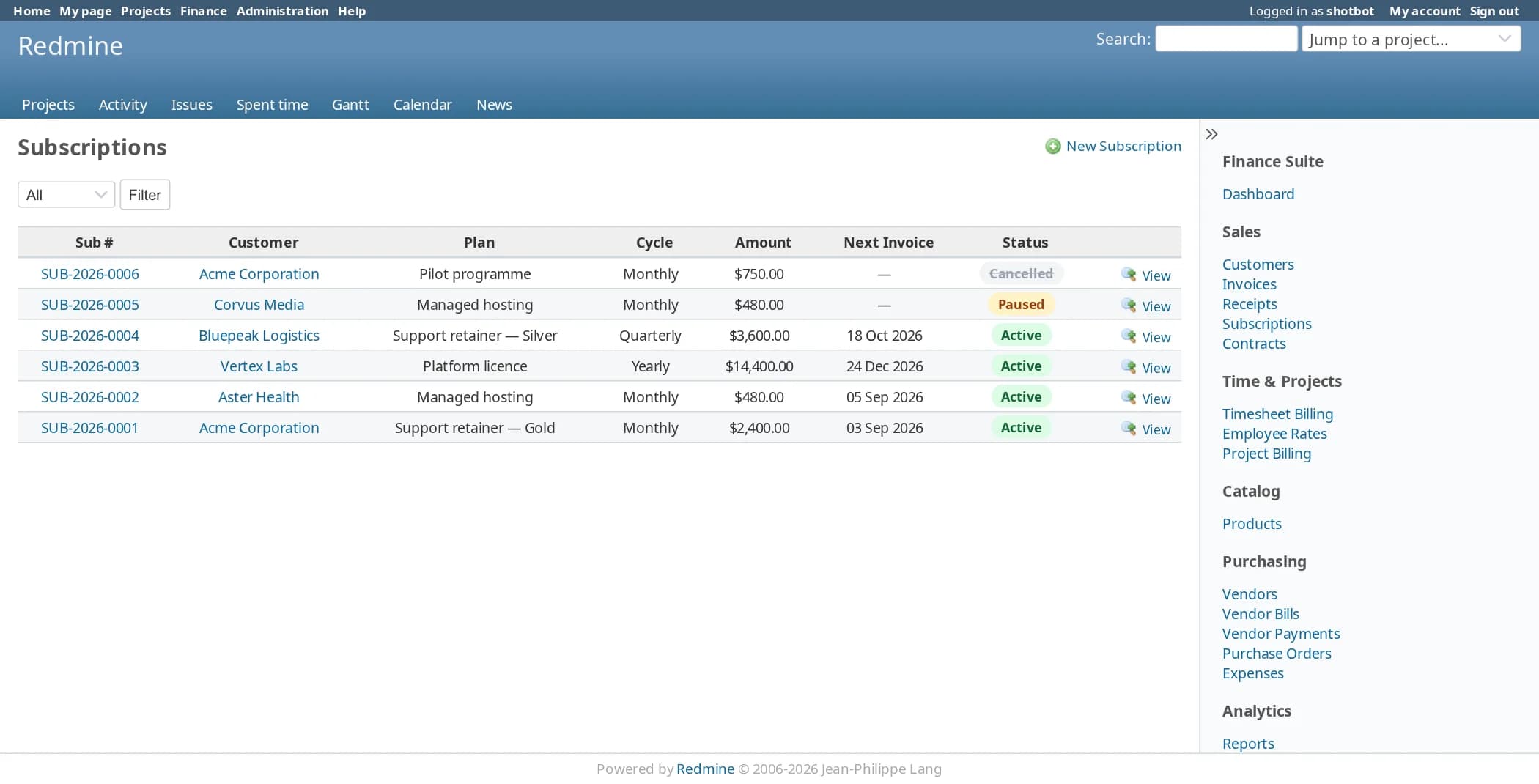
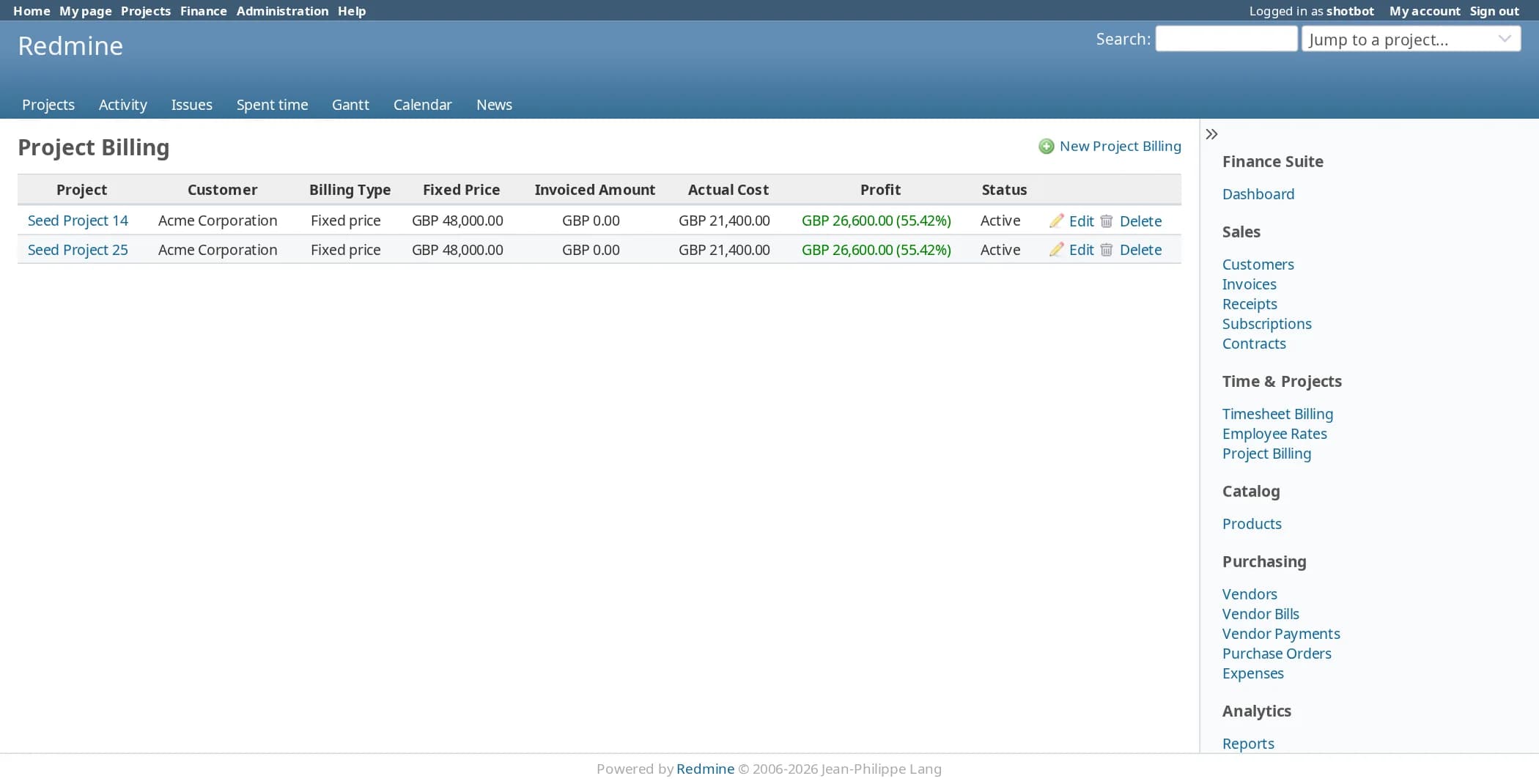
Time: from logged hours to an invoice
Finance reads Redmine’s time entries and prices each one at the rate that applies to that person.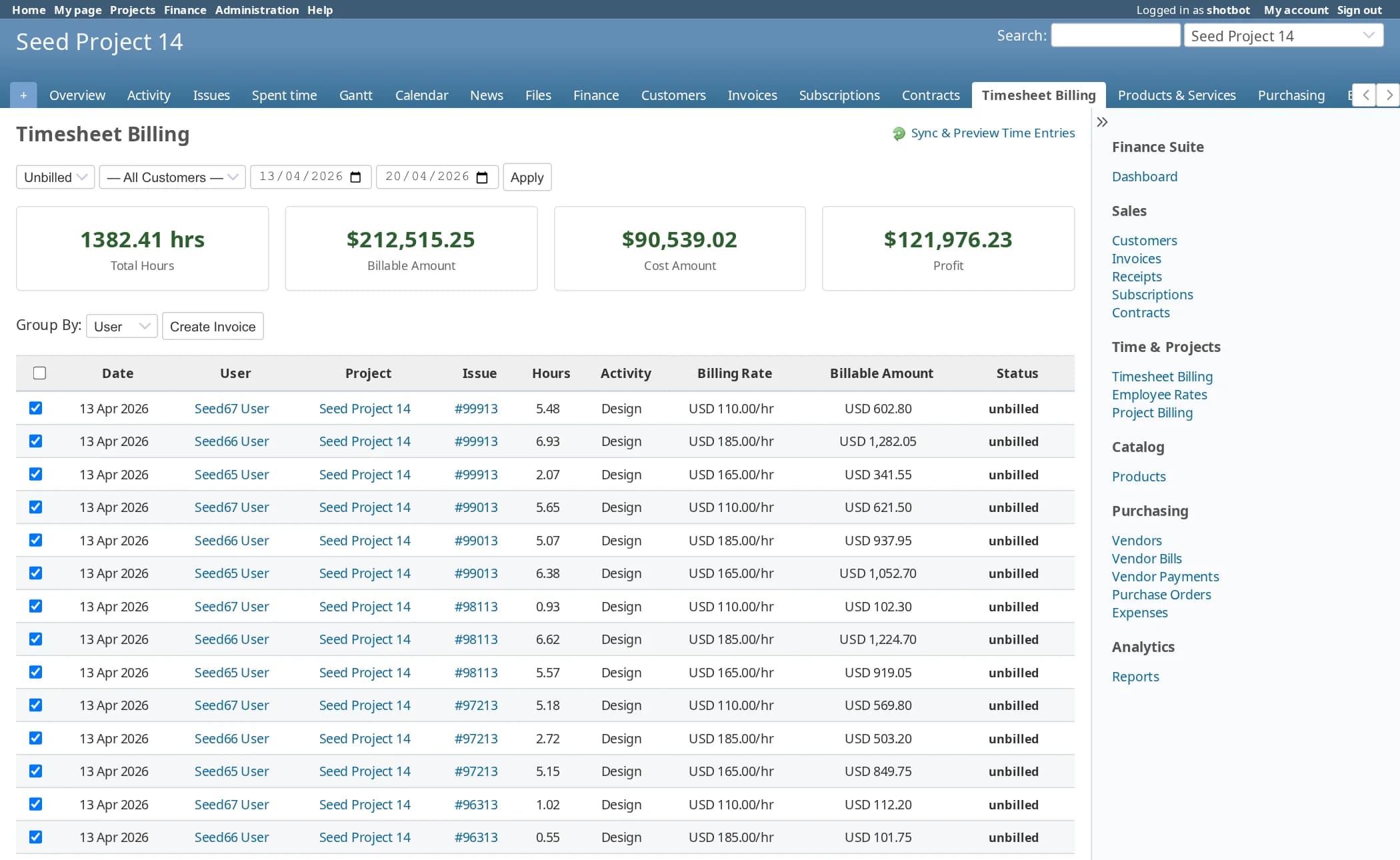
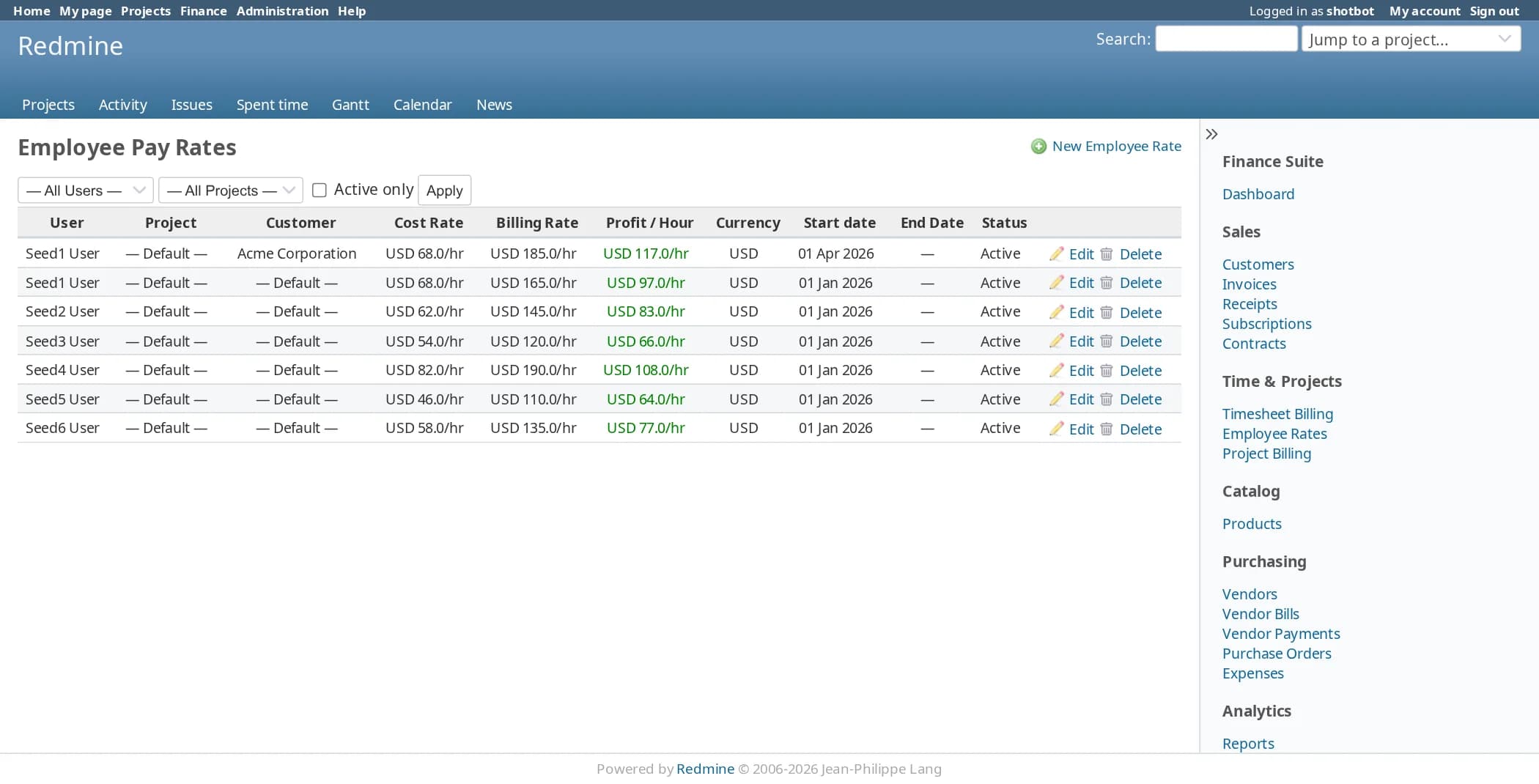
Buy: purchase orders and vendor bills
Track what you ordered, what arrived and what you owe.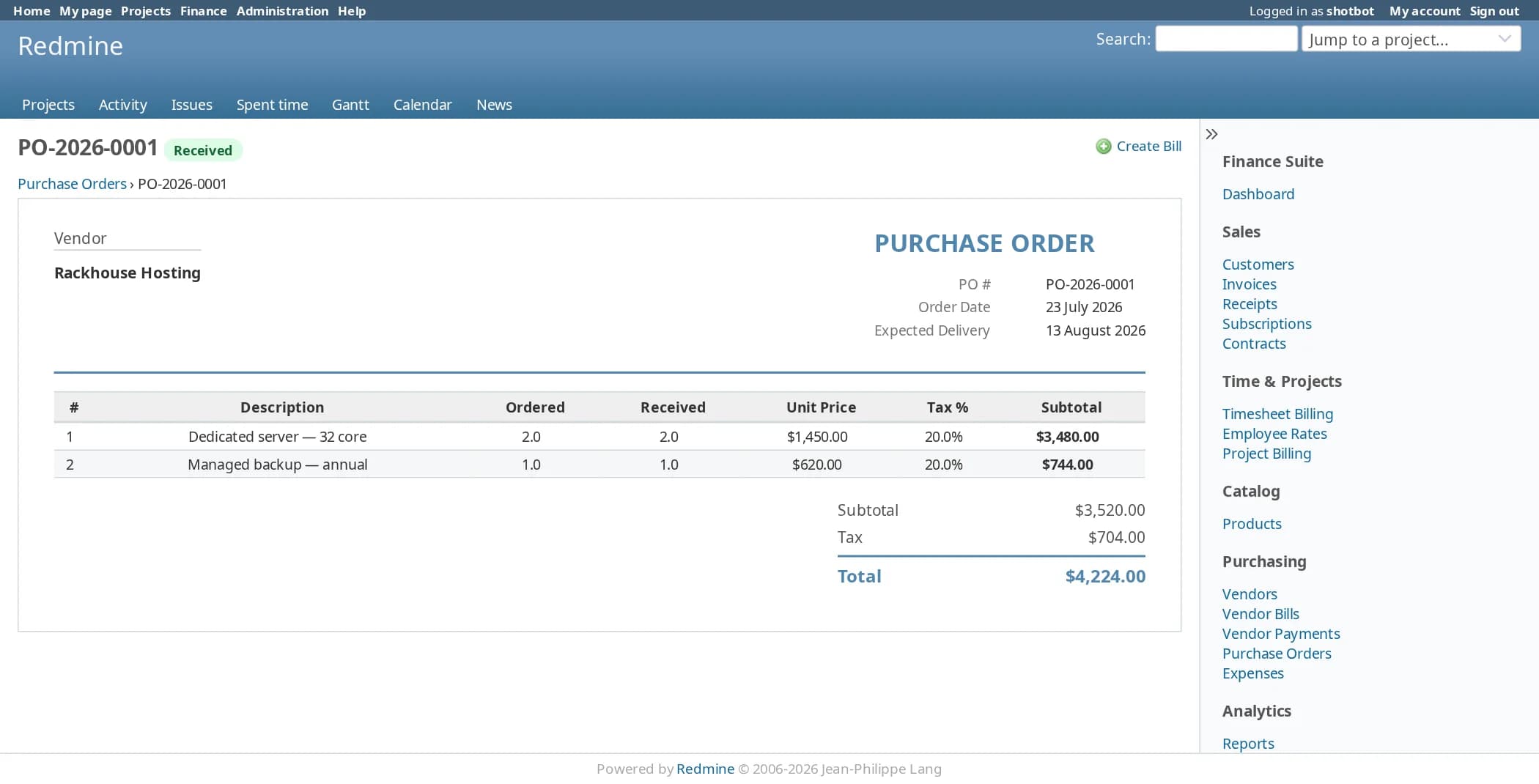
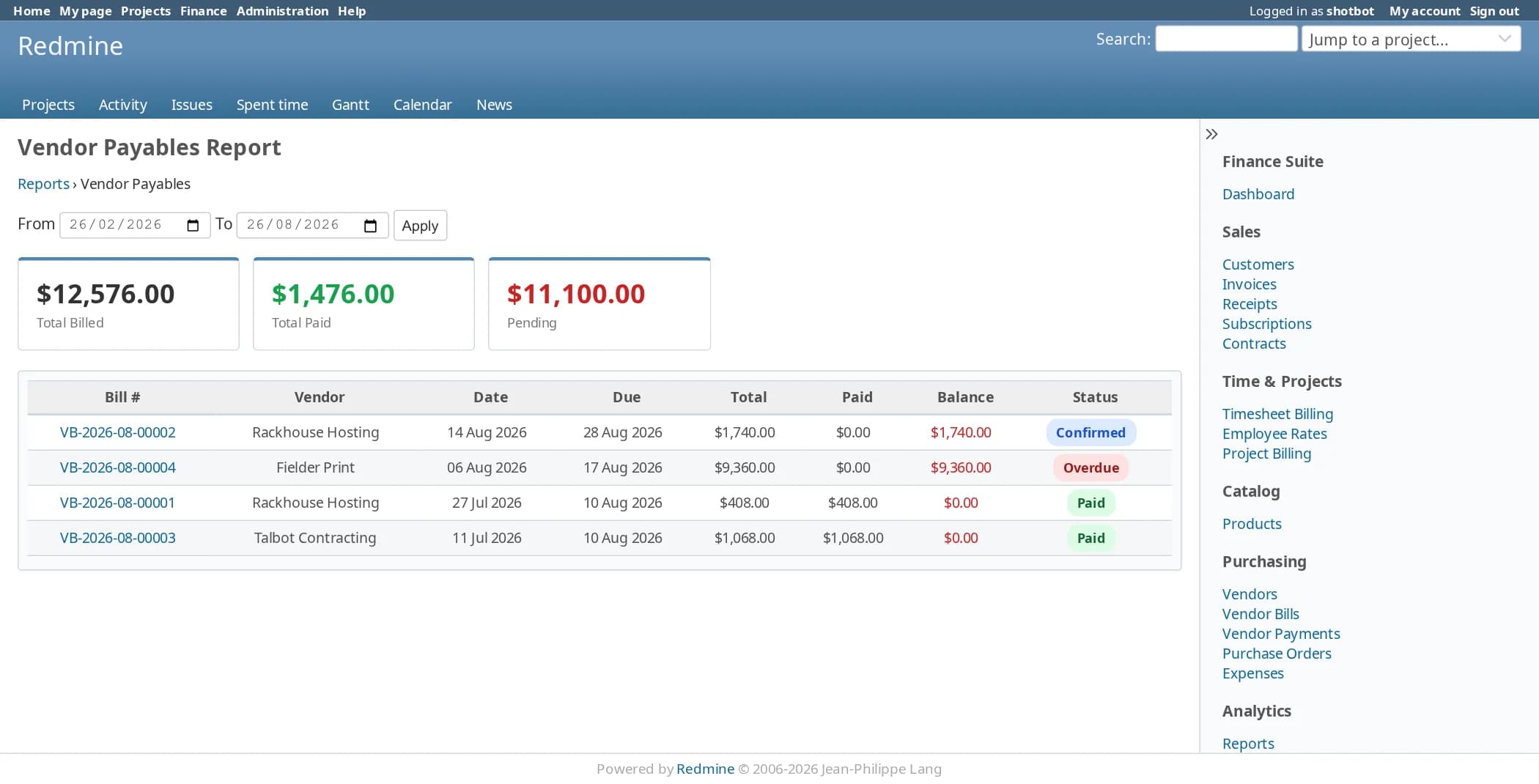
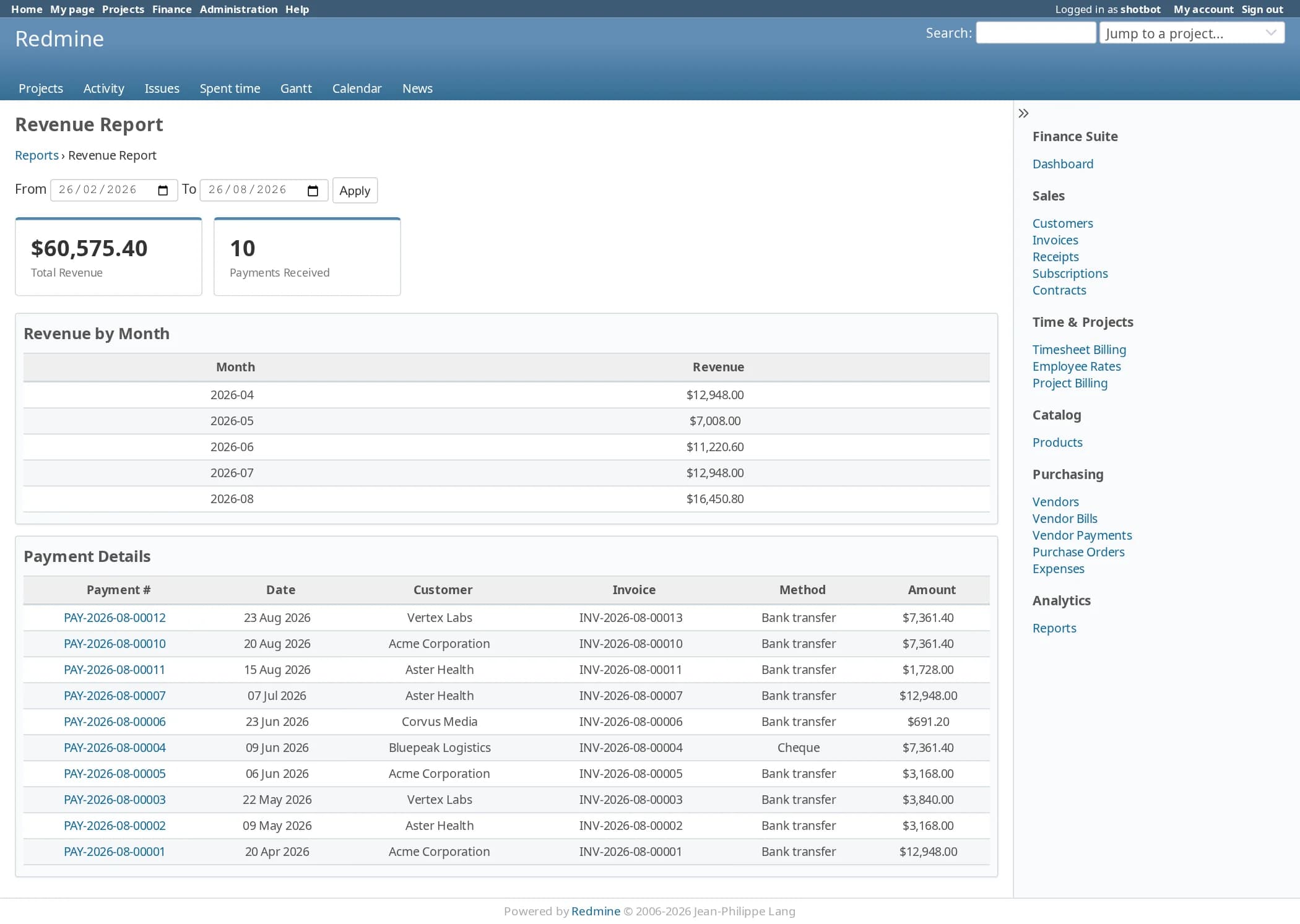
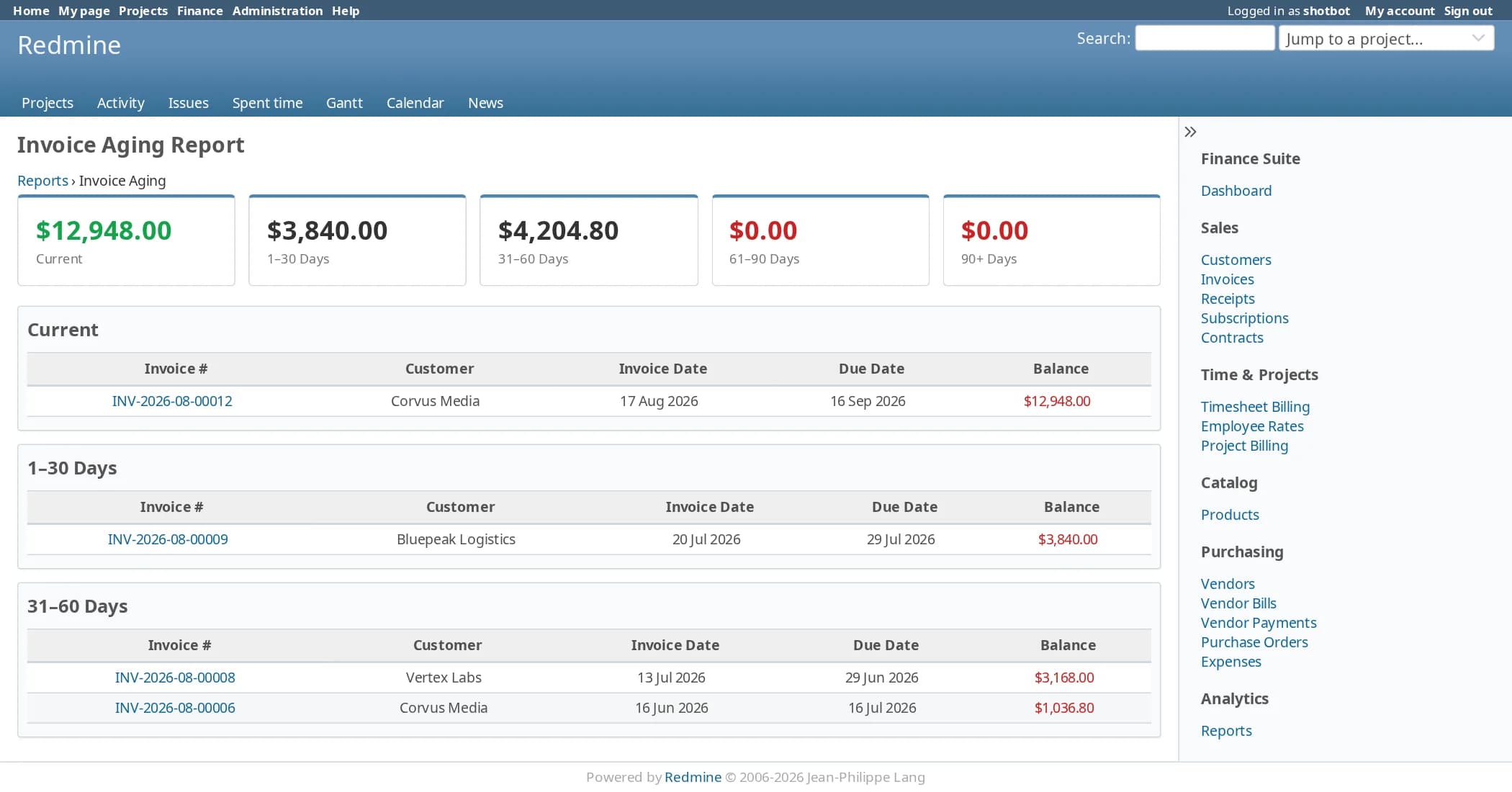
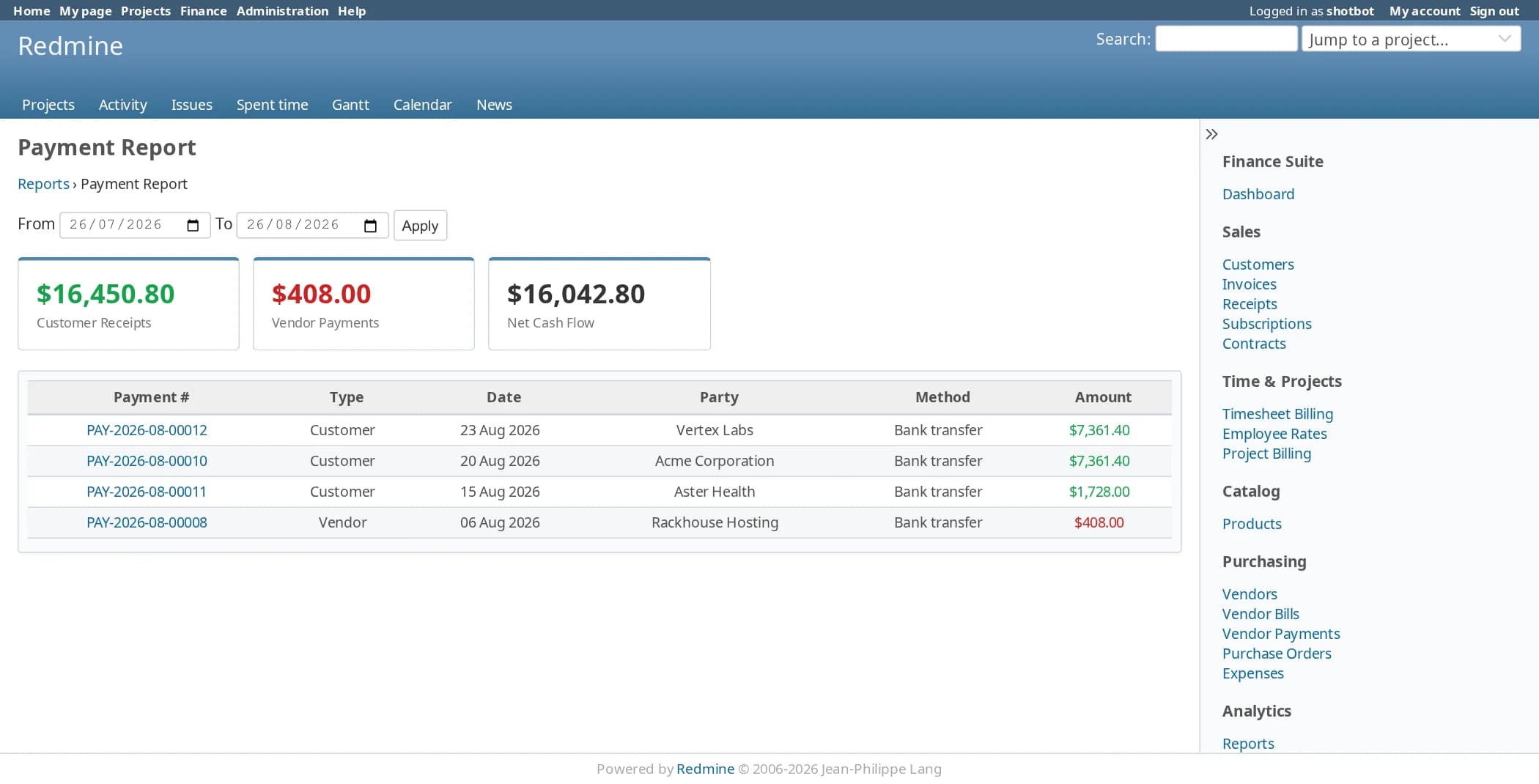
Report: the records behind every number
Pick a date range and see the invoices, bills and payments that make up each total.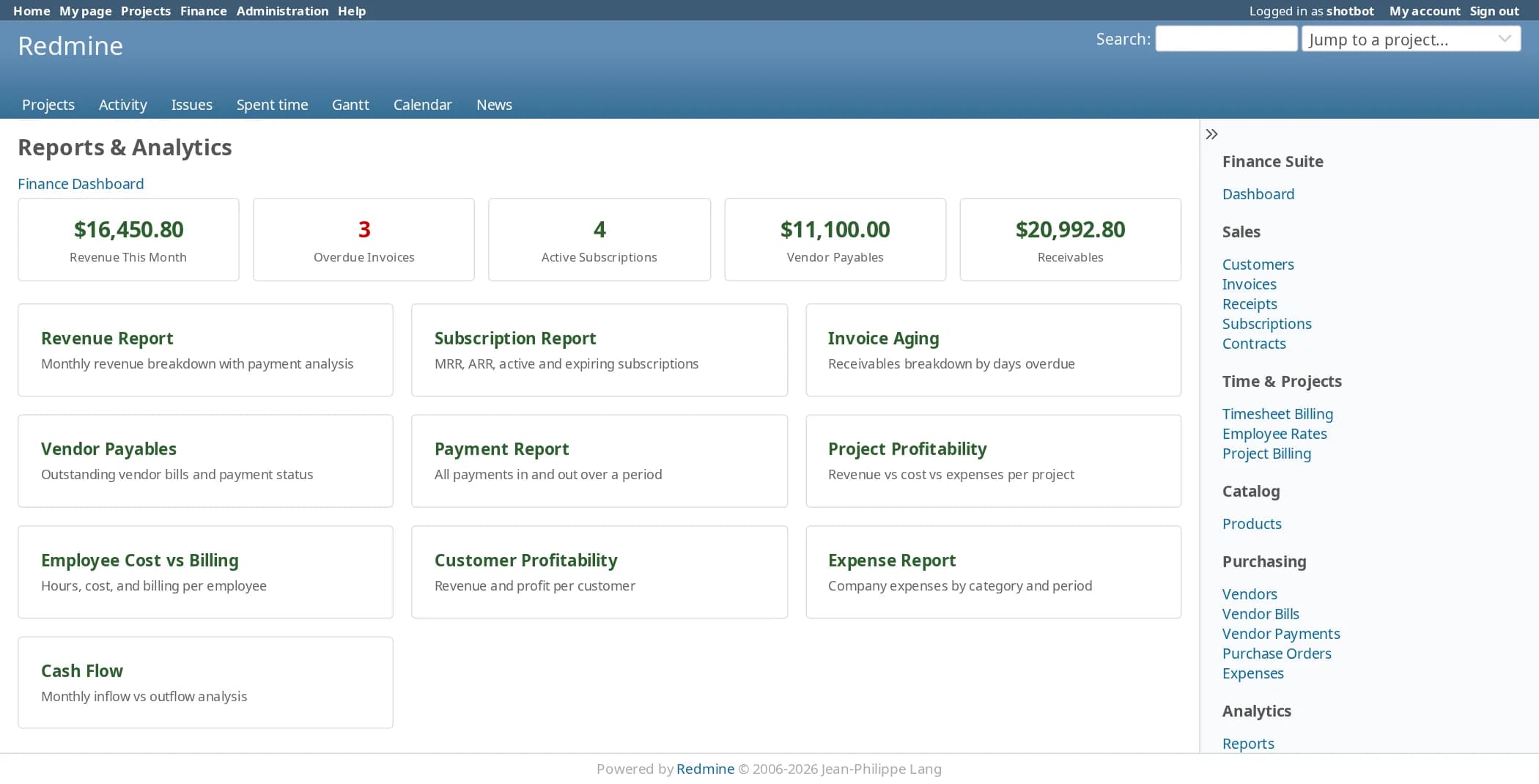
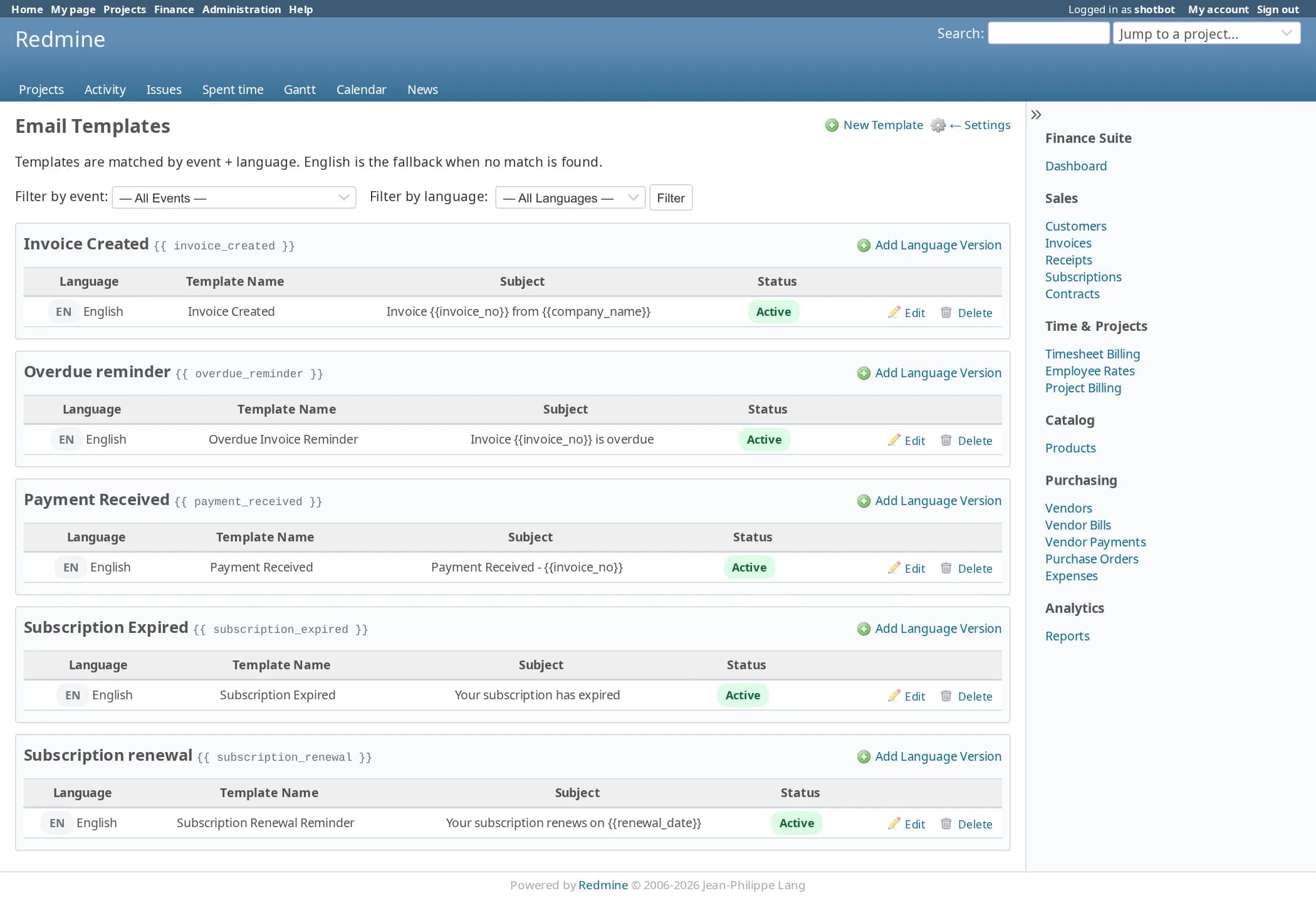
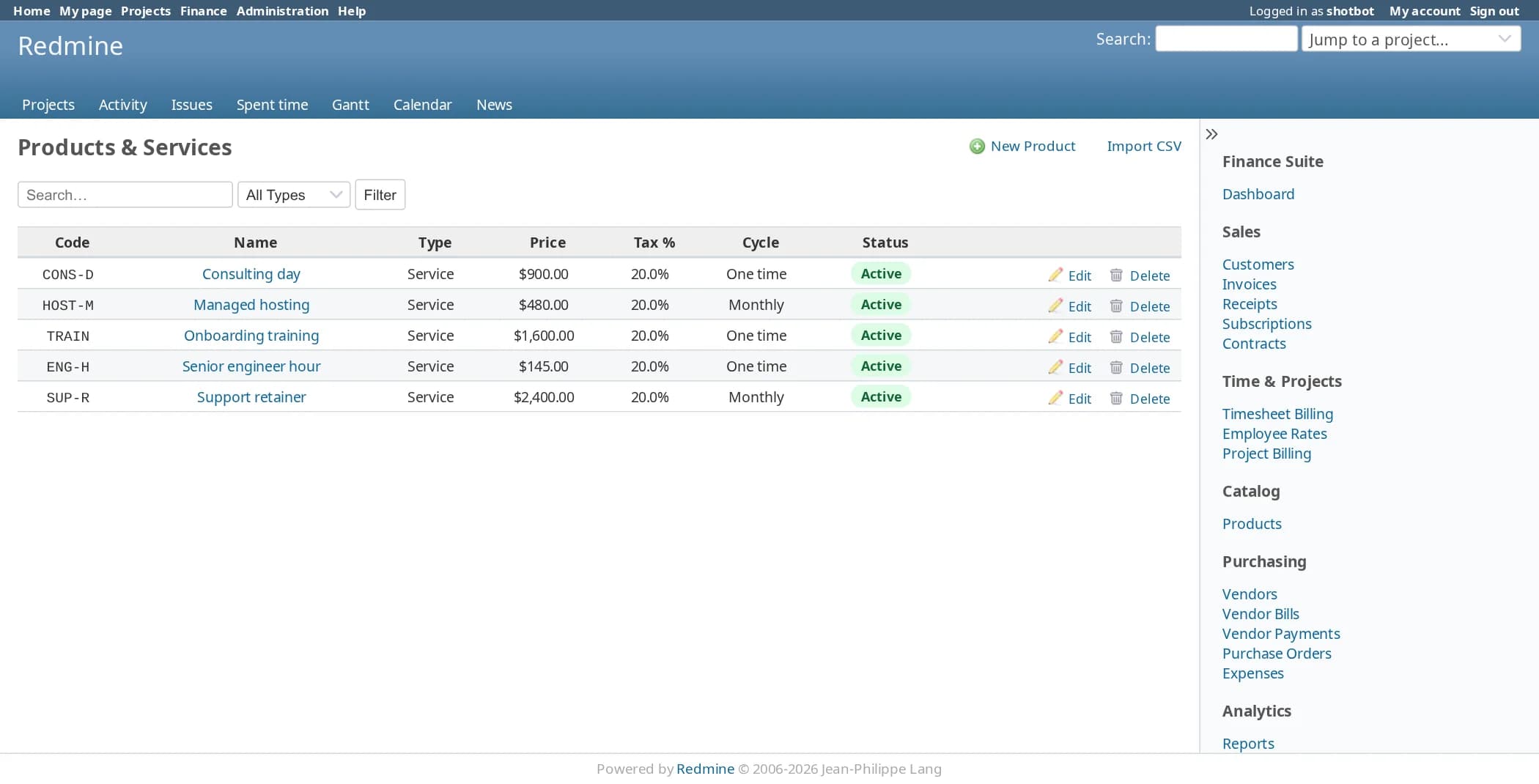
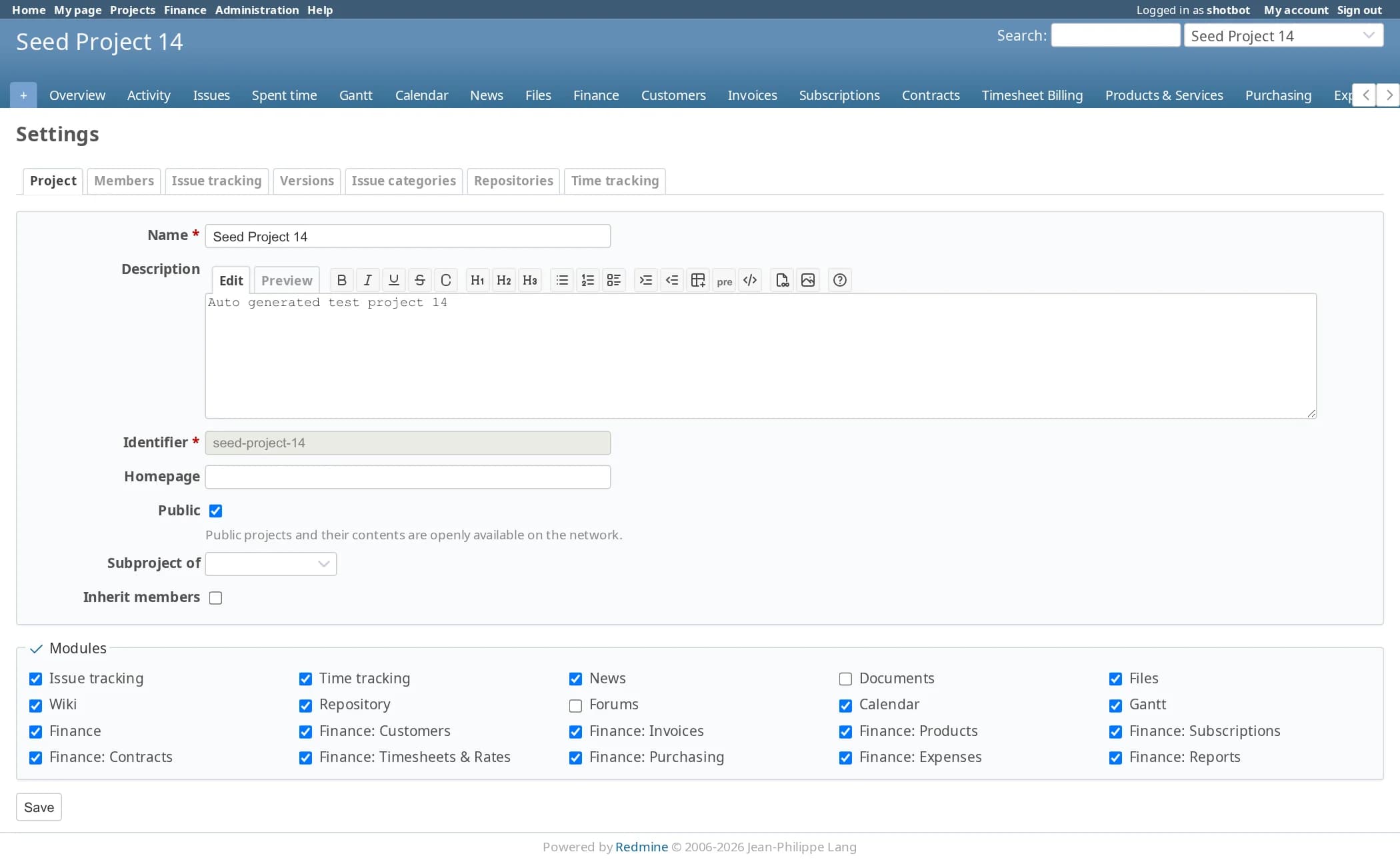
Set up: settings, templates and project modules
Set your company details once, then switch on the modules each project needs.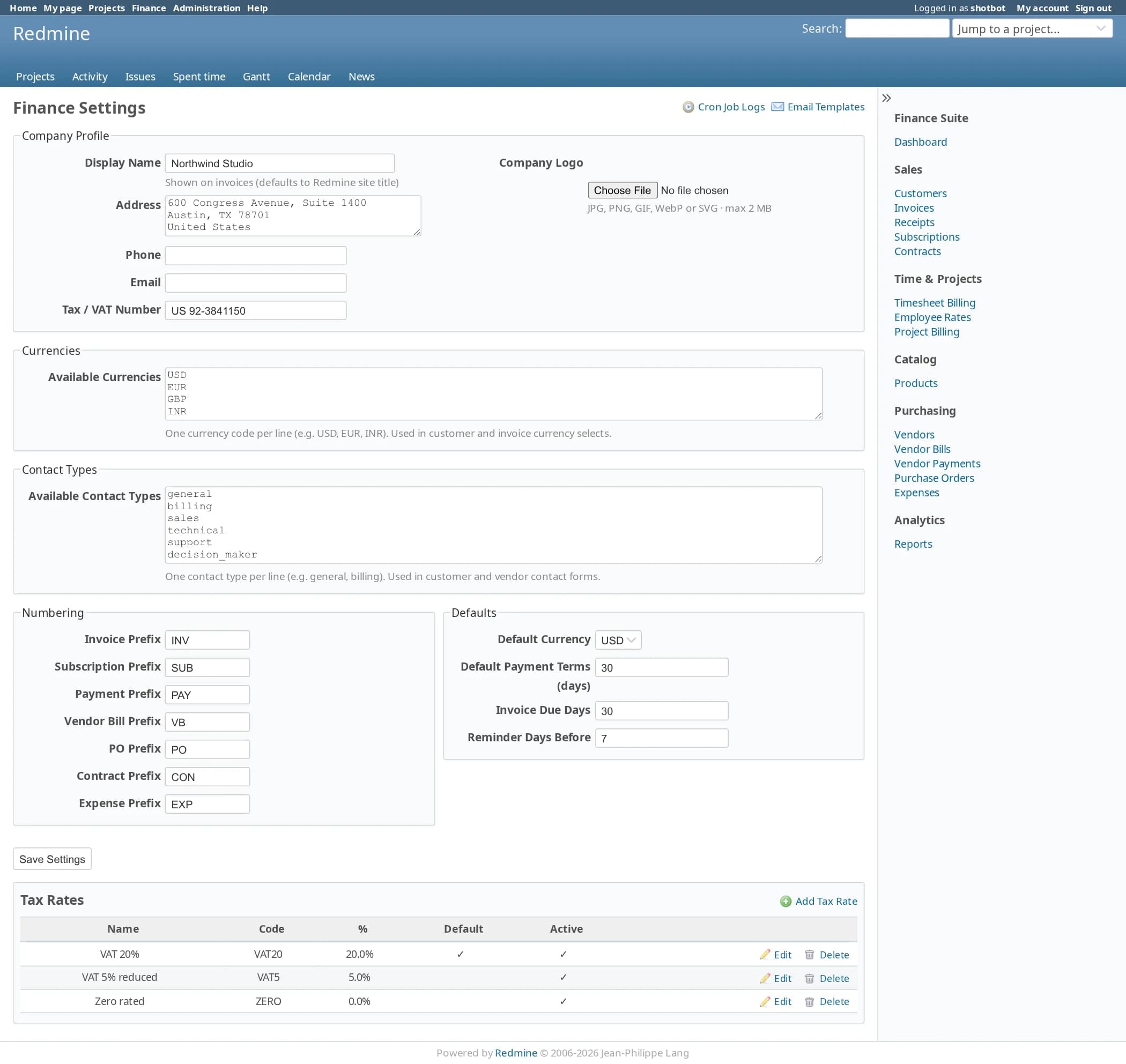
The finance work that usually lives in a spreadsheet next to Redmine
Invoices with a real lifecycle
Draft, posted, sent, partially paid and paid, with overdue and cancelled as their own states. Tax and discount per line, a print version and email delivery.
Subscriptions that invoice themselves
Monthly, quarterly or yearly plans raise their invoices on the due date. MRR and ARR come from the subscriptions that are active.
Contracts with included hours
Maintenance, support, retainer, fixed-price and recurring contracts. Logged time uses up the included hours, and anything beyond them is charged at the extra rate.
Timesheet billing with cost rates
Each person has a billing rate and a cost rate. Select the unbilled entries, create the invoice, and see cost and profit for the same period.
Purchasing and expenses
Vendors, purchase orders and vendor bills, plus expense claims in seven categories that go from submitted to approved to paid.
Import what you already have
Customers, vendors and products import from CSV, and each has a sample file with the right column headers.
Ten modules, enabled per project
Each one is a standard Redmine project module with its own permissions. Turn on invoicing for client projects and leave it off everywhere else.
| Module | What it manages | Permissions |
|---|---|---|
| Finance | Dashboard, company profile, currencies, tax rates, numbering, email templates | view_finance, admin_finance_settings |
| Customers | Customer accounts, contacts, addresses and payment terms | manage_customers, manage_customer_contacts |
| Invoices | Invoices, posting, email delivery, incoming and outgoing payments | manage_invoices, manage_payments |
| Products | Product and service catalogue | manage_products |
| Subscriptions | Recurring plans and billing cycles | manage_subscriptions |
| Contracts | Retainers and support contracts, included hours, renewal | manage_contracts |
| Timesheets and rates | Time-entry billing, employee billing and cost rates, project billing plans and milestones | manage_timesheet_billing, manage_employee_rates, manage_project_billing |
| Purchasing | Vendors, vendor contacts, purchase orders, vendor bills | manage_vendors, manage_purchase_orders, manage_vendor_bills |
| Expenses | Expense claims, categories and approval | manage_expenses |
| Reports | Ten reports and the scheduled-job log | view_finance_reports, view_cron_logs |
Cost rates sit behind their own permission, so billing staff do not have to see what people cost.
Every document has a lifecycle
A posted invoice is cancelled, not deleted. A payment is validated before it settles anything. A purchase order that is partly received says so.
| Document | Main path | Other states |
|---|---|---|
| Invoice | Draft → Posted → Sent → Partially paid → Paid | Overdue, Cancelled |
| Payment | Draft → Validated | Cancelled |
| Subscription | Draft → Active → Paused | Cancelled, Expired |
| Contract | Draft → Active | Cancelled, Expired |
| Purchase order | Draft → Confirmed → Partially received → Received → Billed | |
| Expense | Draft → Submitted → Approved → Paid | Rejected |
Payment methods: cash, bank transfer, cheque, UPI, Stripe and PayPal.
Eighteen scheduled jobs and one log
Cron runs finance:cron:daily each night and finance:cron:monthly on the first of the month. Every run is written to the cron log with its result and the number of records it handled.
| Job | What it does |
|---|---|
| Invoices | Raise the subscription and contract invoices that are due today. |
| Overdue | Mark overdue invoices and vendor bills. |
| Reminders | Send due-date, overdue and renewal reminders to customers and vendors. |
| Contracts | Update contract usage from Redmine time entries. |
| Summaries | Email a daily finance summary and a monthly revenue report. |
| Health check | Flag any job that has stopped running. |
Two lines in your crontab
No background worker and no extra service. Cron calls rake. Emails use templates you can edit, one per event and per language, with English as the fallback.
Runs where your Redmine already runs
| Environment | Status | Notes |
|---|---|---|
| Redmine 7.x | Supported | |
| Redmine 6.x | Supported | Tested on Redmine 6.1 with Ruby 3.4.2. The screenshots on this page are from 6.1. |
| Redmine 5.x | Supported | |
| Redmine 4.x | Supported | 4.0 is the minimum version the plugin declares |
| Databases | Supported | MySQL, MariaDB and PostgreSQL |
| Languages | 51 | The same locales Redmine ships with |
| Your data | Unchanged | Reads Redmine’s users, projects and time entries. It does not modify them. |
Billing or Finance: which one do you need?
Billing covers invoices, subscriptions, payments, vendors and purchase orders. Finance adds contracts with included hours, timesheet billing with billing and cost rates, project billing plans, expense claims and the profitability reports. If you only send invoices, Billing is enough. If you want to know what a project earned, choose Finance.
| Feature | Redmine Billing | Redmine Finance |
|---|---|---|
| Customers | Included | Included |
| Invoices | Included | Included |
| Payments | Included | Included |
| Products | Included | Included |
| Subscriptions | Included | Included |
| Purchasing | Included | Included |
| Contracts | Not included | Included |
| Timesheets and rates | Not included | Included |
| Expenses | Not included | Included |
| Reports | 5 | 10 |
| Scheduled jobs | 15 | 18 |
| Modules | 7 | 10 |
| Permissions | 13 | 20 |
Install in three steps
Requires shell access and the ability to run rake tasks. Always back up before installing a plugin.
cd /opt/redmine
# the package arrives by email, or from your download link
# the folder must be named plugins/redmine_finance
unzip redmine_finance-2.0.0.zip -d plugins/
RAILS_ENV=production bundle exec rake redmine:plugins:migrate NAME=redmine_finance
touch tmp/restart.txt   # or systemctl restart redmine
# Administration → Roles and permissions → grant the finance permissions
# Project → Settings → Modules → tick the finance modules you want
# Finance → Settings → company profile, currencies, tax rates, number prefixes
# crontab -e
0 2 * * * cd /opt/redmine && bundle exec rake finance:cron:daily RAILS_ENV=production
0 3 1 * * cd /opt/redmine && bundle exec rake finance:cron:monthly RAILS_ENV=production
How is this different from Redmine Billing?
Does it change my time entries or issues?
Is it an accounting system?
Can I use it on some projects only?
Who can see cost rates?
Are the screenshots real?
Pricing
Single server
One Redmine instance · unlimited users · 12 months of updates.
Multiple servers
Unlimited Redmine servers · unlimited users · 12 months of updates.